





The setup
In April I expanded my main pool from four-wide RAIDZ2 to five-wide by adding a single 10 TB Seagate IronWolf to four existing 4 TB WD Red Plus drives. OpenZFS 2.3+ supports RAIDZ expansion: the new column gets added, the existing data keeps its old parity layout until rewritten, and the pool stays online throughout. The expansion completed normally.
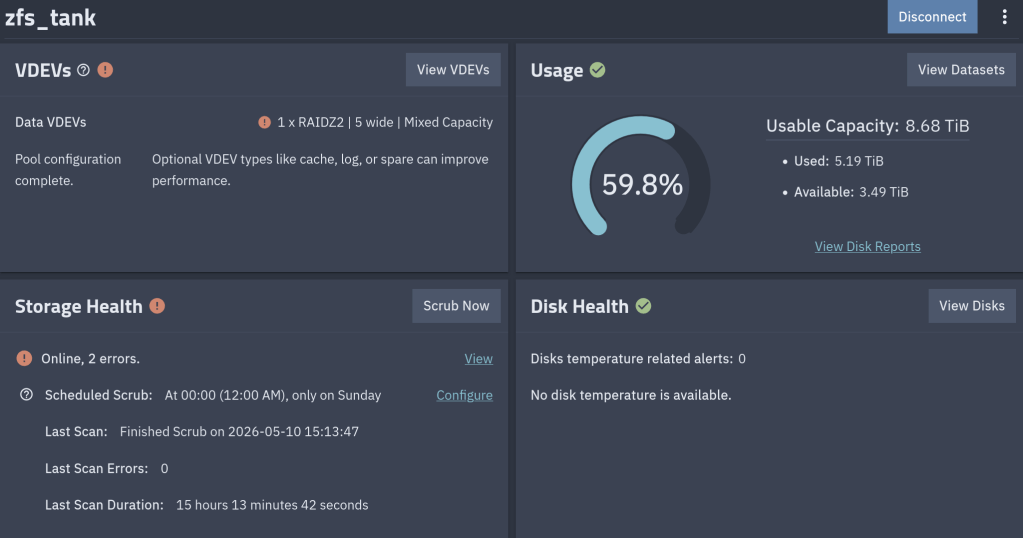
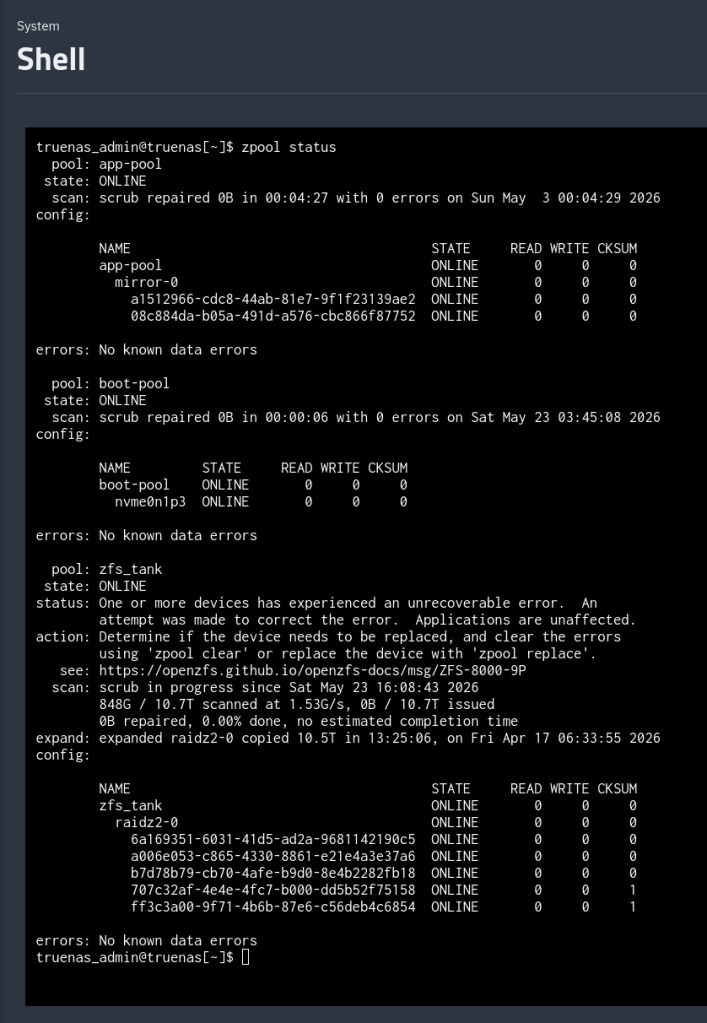
About five weeks later, a scrub showed the following CKSUM error:
$ sudo zpool status zfs_tank pool: zfs_tank state: ONLINEstatus: One or more devices has experienced an unrecoverable error. An attempt was made to correct the error. Applications are unaffected.action: Determine if the device needs to be replaced, and clear the errors using 'zpool clear' or replace the device with 'zpool replace'.config: NAME STATE READ WRITE CKSUM zfs_tank ONLINE 0 0 0 raidz2-0 ONLINE 0 0 0 6a169351-6031-41d5-ad2a-9681142190c5 ONLINE 0 0 0 a006e053-c865-4330-8861-e21e4a3e37a6 ONLINE 0 0 0 b7d78b79-cb70-4afe-b9d0-8e4b2282fb18 ONLINE 0 0 0 707c32af-4e4e-4fc7-b000-dd5b52f75158 ONLINE 0 0 1 ff3c3a00-9f71-4b6b-87e6-c56deb4c6854 ONLINE 0 0 1errors: No known data errors
One checksum error on each of two disks. The pool itself reports zero errors: errors: No known data errors. So no data were degraded.
RAIDZ2 carries two parity columns, the scrub detected bad blocks, and ZFS reconstructed them from parity so the pool status remains healthy. But zpool status only tells you that an error happened and not if it got corrected.
So where is the healing actually recorded?
What zpool status shows, and what it doesn’t
The four columns in zpool status map directly to four counters in the kernel’s vdev_stat_t structure (include/sys/vdev_impl.h):
vs_read_errorsvs_write_errorsvs_checksum_errors- the implicit
STATE
zpool status parses each leaf vdev’s stats and prints those four numbers. It does not print any of the other ~30 fields in the structure — including this one:
uint64_t vs_self_healed; /* total bytes self-healed */
vs_self_healed is incremented in vdev_stat_update() whenever ZFS issues a write with the ZIO_FLAG_SELF_HEAL flag set, which happens after a successful parity reconstruction. The kernel knows exactly how many bytes were healed on each disk. It just doesn’t tell you via the standard zpool status output.
Three places the heal counter does surface
1. Raw kstats (Linux only)
The OpenZFS Linux module exposes every leaf vdev’s full vdev_stat_t under /proc/spl/kstat/zfs/<pool>/. The filenames use the leaf vdev GUID. Pull those GUIDs out of the pool query:
$ sudo ls /proc/spl/kstat/zfs/zfs_tank/ | headiostatetxgsvdev_395717205876781294vdev_4003307236673040230vdev_7306733904703790705vdev_803393823450321549vdev_9021081546382363770
The 9021... and 4003... files are the two disks with errors. Inside:
$ sudo cat /proc/spl/kstat/zfs/zfs_tank/vdev_9021081546382363770...name type datavdev_state 3 7vdev_guid 4 9021081546382363770read_errors 4 0write_errors 4 0checksum_errors 4 1self_healed 4 4096...
self_healed 4096 — four kilobytes. The pool’s ashift is 12, so one block. Exactly one block was reconstructed and rewritten on this disk. Same value on the other affected disk.
2. The TrueNAS middleware API
If you’re on TrueNAS, the same field comes back as JSON from the pool.query endpoint:
{ "name": "707c32af-4e4e-4fc7-b000-dd5b52f75158", "stats": { "checksum_errors": 1, "self_healed": 4096, "read_errors": 0, "write_errors": 0 }}
This is how I first saw the number. The middleware just unpacks vdev_stat_t into JSON.
3. zpool events — the actual heal log
Counters tell you how much. To see when and where, look at the ZFS event ring buffer:
$ sudo zpool events -v zfs_tank | grep -A 30 'ereport.fs.zfs.checksum'May 23 2026 05:42:14.823145112 ereport.fs.zfs.checksum class = "ereport.fs.zfs.checksum" ena = 0x... detector = (embedded nvlist) version = 0x0 scheme = "zfs" pool = 0x6794d4c... vdev = 0x7d24a0... (end detector) pool = "zfs_tank" pool_guid = 0x6794d4cc9d3a8916 vdev_guid = 0x7d24a0aaa18cb6ba vdev_type = "disk" vdev_path = "/dev/disk/by-partuuid/707c32af-4e4e-4fc7-b000-dd5b52f75158" zio_err = 0 zio_offset = 0x... zio_size = 0x1000 zio_objset = 0x... zio_object = 0x... zio_blkid = 0x... cksum_expected = ... cksum_actual = ...
Each event names the affected disk, the byte offset on that disk, the size (here 0x1000 = 4 KiB), the dataset and object, and both checksums. With this you can compute exactly which file (if any) the block belonged to. The buffer holds ~1000 events by default (zfs_zevent_len_max), so old events roll out unless ZED has persisted them to /var/log/zfs/zed.log.
This is the closest thing ZFS has to a “self-heal log.”
What I actually had
Two disks, one block each, both healed. Different manufacturers (WD Red Plus 4 TB / Seagate IronWolf 10 TB), different uptime (6124 h / 3724 h), so a shared hardware fault was unlikely. SMART on both was clean:
$ sudo smartctl -a /dev/sde | grep -E '^( 5|197|198|199) ' 5 Reallocated_Sector_Ct 0x0033 200 200 140 Pre-fail Always - 0197 Current_Pending_Sector 0x0032 200 200 000 Old_age Always - 0198 Offline_Uncorrectable 0x0030 100 253 000 Old_age Offline - 0199 UDMA_CRC_Error_Count 0x0032 200 200 000 Old_age Always - 0
Same story on the Seagate. No reallocated sectors, no pending sectors, no UDMA CRC errors.
UDMA_CRC_Error_Count is the SATA-link error counter. If a cable, backplane, or HBA channel is marginal, this is where it shows up. Both at zero rules out the data path between disk and controller.
What it doesn’t rule out is RAM. This system runs 32 GB of non-ECC DDR5. A single bit-flip in a write buffer leaves a permanently-bad block on disk that scrubs will keep detecting and healing on every pass. The block stays wrong because the heal write reads the (correct) reconstructed buffer from the same RAM that may flip again. Without ECC, you can’t fully exclude this; with non-ECC, you also can’t measure it.
zpool clear vs zpool scrub
The counters in zpool status and vs_self_healed are cumulative since the last zpool clear (or since pool creation). A scrub does not reset them.
So when I ran a scrub after the original event, the 1s in the CKSUM column did not go away — they were the same 1s from before.
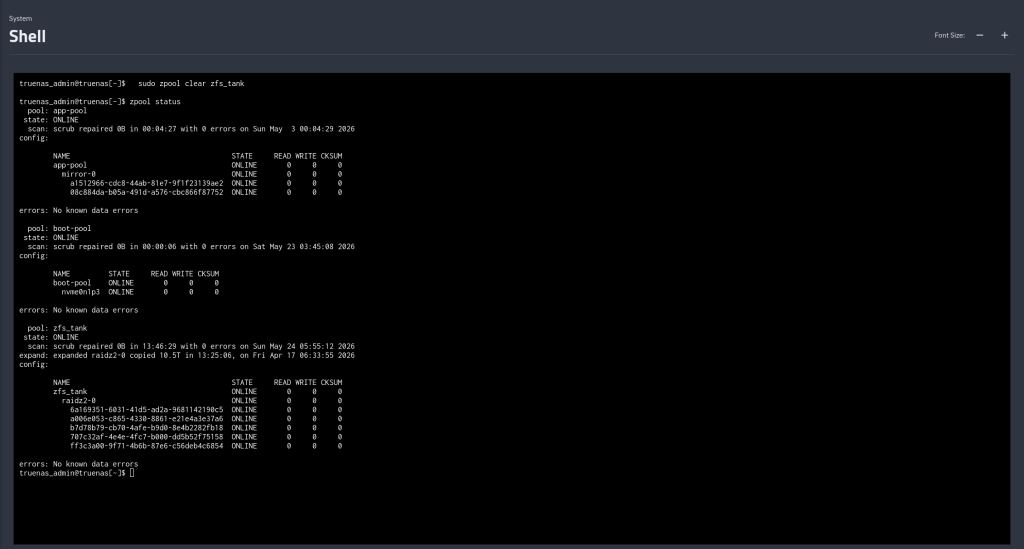
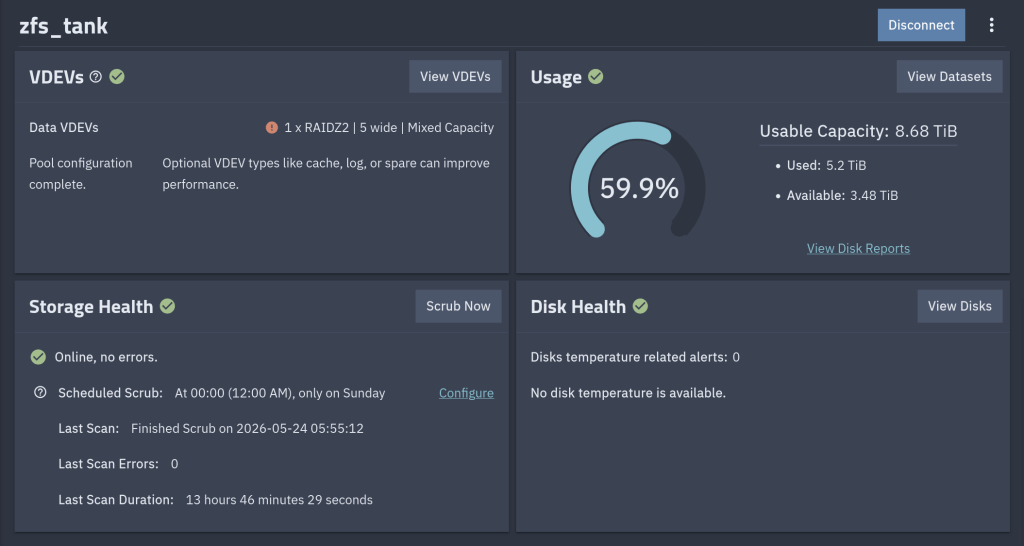
$ sudo zpool clear zfs_tank$ sudo zpool status zfs_tank pool: zfs_tank state: ONLINEconfig: NAME STATE READ WRITE CKSUM zfs_tank ONLINE 0 0 0 ...errors: No known data errors
The status line and the per-disk counters reset together. vs_self_healed resets too. After that, the next scrub starts from zero — if the same blocks show up healed again, you know the corruption is persistent on-disk (and the suspicion shifts toward RAM); if they don’t, the original event was probably a one-shot.
After the zpool clear
 /root
/root 