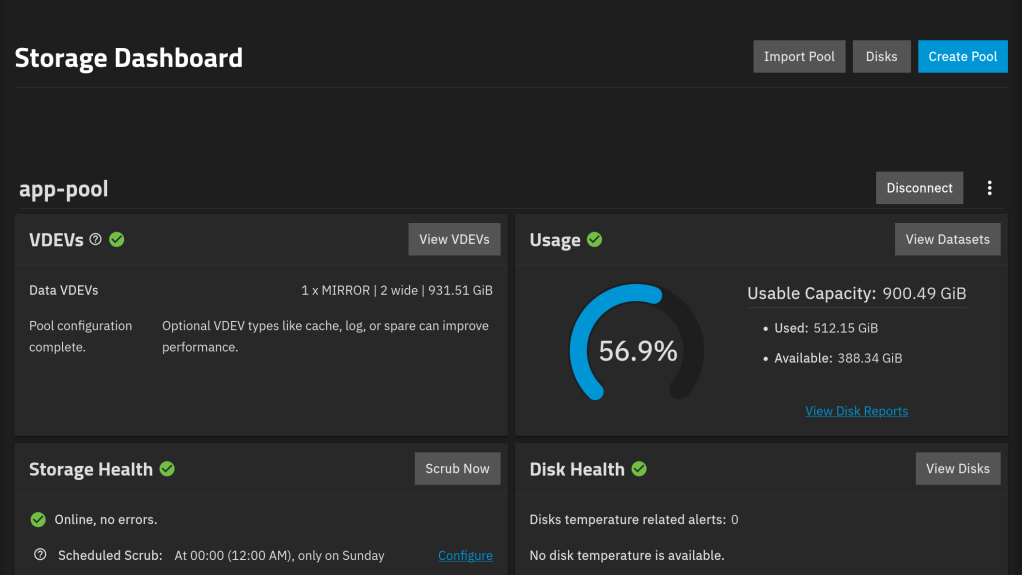
Category: TrueNAS
-
TrueNAS 25.10.5 brings an updated Linux kernel version 6.12.95, which patches multiple security-related CVEs, including SharedFrag (CVE-2026-43503) and PeditCOW (CVE-2026-46331) local privilege escalation vulnerabilities, as well as six more upstream security fixes.
Beyond the kernel, this release also delivers a number of TrueNAS specific fixes:
- A console memory leak was identified that could consume excess RAM
- Corrects several smartctl parsing errors that produced inaccurate drive SMART health reports
- Resolves an error that caused TrueCloud Backup jobs to hang indefinitely when an error occurred in the underlying restic software
- Tightens SSH key handling for replication and cloud credentials
- Obtains full RFC 5322 compliance for emails to ensure reliable delivery
- Improves the robustness of Enterprise HA for block storage
- And fixes a bug that blocked share ACL editing in certain edge cases
For full details on all of the updates, check out the TrueNAS 25.10 changelog on the TrueNAS Docs site.
https://www.truenas.com/blog/truenas-25-10-5-resolving-security-vulnerabilities
-
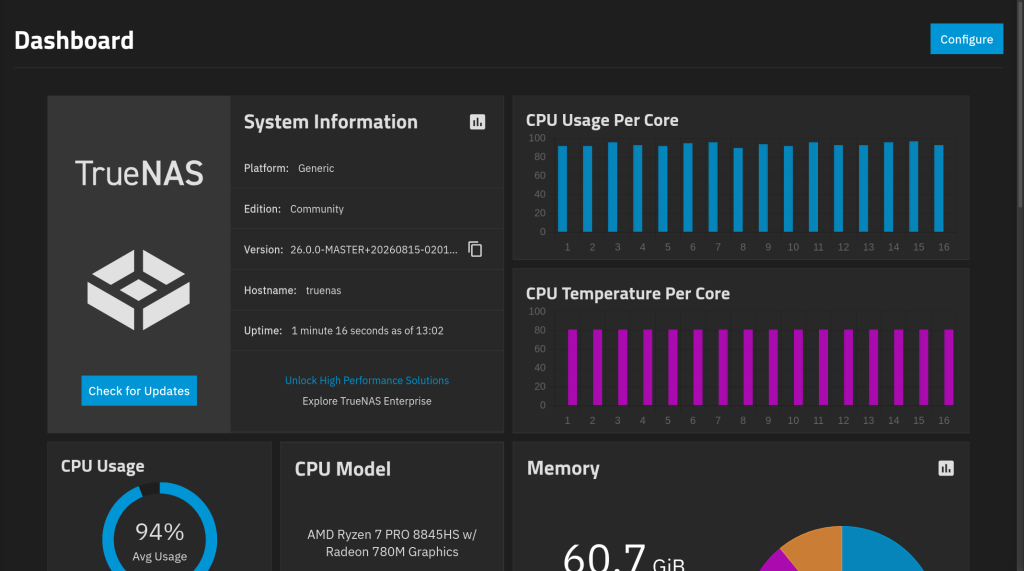
Another uncomplicated upgrade!! The UI looks pretty !!


-
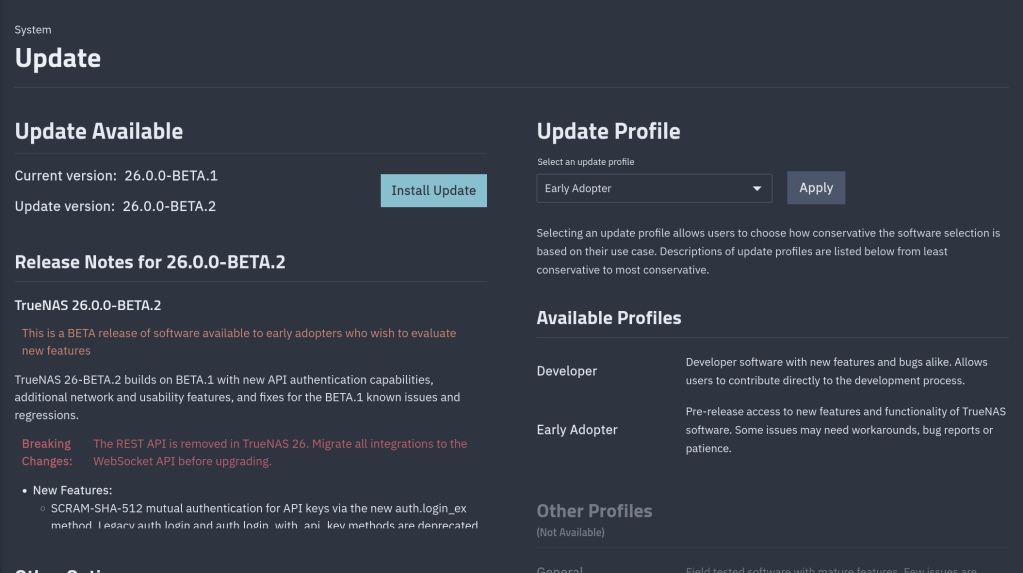
Breaking Changes:
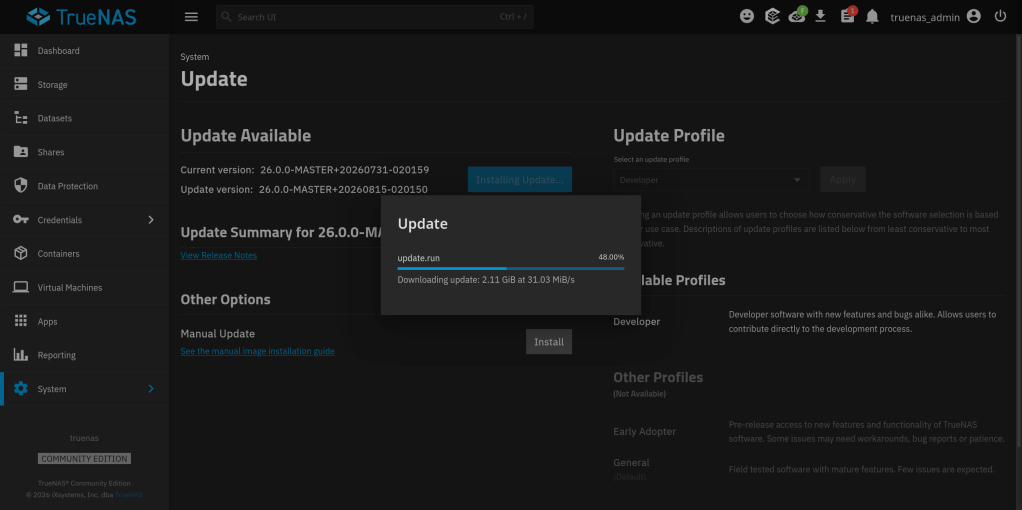
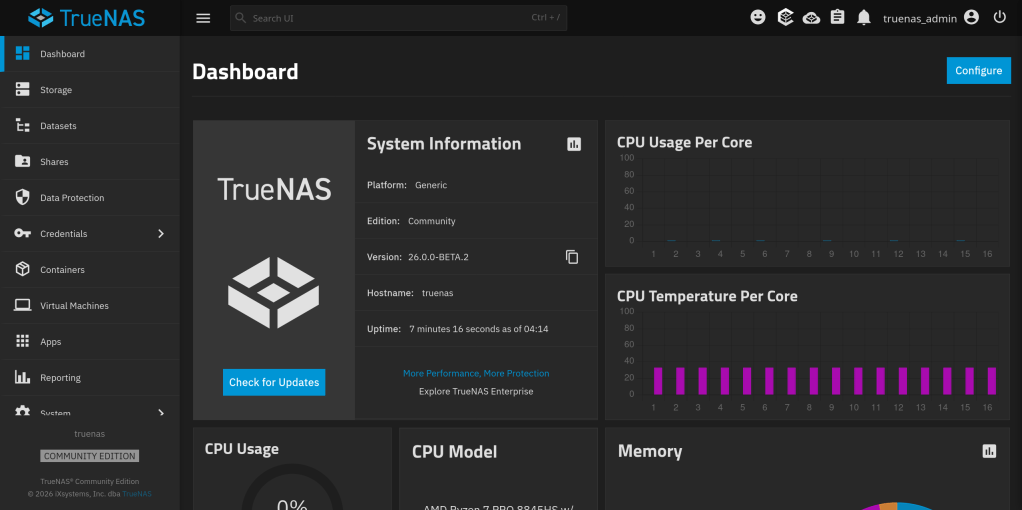
The REST API is removed in TrueNAS 26. Migrate all integrations to the WebSocket API before upgrading.26-BETA.2 Notable Changes
- Adds Forward Error Correction (FEC) mode as a configurable network interface setting on both Community Edition and Enterprise systems (NAS-139477, NAS-140329). Network interfaces that support FEC can now have the FEC mode configured directly from the interface settings in the UI.
- Adds the ability to view the reason for each system reboot on the local node (NAS-139412). TrueNAS now stores the cause of each reboot — for example, user-initiated, kernel panic, or scheduled update — so administrators can review reboot history when they investigate system events.
- Adds the missing
en_US.UTF-8locale to TrueNAS 26 (NAS-140692). The default English UTF-8 locale was not present in BETA.1, which could cause encoding errors for applications, scripts, and containers that depend on it. The locale is now available system-wide. - Improves visibility of important pool states such as resilvering in the web interface (NAS-139007). Pool states like resilvering, scrubbing, and degraded operations were not prominently displayed. The Storage dashboard and pool status screens now surface these states with clearer indicators so administrators can identify maintenance activity at a glance.
- Improves webshell access control with per-shell-type role checks and adds audit logging for shell sessions (NAS-141011). Webshell sessions for containers, VMs, and apps previously wrapped commands in
sudo -H -u <user>, which failed against root-owned libvirt and Docker sockets. Users with theFULL_ADMINrole but without unrestricted sudo encountered Polkit errors and broken shells. Webshell authorization now uses per-shell-type role checks (VM_WRITE,CONTAINER_WRITE,APPS_WRITE) alongside the existing webshell privilege, and shell sessions emitWEBSHELL_AUTHENTICATIONandWEBSHELL_LOGOUTaudit events. - Improves the built-in ACL preset templates by auto-including local and directory service user and admin groups (NAS-140530). When a built-in preset such as
NFS4_RESTRICTEDis applied through Use Preset, TrueNAS now adds entries forbuiltin_usersandbuiltin_administrators— and, on systems joined to Active Directory, the corresponding domain users and domain admins groups. The expanded ACL appears on screen before save so administrators can remove any entries they do not want. User-created templates are unaffected. - Improves the performance of directory listings on SMB shares from macOS clients (NAS-141125). When macOS Finder lists a directory with the AAPL extensions enabled, the previous code path added three syscalls per file entry to probe the AppleDouble resource fork size. The probe now reuses the directory enumeration’s existing file descriptor with a single syscall, reducing roughly two syscalls per file and producing noticeable listing speedups on directories with many entries.
- Fixes the Map User And Group IDs option on LXC containers not working (NAS-140766). A blocker bug prevented containers configured with user and group ID mapping from applying those mappings to the container filesystem. The mapping now applies correctly when the container starts.
- Fixes false failed a SMART selftest alerts that appeared after upgrading from TrueNAS 24.10 (Electric Eel) to 25.10 (Goldeye) or later (NAS-140652). Stale SMART data carried over during the upgrade triggered false-positive alerts on drives that had no actual SMART test failures. Affected systems no longer receive these alerts.
- Fixes a timeout in NVMe namespace delete operations on drives that contain written data (NAS-140748). The
disk_resizeoperation could hang or fail when it removed namespaces on NVMe drives with existing data. The delete operation now completes reliably regardless of the amount of data on the namespace. - Fixes an out-of-memory condition triggered by
posix_fadvise(POSIX_FADV_SEQUENTIAL)on ZFS datasets (NAS-140587). Applications that hinted sequential access on large files could cause the system to exhaust memory and trigger the OOM killer. The ZFS sequential prefetch path is updated so the hint no longer leads to runaway memory use. - Fixes the SMB service crash on Legacy Share types with the recycle bin feature enabled when Spotlight search is active (NAS-140749). The TrueNAS per-dataset recycle bin (vfs_recycle) keeps file handles open to prevent symlink race conditions, while the Spotlight metadata service relied on a share connection that skipped the normal file-close step during teardown. The mismatched shutdown order triggered an assertion failure and crashed the SMB service. The service shutdown order is corrected so the recycle bin and Spotlight can coexist.
- Fixes an issue where LXC containers from earlier TrueNAS versions could not start after upgrade to TrueNAS 26 (NAS-140691). The upgrade migration script did not properly mount container ZFS datasets, leaving the container filesystem intact but inaccessible and causing the init executable to appear missing. The migration script now mounts datasets correctly so containers start without manual intervention.
- Fixes GPU isolation and GPU passthrough to virtual machines after upgrade from earlier TrueNAS versions to 26 (NAS-140687). A regression in the upgrade script silently failed to apply required initramfs customizations for GPU device isolation, leaving the GPU in an unavailable state after the upgrade. Systems with a previously isolated GPU encountered a “device is not available” error when starting a VM with a passed-through GPU, or found that GPU isolation did not take effect. The upgrade script now applies the required customizations correctly so GPU isolation and passthrough work without manual recovery.
- Fixes the Send Feedback > Report a Bug feature failing to attach the debug file when Attach Debug is selected (NAS-140163, NAS-140237). The debug attachment could silently fail with no error in the UI, while ticket creation still succeeded without the debug file. The UI now uploads the debug file correctly and reports failures so users know when a manual attachment is needed.
- Fixes a regression in 26-BETA.1 that blocked virtual machine cloning (NAS-140792). Users could not clone existing VMs through the UI in BETA.1. VM cloning is restored in BETA.2.
- Fixes the GUI SSL Certificate field on System Settings > General > GUI Settings failing to save the selected certificate after upgrade from 25.10 to 26-BETA.1 (NAS-140354). The field displayed
Noneeven after a certificate was selected, and attempting to save other GUI settings produced a validation error stating the required certificate field was empty. The backend change in BETA.1 that returned the certificate as a numeric ID instead of a full object is now paired with aui_certificate_nameresponse field, so the UI can display and save the selected certificate correctly. - Fixes an error that blocked saving E-Mail options when GMail OAuth is selected (NAS-140306). Users configuring outbound email with GMail OAuth could not save the configuration. The save action now completes successfully.
- Fixes the inability to pass Intel GPU devices through to LXC containers (NAS-140421). Intel GPU devices did not appear in the device picker for LXC containers, preventing assignment. The full set of supported GPU devices, including Intel, now appears and can be assigned.
- Fixes the inability to add ISO files to virtual machines through the creation wizard or by manually adding a CDROM device (NAS-140446). ISO files could not be attached to VMs either at initial creation or by manually adding a CDROM device after creation. ISO attachment now works in both flows.
- Fixes a bug where NVMe namespace resize operations dropped the list of attached controllers (NAS-140497). When a namespace was resized, the original controller attachment configuration was discarded and had to be reconfigured manually. The namespace resize now preserves controller attachments.
- Fixes incorrect storage usage estimates on the Snapshots screen (NAS-140637). Storage usage values displayed on snapshot rows did not reflect actual consumption. Usage estimates now calculate and display correctly.
- Fixes a VM XML configuration error caused by duplicate USB controllers with the same index when a VM contains two or more USB devices (NAS-140626). Adding multiple USB devices to a VM produced a libvirt XML conflict that could prevent the VM from starting. USB device controllers now use unique indexes.
- Fixes several TrueSearch and macOS Spotlight integration issues on SMB and NFS shares (NAS-140952, NAS-141078, NAS-140932). TrueSearch from macOS Spotlight failed to return results on supported SMB shares, search activity could trigger NFS timeout issues on the same system, and the WebShare service did not toggle TrueSearch support correctly when reloaded with SIGHUP. All three issues are resolved.
- Fixes USB device passthrough to virtual machines (NAS-139548). A regression caused USB passthrough to fail on some VM configurations. USB passthrough now works reliably across supported devices.
- Fixes stale container entries that remained in the UI after the host pool was disconnected (NAS-140621). Container names continued to appear in the UI after the pool that hosted them was disconnected, even though the underlying containers were gone. The container list now refreshes to reflect the current pool state.
- Fixes middleware not propagating configuration changes to the kernel
nvmetsubsystem (NAS-140266). NVMe-over-Fabrics target configuration changes made through the UI did not always apply to the running kernel target. Middleware now reliably updatesnvmetwhen target settings change. - Fixes LXC containers reporting a generic hostname instead of the configured container name (NAS-140185). Containers reported their hostname as
LXCNAMEregardless of the name set in TrueNAS. The container hostname now matches the name shown in the UI. - Fixes an error that blocked edits to user accounts that belong to the
dockergroup (NAS-139955). Editing a user account that includeddockergroup membership returned an error and prevented saving. User edits now succeed regardless ofdockergroup membership. - Fixes the encryption dialog refusing to save when a validation error occurs on a hidden field (NAS-140293). Users could be blocked from saving the encryption configuration by a validation error on a field that was not visible in the current dialog state. The dialog now allows saving when hidden field errors do not apply.
- Fixes the Manual Update screen linking to a 404 page for the manual image installation guide (NAS-140366). The See the manual image installation guide link pointed at an outdated URL that no longer exists. The link now points to the correct documentation.
- Fixes Cloud Sync tasks targeting custom S3-compatible endpoints failing after the 25.10 upgrade (NAS-140383). A signing behavior change in 25.10 broke custom S3 backup destinations on non-AWS providers. Compatibility with non-AWS S3 providers is restored.
- Fixes dashboard widgets not rendering on some systems upgraded from 25.10.2 (NAS-139966). Dashboard widgets could fail to load after the upgrade because of stale widget configuration data. The widget configuration is migrated correctly so the dashboard renders without intervention.
- Fixes incorrect sort order on the Virtual Machines screen when sorting by the Running column (NAS-140501). Sorting VMs by running state did not group running and stopped VMs predictably. The sort now produces a consistent grouped order.
- Fixes the Alerts panel opening behind an active slide-in form (NAS-140108). When a configuration slide-in was open, clicking the alerts icon opened the alerts panel below the slide-in, where users could not see or interact with it. The alerts panel now opens above the slide-in.
- Removes a legacy USB boot detection workaround that could add a 15-second delay to system boot (NAS-140745). A workaround introduced in 2021 to address an early SCALE alpha boot-pool import race on USB boot disks injected
ZFS_INITRD_POST_MODPROBE_SLEEP=15into/etc/default/zfson systems where any boot-pool vdev appeared to be on a USB bus. USB boot is no longer a supported TrueNAS configuration, and the workaround is removed. Systems upgraded from a version that wrote the sleep line have it stripped automatically.

https://forums.truenas.com/t/truenas-26-0-0-beta-2-is-now-available/66483/33
-
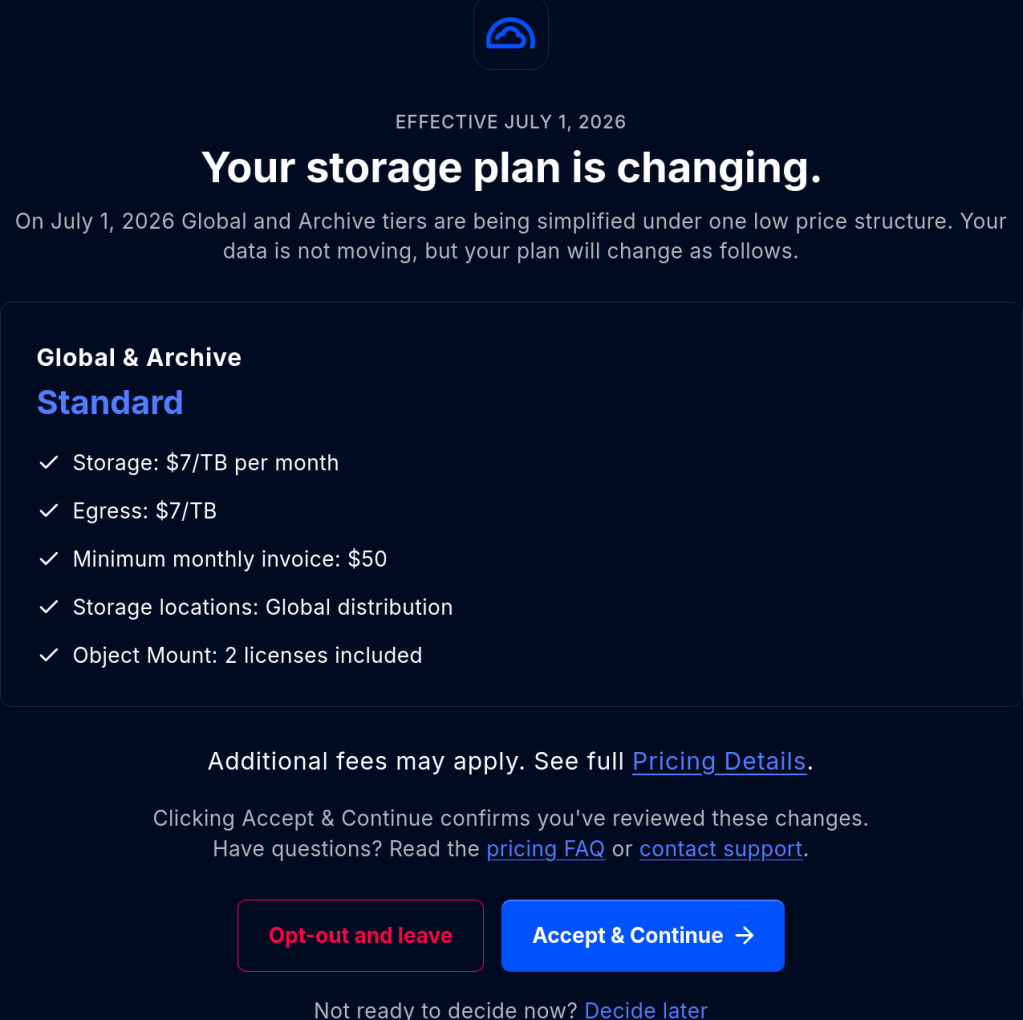
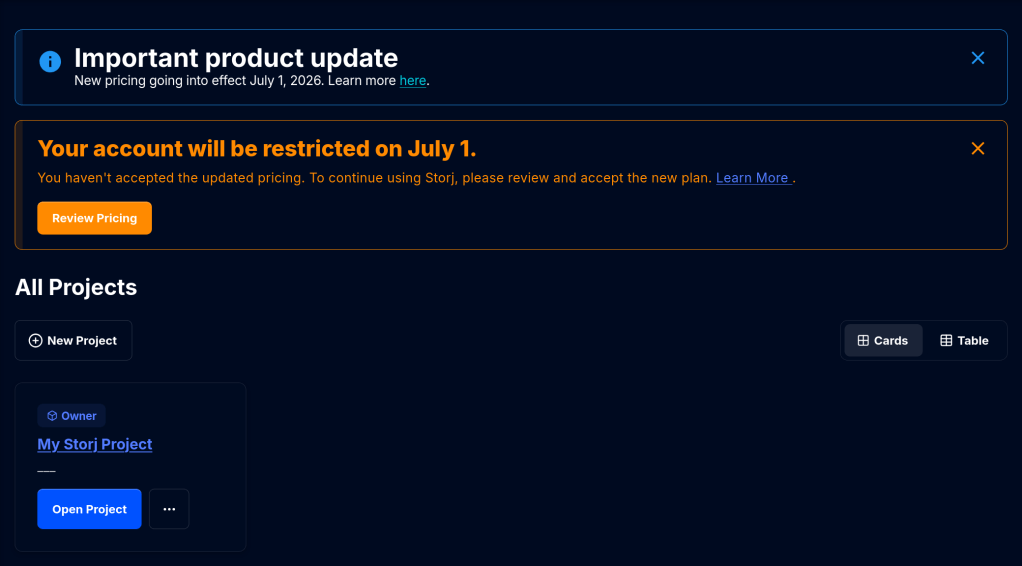
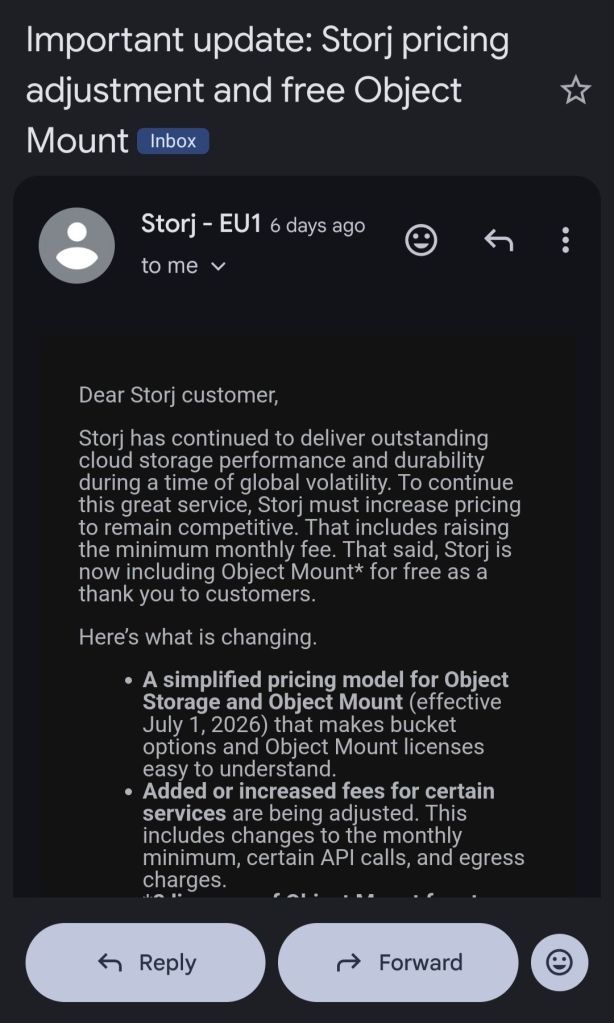
From July 1 StorJ will introduce a minimum 50 dollar per month payment irrespective from storage usage !
As of now I run weekly S3 backups with restic from my TrueNAS to StroJ. I may need to migrate to some other solution e.g. Hetzner ….


-
- My Samsung Galaxy A55 smartphone as well my Arch Linux Desktop get synced with Synology Drive to my Synology DS425+ NAS.
- Then a HyperBackup task runs every night to sync the contents to my Aoostar WTR Max TrueNAS Server.
- Finally a dedicated StorJ S3 storage backup task runs to an off-site encrypted destination.

-
Grafana coupled with Prometheus as a docker container that provides CPU, RAM, network bandwidth metrics and much more.


Over 1 billion downloads in DockerHub!!

-

Notable changes:
- Updates the Linux kernel to the latest 6.12 LTS release (v6.12.91). This update mitigates several kernel vulnerabilities, including the Dirty-Frag local privilege escalation (CVE-2026-43284 and CVE-2026-43500), the CIFSwitch local privilege escalation in the CIFS client (CVE-2026-46243), a ptrace privilege issue (CVE-2026-46333), and the related Fragnesia privilege escalation in the ESP-in-TCP path (CVE-2026-46300). It also enables additional CPU side-channel mitigations.
- Updates Samba to version 4.22.10 to address multiple security vulnerabilities.
This Samba maintenance release resolves several CVEs, including a missing access check that let read-only users set or delete reparse point attributes (CVE-2026-1933) and a flaw in the WORM (Write Once, Read Many) module that allowed protected files to be overwritten by renaming a new file over them (CVE-2026-2340). See the Samba 2026 security release impact statement for the TrueNAS-specific impact assessment, or the Samba 4.22.10 release notes for the complete upstream list. - Fixes a potential double free when freeing blocks cloned after deduplication table pruning.
Blocks created through block cloning could be freed more than once if their deduplication table (DDT) entries had already been pruned, because the free path did not check the block reference table (BRT) first. - Fixes virtual machines stored on NFSv4.1 datasets failing to power on.
A change introduced in 25.10.2.1 could cause the NFSv4 change cookie to move backward after a file left the cache due to memory pressure, a remount, or a reboot. NFSv4.1 clients that depend on a monotonic change cookie, notably VMware ESXi, rejected the affected files. A virtual machine stored on an NFSv4.1-exported ZFS dataset then failed to power on with the error “The file specified is not a virtual disk.” This release reverts that change while a complete fix is finalized upstream. - Fixes a kernel crash in the iSCSI target layer during SCSI bus or LUN resets.
A use-after-free in the clustered locking path of the iSCSI target could crash the system during a SCSI reset, most often on Enterprise High Availability (HA) systems while a peer controller was leaving the cluster. The target layer now waits for lock teardown to complete before releasing the associated memory. - Improves iSCSI LUN replacement during High Availability failover.
On Enterprise HA systems, cleanup of a replaced LUN could stall during failover while a peer controller was being evicted from the cluster, which blocked later LUN replacements. Cleanup is now held until the cluster coordination it depends on has finished. - Fixes a validation error that blocked static network configuration on some High Availability systems.
On HA-capable systems, saving a static network configuration could incorrectly fail with “Enabling DHCPv4/v6 on HA systems is unsupported” even when DHCP was not being enabled. This affected fresh installs before any interface had a saved configuration. The check now triggers only when DHCP or IPv6 autoconfiguration is explicitly enabled. - Improves Active Directory rejoin, reset, and recovery handling.
This release hardens the Active Directory rejoin and directory services reset operations, improves domain controller selection on systems with more than one available controller, and produces clearer diagnostics when a join or authentication problem occurs. - Fixes ZFS automatic snapshots not being created after a Time Machine backup until the Mac reconnects.
When a Time Machine SMB share has automatic snapshots enabled, recent macOS versions (Tahoe and later) sometimes keep the SMB session open after a backup completes instead of disconnecting, which prevented the post-backup ZFS snapshot from being taken until the client reconnected or restarted. The snapshot logic is updated to handle these persistent Time Machine sessions. - Reduces excessive winbind log messages for failed user and group lookups.
When Active Directory is enabled, looking up a user or group that does not exist (for example throughgetpwnamorgetgrnam) generated a warning for every failed lookup, which could rapidly fill the winbind log. These messages are now logged at informational level instead of as warnings.
https://www.truenas.com/docs/scale/25.10/gettingstarted/versionnotes/#25.10.4
-
My home server configuration:
The server runs TrueNAS SCALE (release 26.0.0-BETA.1) on an AMD Ryzen 7 PRO 8845HS, with 32 GiB of memory and no swap configured. Alongside ZFS it hosts a substantial collection of services including Portainer-managed containers, immich, Forgejo, FreshRSS, Jellyfin an automation platform, several PostgreSQL databases, an identity provider, and a number of smaller tools. At the moment of measurement, the operating system reported the following:
total used free buff/cache available Mem: 30Gi 27Gi 1.2Gi 3.8Gi 3.3GiUptime stats:
The following figures come from
/proc/spl/kstat/zfs/arcstats, accumulated over an uptime of 53 days:Metric Value ARC size 5.04 GiB ARC target (c) 5.09 GiB Maximum (c_max) 29.68 GiB Minimum (c_min) 0.96 GiB L2ARC none configured The hit and miss rates, derived from the raw counters, break down as follows:
Access class Hit rate Miss rate Overall 96.4% 3.6% Demand data 98.05% 1.95% Demand metadata 97.91% 2.09% Prefetch data 6.0% 94.0% Prefetch metadata 66.9% 33.1% Live view of hit/miss performance:
Because the counters above are cumulative since boot, they represent an average spanning nearly two months and cannot, on their own, describe the system’s present behaviour. To capture that, I sampled the cache once per second under active load using
arcstat:time read ddread ddh% dmread dmh% pread ph% size c avail 22:23:43 949 867 98.8 77 98.7 5 0 5.3G 5.3G 118M 22:23:44 668 384 97.7 284 100 0 0 5.3G 5.3G 425M 22:23:45 1.5K 1.1K 98.5 432 100 39 2.6 5.3G 5.3G 367M 22:23:46 686 421 98.6 248 100 17 0 5.3G 5.3G 344MWith reads peaking at roughly 1500 per second, the demand-data hit rate held steady at approximately 98% matching that of the uptime, thus confirming that the long-term average is not concealing a recent decline in performance. The cache is presently serving requests just as effectively as it has, on average, throughout its uptime.
ddh% : Demand-data hit
dmh% : Demand-metadata hit


Stats were obtained from
/proc/spl/kstat/zfs/arcstats, with live sampling viaarcstat.The equivalent figures are available on FreeBSD under
kstat.zfs.misc.arcstats. -
-
The setup
In April I expanded my main pool from four-wide RAIDZ2 to five-wide by adding a single 10 TB Seagate IronWolf to four existing 4 TB WD Red Plus drives. OpenZFS 2.3+ supports RAIDZ expansion: the new column gets added, the existing data keeps its old parity layout until rewritten, and the pool stays online throughout. The expansion completed normally.
About five weeks later, a scrub showed the following CKSUM error:
$ sudo zpool status zfs_tankpool: zfs_tankstate: ONLINEstatus: One or more devices has experienced an unrecoverable error. Anattempt was made to correct the error. Applications are unaffected.action: Determine if the device needs to be replaced, and clear the errorsusing 'zpool clear' or replace the device with 'zpool replace'.config:NAME STATE READ WRITE CKSUMzfs_tank ONLINE 0 0 0raidz2-0 ONLINE 0 0 06a169351-6031-41d5-ad2a-9681142190c5 ONLINE 0 0 0a006e053-c865-4330-8861-e21e4a3e37a6 ONLINE 0 0 0b7d78b79-cb70-4afe-b9d0-8e4b2282fb18 ONLINE 0 0 0707c32af-4e4e-4fc7-b000-dd5b52f75158 ONLINE 0 0 1ff3c3a00-9f71-4b6b-87e6-c56deb4c6854 ONLINE 0 0 1errors: No known data errorsOne checksum error on each of two disks. The pool itself reports zero errors:
errors: No known data errors. So no data were degraded.RAIDZ2 carries two parity columns, the scrub detected bad blocks, and ZFS reconstructed them from parity so the pool status remains healthy. But
zpool statusonly tells you that an error happened and not if it got corrected.So where is the healing actually recorded?
What
zpool statusshows, and what it doesn’tThe four columns in
zpool statusmap directly to four counters in the kernel’svdev_stat_tstructure (include/sys/vdev_impl.h):vs_read_errorsvs_write_errorsvs_checksum_errors- the implicit
STATE
zpool statusparses each leaf vdev’s stats and prints those four numbers. It does not print any of the other ~30 fields in the structure — including this one:uint64_t vs_self_healed; /* total bytes self-healed */vs_self_healedis incremented invdev_stat_update()whenever ZFS issues a write with theZIO_FLAG_SELF_HEALflag set, which happens after a successful parity reconstruction. The kernel knows exactly how many bytes were healed on each disk. It just doesn’t tell you via the standard zpool status output.Three places the heal counter does surface
1. Raw kstats (Linux only)
The OpenZFS Linux module exposes every leaf vdev’s full
vdev_stat_tunder/proc/spl/kstat/zfs/<pool>/. The filenames use the leaf vdev GUID. Pull those GUIDs out of the pool query:$ sudo ls /proc/spl/kstat/zfs/zfs_tank/ | headiostatetxgsvdev_395717205876781294vdev_4003307236673040230vdev_7306733904703790705vdev_803393823450321549vdev_9021081546382363770The
9021...and4003...files are the two disks with errors. Inside:$ sudo cat /proc/spl/kstat/zfs/zfs_tank/vdev_9021081546382363770...name type datavdev_state 3 7vdev_guid 4 9021081546382363770read_errors 4 0write_errors 4 0checksum_errors 4 1self_healed 4 4096...self_healed 4096— four kilobytes. The pool’s ashift is 12, so one block. Exactly one block was reconstructed and rewritten on this disk. Same value on the other affected disk.2. The TrueNAS middleware API
If you’re on TrueNAS, the same field comes back as JSON from the
pool.queryendpoint:{"name": "707c32af-4e4e-4fc7-b000-dd5b52f75158","stats": {"checksum_errors": 1,"self_healed": 4096,"read_errors": 0,"write_errors": 0}}This is how I first saw the number. The middleware just unpacks
vdev_stat_tinto JSON.3.
zpool events— the actual heal logCounters tell you how much. To see when and where, look at the ZFS event ring buffer:
$ sudo zpool events -v zfs_tank | grep -A 30 'ereport.fs.zfs.checksum'May 23 2026 05:42:14.823145112 ereport.fs.zfs.checksumclass = "ereport.fs.zfs.checksum"ena = 0x...detector = (embedded nvlist)version = 0x0scheme = "zfs"pool = 0x6794d4c...vdev = 0x7d24a0...(end detector)pool = "zfs_tank"pool_guid = 0x6794d4cc9d3a8916vdev_guid = 0x7d24a0aaa18cb6bavdev_type = "disk"vdev_path = "/dev/disk/by-partuuid/707c32af-4e4e-4fc7-b000-dd5b52f75158"zio_err = 0zio_offset = 0x...zio_size = 0x1000zio_objset = 0x...zio_object = 0x...zio_blkid = 0x...cksum_expected = ...cksum_actual = ...Each event names the affected disk, the byte offset on that disk, the size (here
0x1000= 4 KiB), the dataset and object, and both checksums. With this you can compute exactly which file (if any) the block belonged to. The buffer holds ~1000 events by default (zfs_zevent_len_max), so old events roll out unless ZED has persisted them to/var/log/zfs/zed.log.This is the closest thing ZFS has to a “self-heal log.”
What I actually had
Two disks, one block each, both healed. Different manufacturers (WD Red Plus 4 TB / Seagate IronWolf 10 TB), different uptime (6124 h / 3724 h), so a shared hardware fault was unlikely. SMART on both was clean:
$ sudo smartctl -a /dev/sde | grep -E '^( 5|197|198|199) '5 Reallocated_Sector_Ct 0x0033 200 200 140 Pre-fail Always - 0197 Current_Pending_Sector 0x0032 200 200 000 Old_age Always - 0198 Offline_Uncorrectable 0x0030 100 253 000 Old_age Offline - 0199 UDMA_CRC_Error_Count 0x0032 200 200 000 Old_age Always - 0Same story on the Seagate. No reallocated sectors, no pending sectors, no UDMA CRC errors.
UDMA_CRC_Error_Countis the SATA-link error counter. If a cable, backplane, or HBA channel is marginal, this is where it shows up. Both at zero rules out the data path between disk and controller.What it doesn’t rule out is RAM. This system runs 32 GB of non-ECC DDR5. A single bit-flip in a write buffer leaves a permanently-bad block on disk that scrubs will keep detecting and healing on every pass. The block stays wrong because the heal write reads the (correct) reconstructed buffer from the same RAM that may flip again. Without ECC, you can’t fully exclude this; with non-ECC, you also can’t measure it.
zpool clearvszpool scrubThe counters in
zpool statusandvs_self_healedare cumulative since the lastzpool clear(or since pool creation). A scrub does not reset them.So when I ran a scrub after the original event, the
1s in the CKSUM column did not go away — they were the same1s from before.$ sudo zpool clear zfs_tank$ sudo zpool status zfs_tankpool: zfs_tankstate: ONLINEconfig:NAME STATE READ WRITE CKSUMzfs_tank ONLINE 0 0 0...errors: No known data errorsThe status line and the per-disk counters reset together.
vs_self_healedresets too. After that, the next scrub starts from zero — if the same blocks show up healed again, you know the corruption is persistent on-disk (and the suspicion shifts toward RAM); if they don’t, the original event was probably a one-shot.

After the zpool clear