RIP
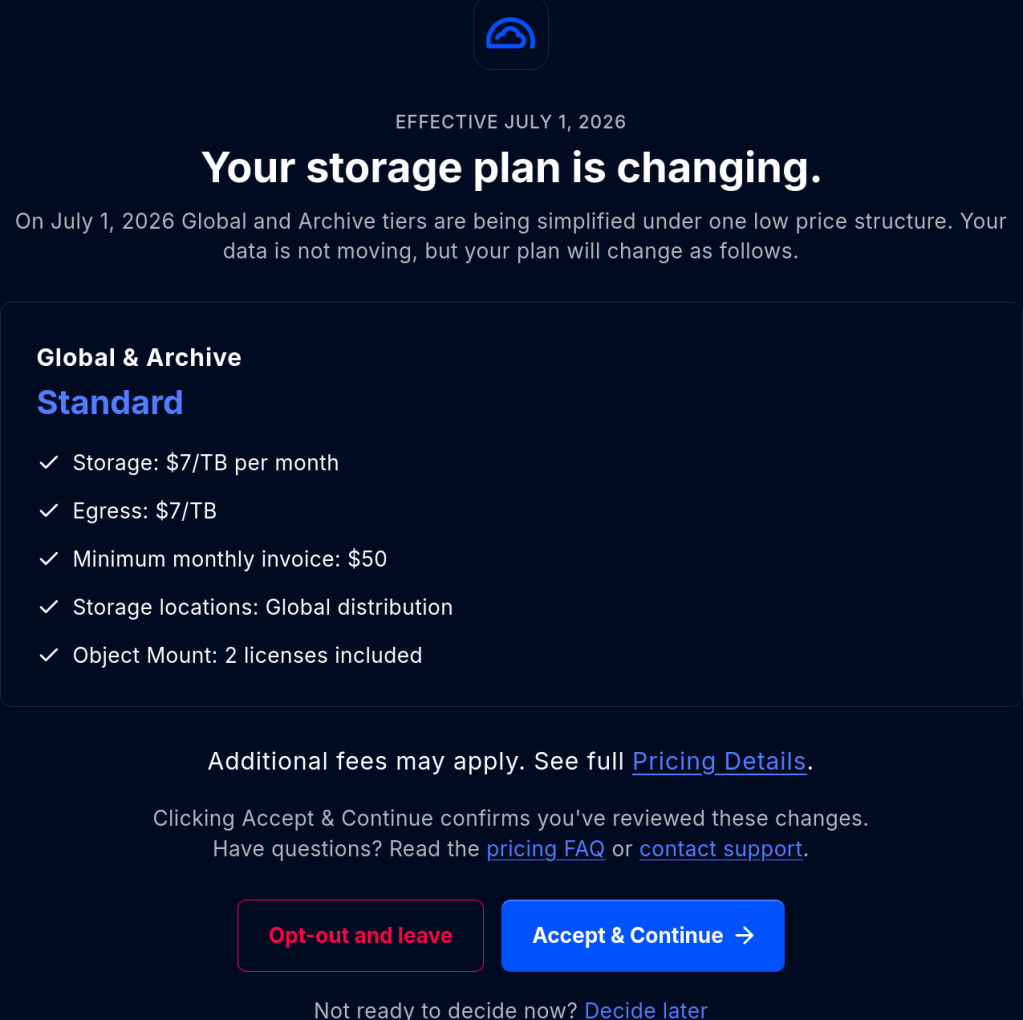
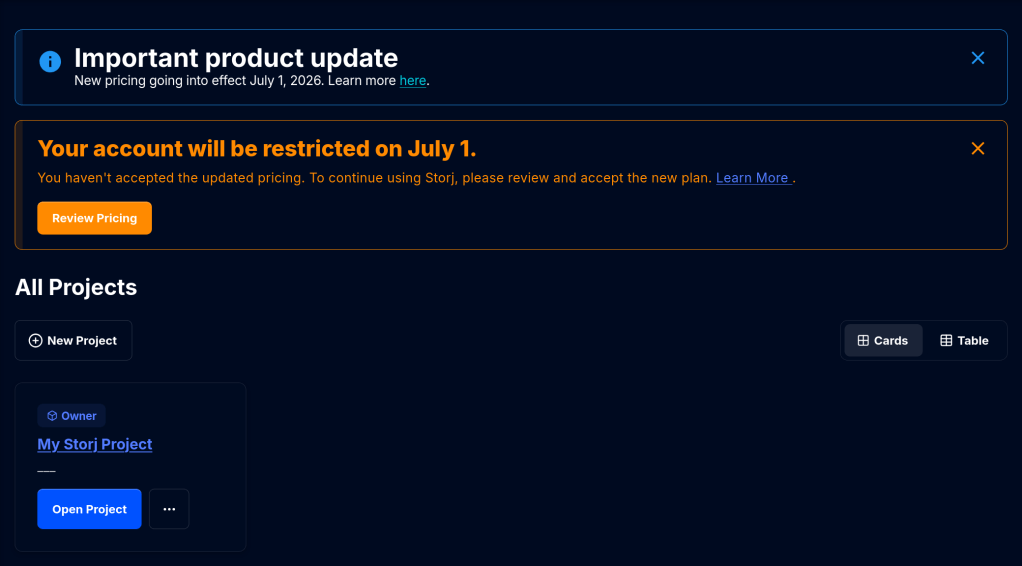
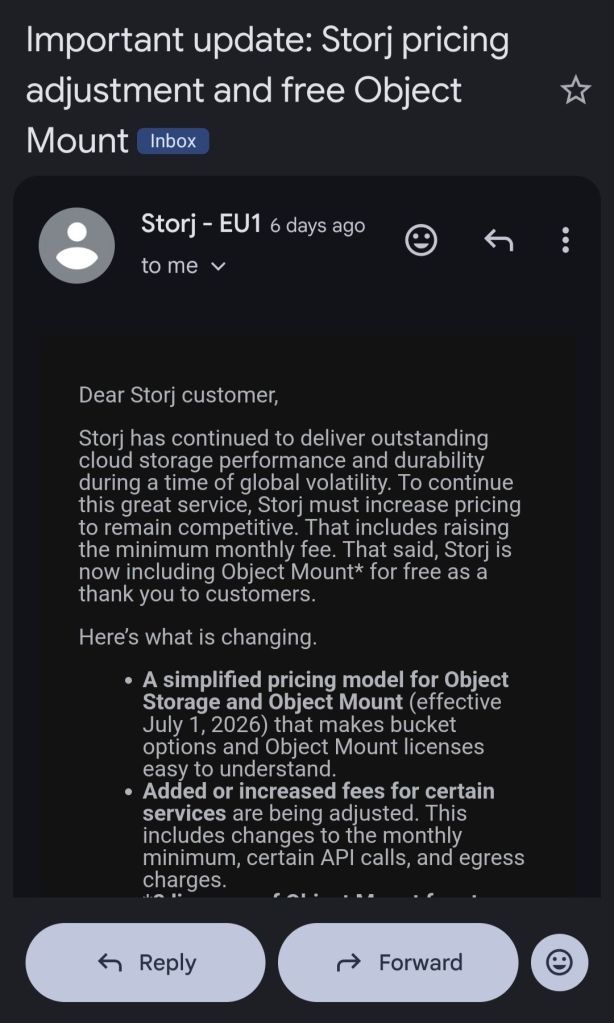
From July 1 StorJ will introduce a minimum 50 dollar per month payment irrespective from storage usage !
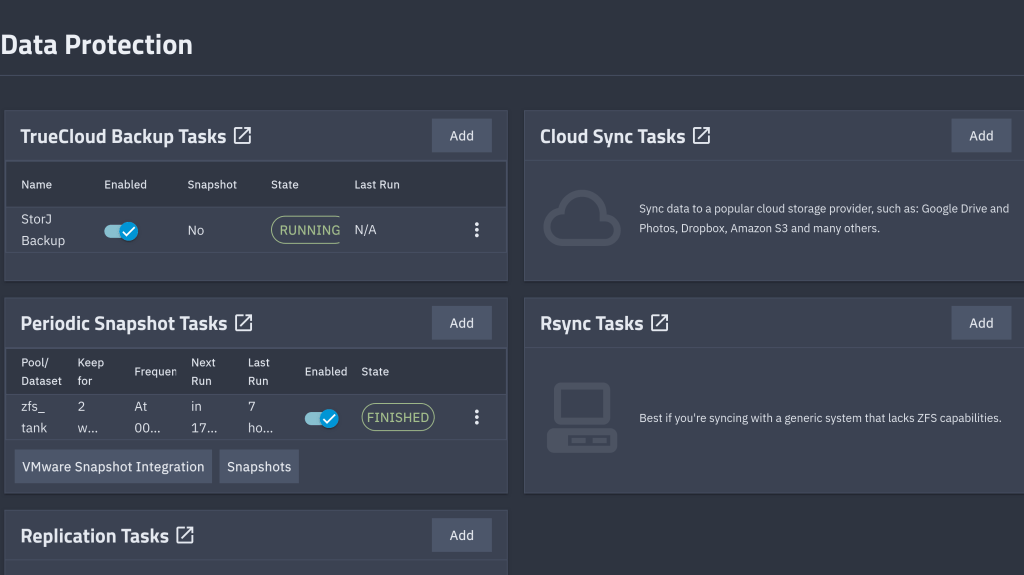
As of now I run weekly S3 backups with restic from my TrueNAS to StroJ. I may need to migrate to some other solution e.g. Hetzner ….
In April I expanded my main pool from four-wide RAIDZ2 to five-wide by adding a single 10 TB Seagate IronWolf to four existing 4 TB WD Red Plus drives. OpenZFS 2.3+ supports RAIDZ expansion: the new column gets added, the existing data keeps its old parity layout until rewritten, and the pool stays online throughout. The expansion completed normally.
About five weeks later, a scrub showed the following CKSUM error:
$ sudo zpool status zfs_tank pool: zfs_tank state: ONLINEstatus: One or more devices has experienced an unrecoverable error. An attempt was made to correct the error. Applications are unaffected.action: Determine if the device needs to be replaced, and clear the errors using 'zpool clear' or replace the device with 'zpool replace'.config: NAME STATE READ WRITE CKSUM zfs_tank ONLINE 0 0 0 raidz2-0 ONLINE 0 0 0 6a169351-6031-41d5-ad2a-9681142190c5 ONLINE 0 0 0 a006e053-c865-4330-8861-e21e4a3e37a6 ONLINE 0 0 0 b7d78b79-cb70-4afe-b9d0-8e4b2282fb18 ONLINE 0 0 0 707c32af-4e4e-4fc7-b000-dd5b52f75158 ONLINE 0 0 1 ff3c3a00-9f71-4b6b-87e6-c56deb4c6854 ONLINE 0 0 1errors: No known data errors
One checksum error on each of two disks. The pool itself reports zero errors: errors: No known data errors. So no data were degraded.
RAIDZ2 carries two parity columns, the scrub detected bad blocks, and ZFS reconstructed them from parity so the pool status remains healthy. But zpool status only tells you that an error happened and not if it got corrected.
So where is the healing actually recorded?
zpool status shows, and what it doesn’tThe four columns in zpool status map directly to four counters in the kernel’s vdev_stat_t structure (include/sys/vdev_impl.h):
vs_read_errorsvs_write_errorsvs_checksum_errorsSTATEzpool status parses each leaf vdev’s stats and prints those four numbers. It does not print any of the other ~30 fields in the structure — including this one:
uint64_t vs_self_healed; /* total bytes self-healed */
vs_self_healed is incremented in vdev_stat_update() whenever ZFS issues a write with the ZIO_FLAG_SELF_HEAL flag set, which happens after a successful parity reconstruction. The kernel knows exactly how many bytes were healed on each disk. It just doesn’t tell you via the standard zpool status output.
The OpenZFS Linux module exposes every leaf vdev’s full vdev_stat_t under /proc/spl/kstat/zfs/<pool>/. The filenames use the leaf vdev GUID. Pull those GUIDs out of the pool query:
$ sudo ls /proc/spl/kstat/zfs/zfs_tank/ | headiostatetxgsvdev_395717205876781294vdev_4003307236673040230vdev_7306733904703790705vdev_803393823450321549vdev_9021081546382363770
The 9021... and 4003... files are the two disks with errors. Inside:
$ sudo cat /proc/spl/kstat/zfs/zfs_tank/vdev_9021081546382363770...name type datavdev_state 3 7vdev_guid 4 9021081546382363770read_errors 4 0write_errors 4 0checksum_errors 4 1self_healed 4 4096...
self_healed 4096 — four kilobytes. The pool’s ashift is 12, so one block. Exactly one block was reconstructed and rewritten on this disk. Same value on the other affected disk.
If you’re on TrueNAS, the same field comes back as JSON from the pool.query endpoint:
{ "name": "707c32af-4e4e-4fc7-b000-dd5b52f75158", "stats": { "checksum_errors": 1, "self_healed": 4096, "read_errors": 0, "write_errors": 0 }}
This is how I first saw the number. The middleware just unpacks vdev_stat_t into JSON.
zpool events — the actual heal logCounters tell you how much. To see when and where, look at the ZFS event ring buffer:
$ sudo zpool events -v zfs_tank | grep -A 30 'ereport.fs.zfs.checksum'May 23 2026 05:42:14.823145112 ereport.fs.zfs.checksum class = "ereport.fs.zfs.checksum" ena = 0x... detector = (embedded nvlist) version = 0x0 scheme = "zfs" pool = 0x6794d4c... vdev = 0x7d24a0... (end detector) pool = "zfs_tank" pool_guid = 0x6794d4cc9d3a8916 vdev_guid = 0x7d24a0aaa18cb6ba vdev_type = "disk" vdev_path = "/dev/disk/by-partuuid/707c32af-4e4e-4fc7-b000-dd5b52f75158" zio_err = 0 zio_offset = 0x... zio_size = 0x1000 zio_objset = 0x... zio_object = 0x... zio_blkid = 0x... cksum_expected = ... cksum_actual = ...
Each event names the affected disk, the byte offset on that disk, the size (here 0x1000 = 4 KiB), the dataset and object, and both checksums. With this you can compute exactly which file (if any) the block belonged to. The buffer holds ~1000 events by default (zfs_zevent_len_max), so old events roll out unless ZED has persisted them to /var/log/zfs/zed.log.
This is the closest thing ZFS has to a “self-heal log.”
Two disks, one block each, both healed. Different manufacturers (WD Red Plus 4 TB / Seagate IronWolf 10 TB), different uptime (6124 h / 3724 h), so a shared hardware fault was unlikely. SMART on both was clean:
$ sudo smartctl -a /dev/sde | grep -E '^( 5|197|198|199) ' 5 Reallocated_Sector_Ct 0x0033 200 200 140 Pre-fail Always - 0197 Current_Pending_Sector 0x0032 200 200 000 Old_age Always - 0198 Offline_Uncorrectable 0x0030 100 253 000 Old_age Offline - 0199 UDMA_CRC_Error_Count 0x0032 200 200 000 Old_age Always - 0
Same story on the Seagate. No reallocated sectors, no pending sectors, no UDMA CRC errors.
UDMA_CRC_Error_Count is the SATA-link error counter. If a cable, backplane, or HBA channel is marginal, this is where it shows up. Both at zero rules out the data path between disk and controller.
What it doesn’t rule out is RAM. This system runs 32 GB of non-ECC DDR5. A single bit-flip in a write buffer leaves a permanently-bad block on disk that scrubs will keep detecting and healing on every pass. The block stays wrong because the heal write reads the (correct) reconstructed buffer from the same RAM that may flip again. Without ECC, you can’t fully exclude this; with non-ECC, you also can’t measure it.
zpool clear vs zpool scrubThe counters in zpool status and vs_self_healed are cumulative since the last zpool clear (or since pool creation). A scrub does not reset them.
So when I ran a scrub after the original event, the 1s in the CKSUM column did not go away — they were the same 1s from before.
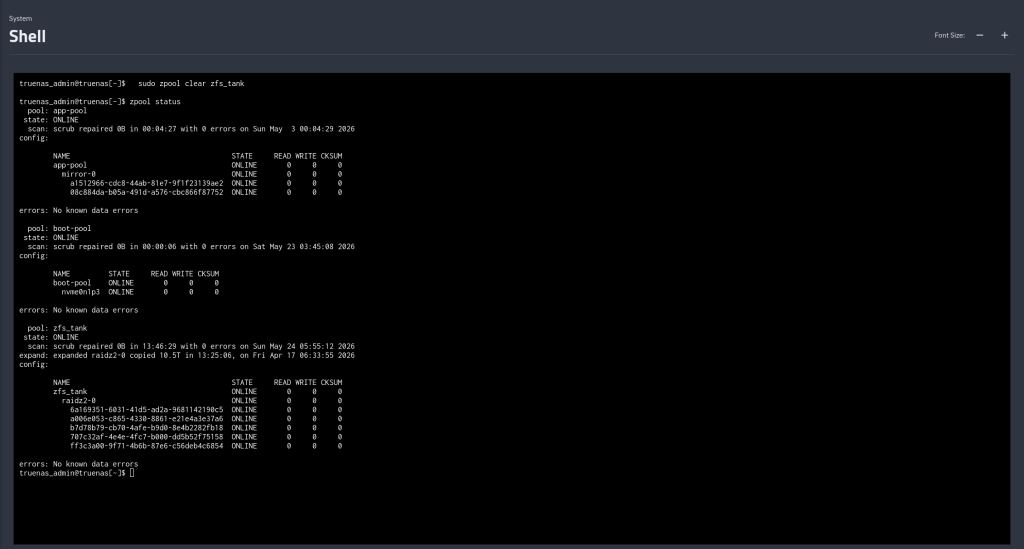
$ sudo zpool clear zfs_tank$ sudo zpool status zfs_tank pool: zfs_tank state: ONLINEconfig: NAME STATE READ WRITE CKSUM zfs_tank ONLINE 0 0 0 ...errors: No known data errors
The status line and the per-disk counters reset together. vs_self_healed resets too. After that, the next scrub starts from zero — if the same blocks show up healed again, you know the corruption is persistent on-disk (and the suspicion shifts toward RAM); if they don’t, the original event was probably a one-shot.
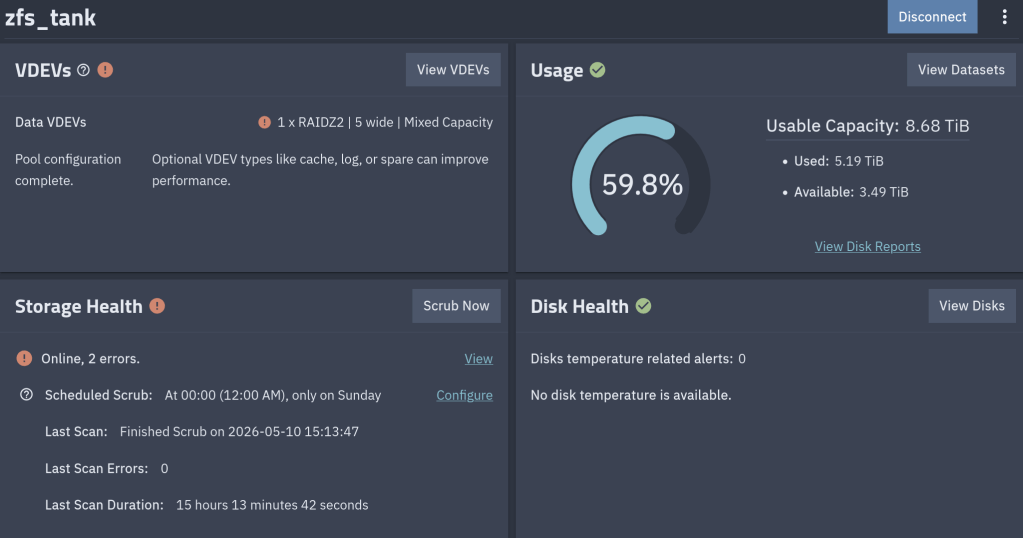
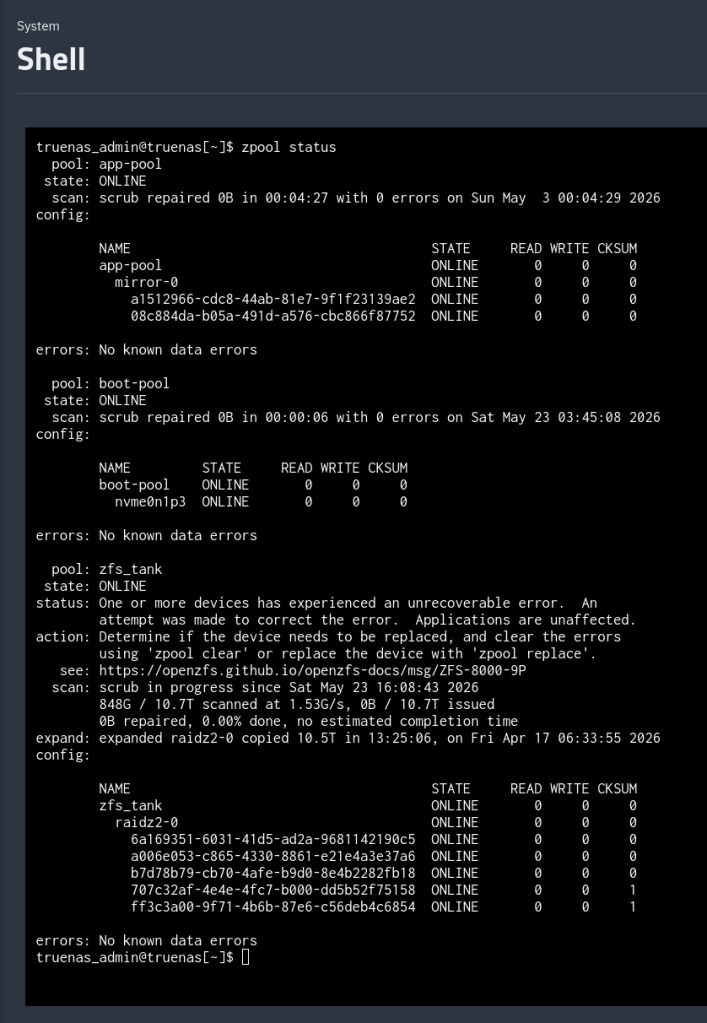
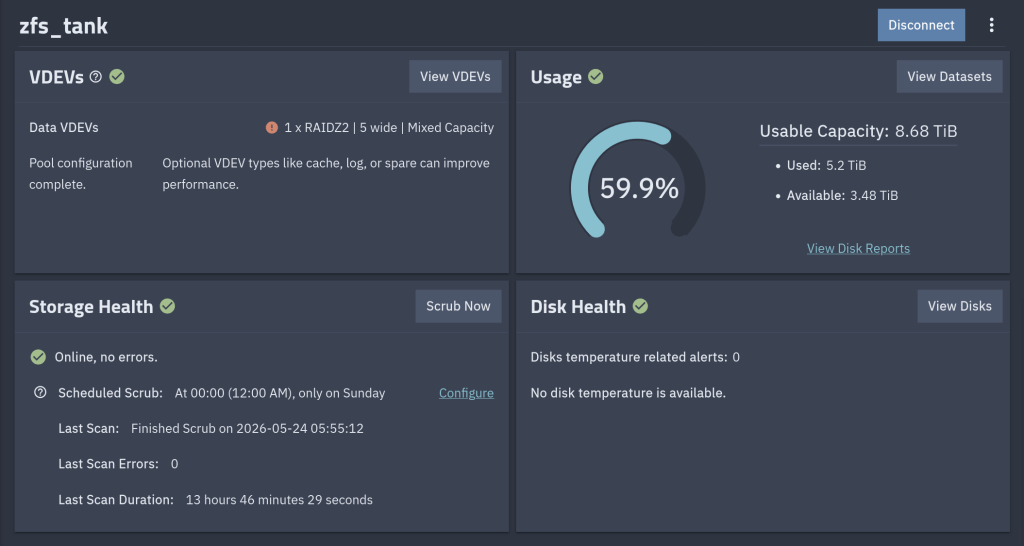
After the zpool clear
Happy to contribute not only to TrueNAS but also to OpenZFS upstream !!
The official announcement from iXsystems: https://www.truenas.com/blog/blog-truenas-26-beta1-release/
https://www.phoronix.com/news/TrueNAS-26-Beta
Download the BETA iso from here: https://download.truenas.com/TrueNAS-26-BETA/26.0.0-BETA.1/TrueNAS-26.0.0-BETA.1.iso
The .update file version is available here: https://update-public.sys.truenas.net/TrueNAS-26-BETA/TrueNAS-26.0.0-BETA.1.update
This is a cautionary tale about how I nearly lost everything on my external SSD because of a moment of carelessness.
I wanted to create a bootable USB with Ventoy to run a Linux or FreeBSD ISO. Simple enough — I’ve done it a hundred times. The problem was that I also had my external SSD connected at the same time.
I somehow selected the wrong disk. Instead of formatting the USB stick, I formatted my external SSD. Just like that — all my data was gone.
That sinking feeling when you realize what you’ve done is something I wouldn’t wish on anyone.
Thankfully, I was able to recover most of my data using PhotoRec, a free and open-source data recovery tool (currently at version 7.2, with 7.3 in beta as of January 2026). PhotoRec ignores the filesystem and goes after the underlying data, so it works even after formatting. It can recover over 480 file formats.
Install it (it comes with TestDisk):
# Arch Linux
sudo pacman -S testdisk

# FreeBSD
pkg install testdisk
Run it:
sudo photorec /dev/sdXPhotoRec will scan the disk and recover files into a directory of your choice. It recovered most of my files, though filenames and directory structure were lost — everything gets sorted by file type.
lsblk before any destructive operation. Verify the disk size and partitions match what you expect. Ventoy (currently at v1.1.10) shows disk names and sizes — take the extra second to verify.Don’t be like me. Disconnect your drives, check twice, and back up your data. Your future self will thank you.
The latest episode of TrueNAS Tech Talk (T3) — Episode 56 — dropped on March 6, 2026, and it’s packed with news that every TrueNAS homelab enthusiast and sysadmin will want to hear. Hosts Kris Moore and Chris Peredun (the TrueNAS HoneyBadger) cover the upcoming TrueNAS 26 release schedule, a deep dive into the new dataset tiering feature, and tackle eight viewer questions.
TrueNAS 26: A (Tentative!) Release Timeline
The big headline this week is that Kris and Chris finally lay out the tentative roadmap from the first TrueNAS 26 BETA release all the way through to the .0 general availability. If you’ve been waiting to know when you can get your hands on the next generation of TrueNAS software, this episode gives you the clearest picture yet. No more codenames, no more decimal versioning — as the team confirmed back in Ep. 52, TrueNAS is moving to a clean annual release cycle, and 26 is the first major fruit of that shift.
Dataset Tiering: Hybrid Storage Gets Smarter
One of the standout features coming to TrueNAS 26 is dataset tiering — the ability to mix fast flash and spinning-disk pools and automatically tier datasets (or shares) between them. This is an Enterprise-tier feature, meaning it won’t land in the Community Edition, but the architecture is fascinating for anyone interested in how ZFS and TrueNAS manage data placement at scale. Since this is implemented at the TrueNAS layer rather than directly in OpenZFS, pools remain compatible with standard OpenZFS if you ever need to migrate away, though some caveats may apply.
For those of us running pure Community Edition homelabs — Docker stacks, S3-compatible storage, and all — it’s still a great signal of the direction TrueNAS engineering is heading.
Eight Viewer Questions
As always, Kris and Chris close out the episode with a batch of community questions — likely touching on storage configuration, upgrade paths, and follow-up on ZFS AnyRaid and Spotlight search (truesearch) from recent episodes.
Why This Episode Matters for Homelab Users
If you’re self-hosting on TrueNAS Scale — running Docker containers, managing snapshots over Tailscale, or experimenting with S3-compatible backends like RustFS or Garage — TrueNAS 26 is a significant milestone. The annual cadence promises more predictable upgrade windows, and features like dataset tiering give a window into where the platform’s storage smarts are heading.
Watch the full episode on the TrueNAS blog or on YouTube.
T3 Tech Talk is a weekly podcast from the TrueNAS team. New episodes drop every Thursday.
So …
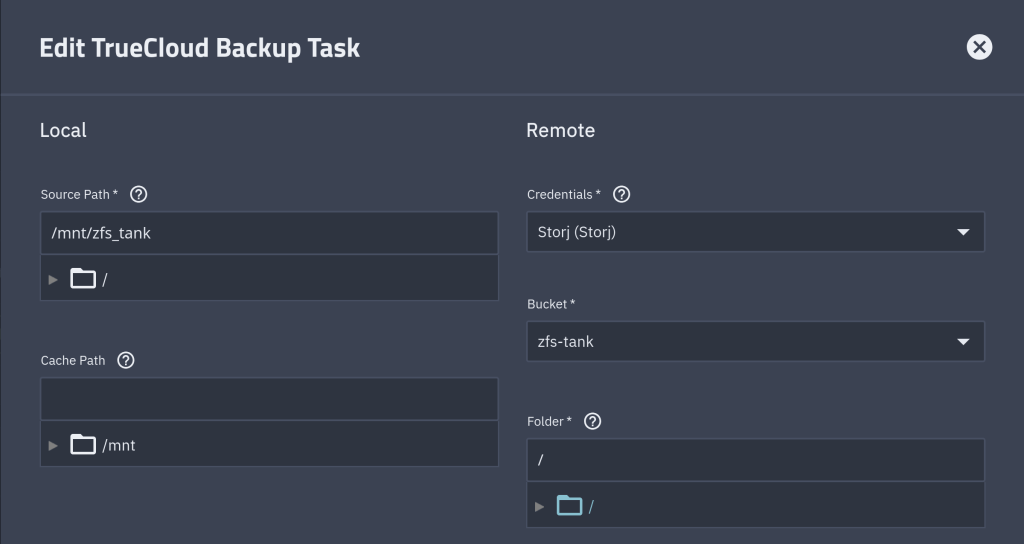
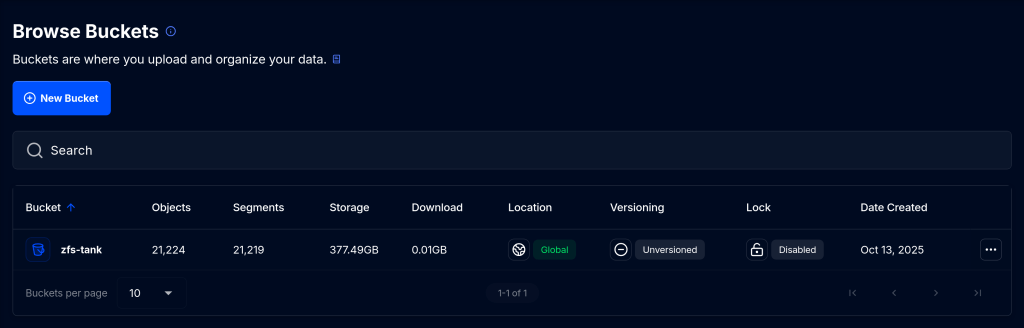
I joined StorJ, a distributed cloud storage platform, to back up approximately 1 TB of data. StorJ uses strong encryption and distributes file partitions across multiple nodes worldwide.
The first step is to set up an iX-StorJ account and create a bucket. The Starter Pack plan costs $150 per year and includes up to 5 TB of storage.
To back up your data to the bucket, you need to create an access key and then import it as a Cloud Credential.



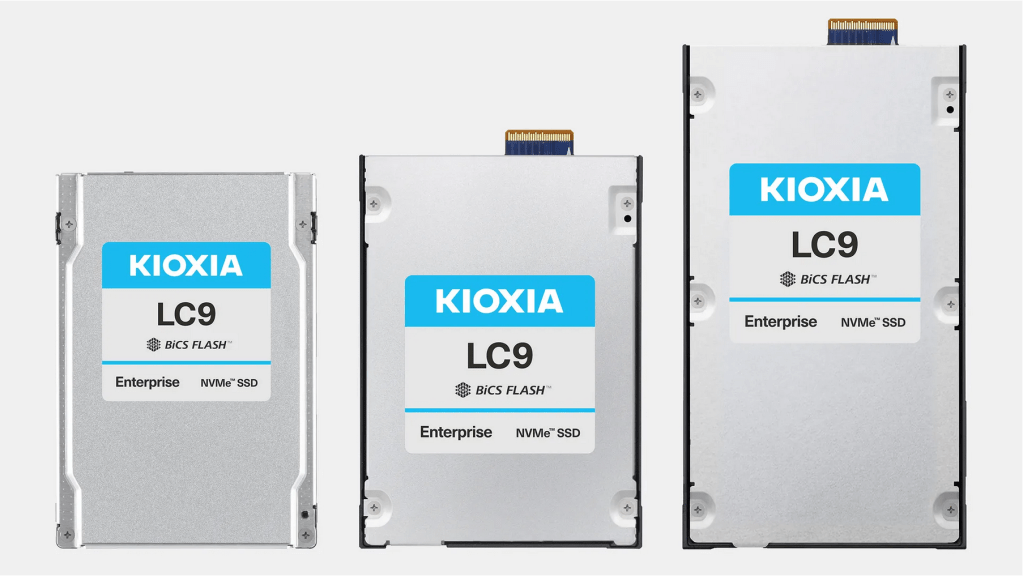
The world’s highest capacity storage device that can store 12,500 4K movies!!
read speeds of up to 12 GB/s and write speeds of up to 3 GB/s.
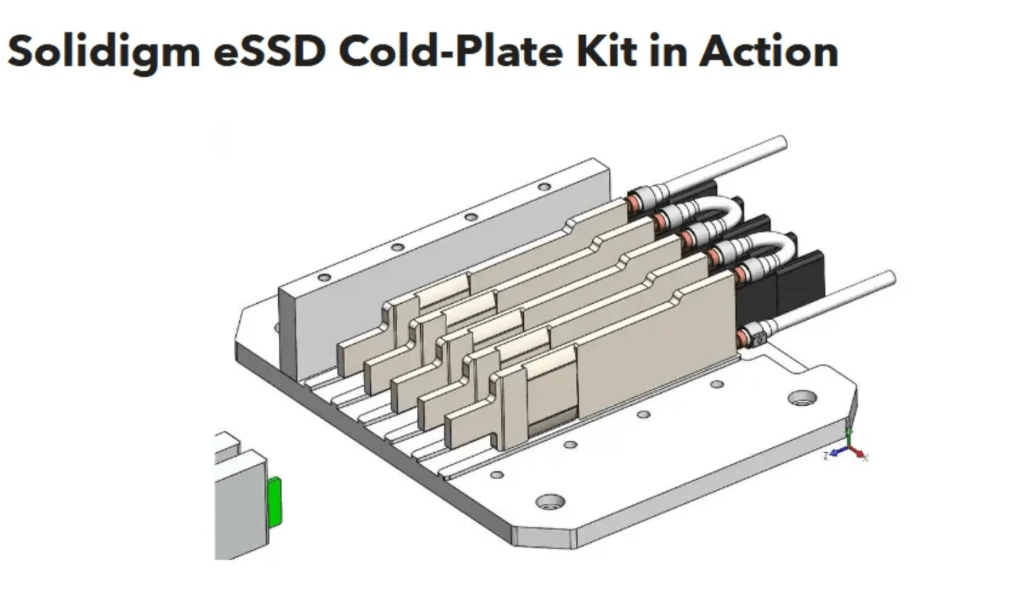
Intends to achieve fully fanless GPU servers. Offer hot-swappable design and both sides cooling for AI-centric data centers.
A new backup tool. It provides many advantages compared to TimeShift such as:
Caveat: It is not free …
In Portland, Oregon.
A user shares his experience with a twenty-four 4 TB drives NAS system using ZFS.
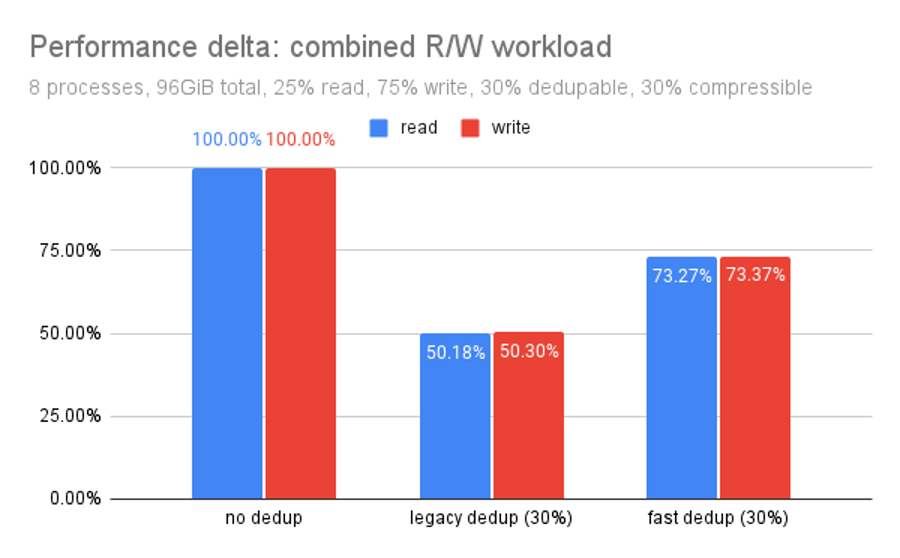
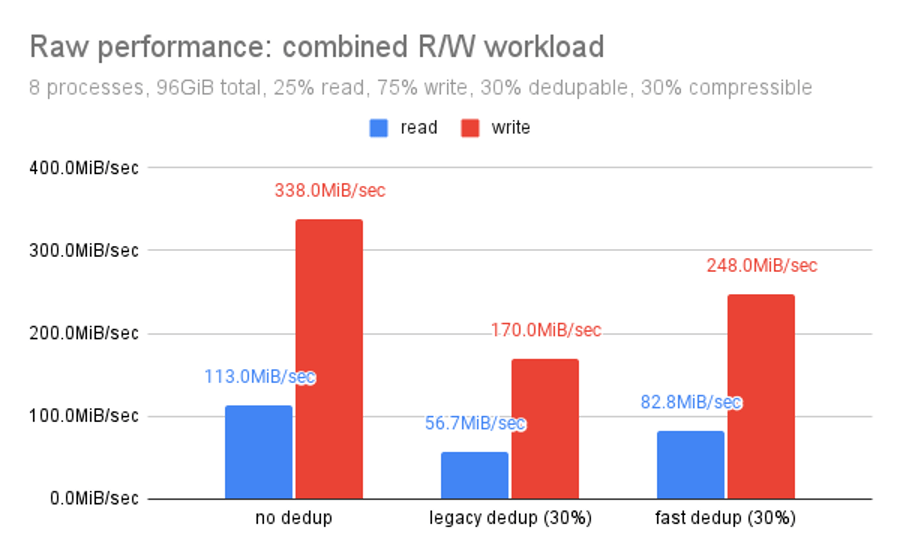
“Performance delta focuses on the relationship of each dedup routine compared to un-deduped storage on the same hardware. It’s the same data but organized differently.
Fast dedup outperforms legacy dedup by almost 25% of the raw performance.“