Category: ZFS
-
-
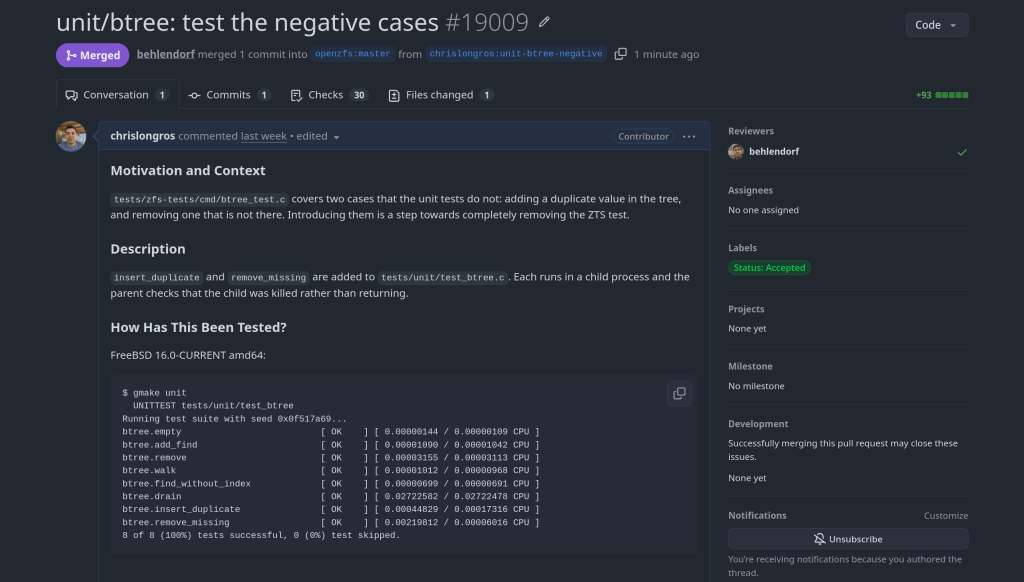
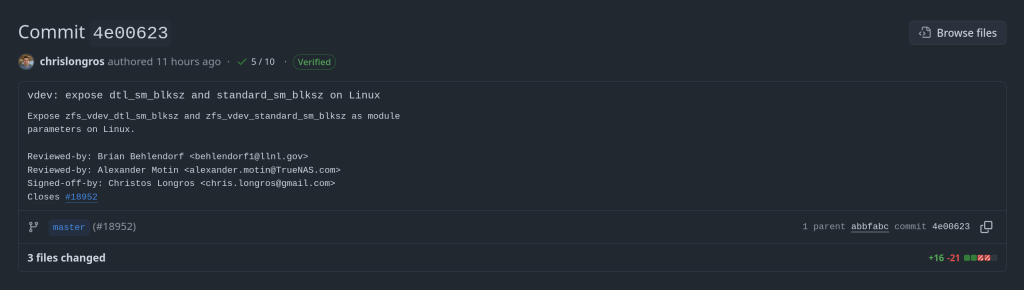
Officially an OpenZFS contributor 🙂

https://github.com/openzfs/zfs/commit/a7157221db1d3a7c3517dee98f5124c13a515053
-
This is a cautionary tale about how I nearly lost everything on my external SSD because of a moment of carelessness.
What Happened
I wanted to create a bootable USB with Ventoy to run a Linux or FreeBSD ISO. Simple enough — I’ve done it a hundred times. The problem was that I also had my external SSD connected at the same time.
I somehow selected the wrong disk. Instead of formatting the USB stick, I formatted my external SSD. Just like that — all my data was gone.
That sinking feeling when you realize what you’ve done is something I wouldn’t wish on anyone.
Recovery with PhotoRec
Thankfully, I was able to recover most of my data using PhotoRec, a free and open-source data recovery tool (currently at version 7.2, with 7.3 in beta as of January 2026). PhotoRec ignores the filesystem and goes after the underlying data, so it works even after formatting. It can recover over 480 file formats.
Install it (it comes with TestDisk):
# Arch Linux sudo pacman -S testdisk # FreeBSD pkg install testdiskRun it:
sudo photorec /dev/sdXPhotoRec will scan the disk and recover files into a directory of your choice. It recovered most of my files, though filenames and directory structure were lost — everything gets sorted by file type.
Lessons Learned
- Always double-check the target disk. Run
lsblkbefore any destructive operation. Verify the disk size and partitions match what you expect. Ventoy (currently at v1.1.10) shows disk names and sizes — take the extra second to verify. - Disconnect drives you don’t need. If you’re formatting a USB, unplug your external drives first. It takes 5 seconds and can save you hours of recovery.
- Follow the 3-2-1 backup rule: 3 copies, 2 different media, 1 offsite. If I had a proper backup, the accidental format would have been a minor inconvenience instead of a disaster.
- ZFS snapshots are your friend. On my TrueNAS server, I now run automatic snapshots. Even if something goes wrong, I can roll back instantly.
- Keep PhotoRec/TestDisk installed. You never know when you’ll need it. Better to have it ready than to scramble in a panic.
Don’t be like me. Disconnect your drives, check twice, and back up your data. Your future self will thank you.
- Always double-check the target disk. Run
-
Here’s a scenario most ZFS users have run into at least once. You reboot your server, maybe a drive didn’t spin up in time, or mdadm grabbed a partition before ZFS could — and
zpool importhits you with this:The pool metadata is corrupted.
Action: Destroy and re-create the pool.Your stomach drops. Corrupted? You start mentally cataloging your backups. Maybe you even reach for
zpool destroy.Except… the metadata isn’t corrupted. ZFS just couldn’t see all the disks. The data is fine. The pool is fine. The error message is the problem.
I’ve hit this myself on my TrueNAS box when a drive temporarily disappeared after a reboot. The first time I saw it I genuinely panicked. After digging into the source code, I realized that
ZPOOL_STATUS_CORRUPT_POOLis basically a catch-all. Anytime the root vdev gets tagged withVDEV_AUX_CORRUPT_DATA— whether from actual corruption or simply missing devices — you get the same scary message. No distinction whatsoever.This has been a known issue since 2018. Seven years. Plenty of people complained about it, but nobody got around to fixing it.
So I did. The PR is pretty straightforward — it touches four user-facing strings across the import and status display code paths. The core change:
Before
“The pool metadata is corrupted.”
→ Destroy and re-create the pool.After
“The pool metadata is incomplete or corrupted.”
→ Check that all devices are present first.The recovery message also changed. Instead of jumping straight to “destroy the pool”, it now tells you to make sure your devices aren’t claimed by another subsystem (mdadm, LVM, etc.) and try the import again. You know, the thing you should actually try first before nuking your data.
Brian Behlendorf reviewed it, said it should’ve been cleaned up ages ago, and merged it into master today. Not a glamorous contribution — no new features, no performance gains, just four strings. But if it saves even one person from destroying a perfectly healthy pool because of a misleading error message, that’s a win.
PR: openzfs/zfs#18251 — closes #8236
-
How the Model Context Protocol turns your NAS into a conversational system
What is MCP?
The Model Context Protocol (MCP) is an open standard developed by Anthropic that allows AI assistants like Claude to connect to external tools, services, and data sources. Think of it as a universal plugin system for AI — instead of copy-pasting terminal output into a chat window, you give the AI a live, structured connection to your systems so it can query and act on them directly.
MCP servers are small programs that speak a standardized JSON-RPC protocol. The AI client (Claude Desktop, Claude Code, etc.) spawns the server process and communicates with it over stdio. The server translates AI requests into real API calls — in this case, against the TrueNAS middleware WebSocket API.
The TrueNAS MCP Connector
TrueNAS Research Labs recently released an official MCP server for TrueNAS systems. It is a single native Go binary that runs on your desktop or workstation, connects to your TrueNAS over an encrypted WebSocket (
wss://), authenticates with an API key, and exposes the full TrueNAS middleware API to any MCP-compatible AI client.Crucially, nothing is installed on the NAS itself. The binary runs entirely on your local machine.
What it can do
The connector covers essentially the full surface area of TrueNAS management:
Storage — query pool health, list datasets with utilization, manage snapshots, configure SMB/NFS/iSCSI shares. Ask “which datasets are above 80% quota?” and get a direct answer.
System monitoring — real-time CPU, memory, disk I/O, and network metrics. Active alerts, system version, hardware info. The kind of overview that normally requires clicking through several pages of the web UI.
Maintenance — check for available updates, scrub status, boot environment management, last backup timestamps.
Application management — list, install, upgrade, and monitor the status of TrueNAS applications (Docker containers on SCALE).
Virtual machines — full VM lifecycle: create, start, stop, monitor resource usage.
Capacity planning — utilization trends, forecasting, and recommendations. Ask “how long until my main pool is full at current growth rate?” and get a reasoned answer.
Directory services — Active Directory, LDAP, and FreeIPA integration status and management.
Safety features
The connector includes a dry-run mode that previews any destructive operation before executing it, showing estimated execution time and a diff of what would change. Built-in validation blocks dangerous operations automatically. Long-running tasks (scrubs, migrations, upgrades) are tracked in the background with progress updates.
Why This Matters
Traditional NAS management is a context-switching problem. You have a question — “why is this pool degraded?” — and answering it means opening the web UI, navigating to storage, cross-referencing the alert log, checking disk SMART data, and reading documentation. Each step is manual.
With MCP, the AI holds all of that context simultaneously. A single question like “my pool has an error, what should I do?” triggers the AI to query pool status, check SMART data, look at recent alerts, and synthesize a diagnosis — in one response, with no tab-switching.
This is especially powerful for complex homelab setups with many datasets, containers, and services. Instead of maintaining mental models of your storage layout, you can just ask.
Getting Started
The setup takes about five minutes:
- Download the binary from the GitHub releases page and place it in your PATH.
- Generate an API key in TrueNAS under System Settings → API Keys.
- Configure your MCP client — Claude Desktop (
~/.config/claude/claude_desktop_config.json) or Claude Code (claude mcp add ...). - Restart the client and start asking questions.
The binary supports self-signed certificates (pass
-insecurefor typical TrueNAS setups) and works over Tailscale or any network path to your NAS.Example queries you can use right away
- “What is the health status of all my pools?”
- “Show me all datasets and their current usage”
- “Are there any active alerts I should know about?”
- “Which of my containers are not running?”
- “Preview creating a new dataset for backups with lz4 compression”
- “When was the last scrub on my main pool, and did it find errors?”
- “What TrueNAS version am I running and are updates available?”
Current Status
The TrueNAS MCP connector is a research preview (currently v0.0.4). It is functional and comprehensive, but not yet recommended for production-critical automation. It is well-suited for monitoring, querying, and exploratory management. Treat destructive operations (dataset deletion, VM reconfiguration) with the same care you would in the web UI — use dry-run mode first.
The project is open source and actively developed. Given that this is an official TrueNAS Labs project, it is likely to become a supported feature in future TrueNAS releases.
Broader Implications
The TrueNAS MCP connector is an early example of a pattern that will become common: infrastructure that exposes a semantic API layer for AI consumption, not just a REST API for human-written scripts. The difference is significant. A REST API tells you what the data looks like. An MCP server tells the AI what operations are possible, what they mean, and how to chain them safely.
As more homelab and enterprise tools adopt MCP, the practical vision of a conversational infrastructure layer — where you describe intent and the AI handles execution — becomes genuinely achievable, not just a demo.
The TrueNAS MCP connector is available at github.com/truenas/truenas-mcp. Setup documentation is at the TrueNAS Research Labs page.
Sample screenshots!!


-
TrueNAS 25.10.2 Released: What’s New
iXsystems has released TrueNAS 25.10.2, a maintenance update to the 25.10 branch. If you’re running TrueNAS Scale on the Early Adopter channel, this is a recommended update — it fixes several critical issues including an upgrade path bug that could leave systems unbootable.
Critical Fixes
Upgrade failure fix (NAS-139541). Some systems upgrading from TrueNAS 25.04 to 25.10 encountered a “No space left on device” error during boot variable preparation, leaving the system unbootable after the failed attempt. This is fixed in 25.10.2.
SMB service startup after upgrade (NAS-139076). Systems with legacy ACL configurations from older TrueNAS versions could not start the SMB service after upgrading to 25.10.1. The update now automatically converts legacy permission formats during service initialization.
Disk replacement validation (NAS-138678). A frustrating bug rejected replacement drives with identical capacity to the failed drive, showing a “device is too small” error. Fixed — identical capacity replacements now work correctly.
Performance Improvements
NFS performance for NFSv4 clients (NAS-139128). Support for
STATX_CHANGE_COOKIEhas been added, surfacing ZFS sequence numbers to NFS clients via knfsd. Previously, the system synthesized change IDs based on ctime, which could fail to increment consistently due to kernel timer coarseness. This improves client attribute cache invalidation and reduces unnecessary server requests.ZFS pool import performance (NAS-138879). Async destroy operations — which can run during pool import — now have a time limit per transaction group. Pool imports that previously stalled due to prolonged async destroy operations will complete significantly faster.
Containerized app CPU usage (NAS-139089). Background CPU usage from Docker stats collection and YAML processing has been reduced by optimizing asyncio_loop operations that were holding the Global Interpreter Lock during repeated container inspections.
Networking
Network configuration lockout fix (NAS-139575). Invalid IPv6 route entries in the routing table could block access to network settings, app management, and bug reporting. The system now handles invalid route entries gracefully.
Network bridge creation fix (NAS-139196). Pydantic validation errors were preventing bridge creation through the standard workflow of removing IPs from an interface, creating a bridge, and reassigning those IPs.
IPv6 Kerberos fix (NAS-139734). Active Directory authentication failed when using IPv6 addresses for Kerberos Distribution Centers. IPv6 addresses are now properly formatted with square brackets in
krb5.conf.SMB Hosts Allow/Deny controls (NAS-138814). IP-based access restrictions are now available for SMB shares across all relevant purpose presets. Also adds the ability to synchronize Kerberos keytab SPNs with Active Directory updates.
UI and Cloud
Dashboard storage widget (NAS-138705). Secondary storage pools were showing “Unknown” for used and free space in the Dashboard widget. Fixed.
Cloud Sync tasks invisible after CORE → SCALE upgrade (NAS-138886). Tasks were functional via CLI but invisible in the web UI due to a data inconsistency where the
bwlimitfield contained empty objects instead of empty arrays.S3 endpoint validation (NAS-138903). Cloud Sync tasks now validate that S3 endpoints include the required
https://protocol prefix upfront, with a clear error message instead of the unhelpful “Invalid endpoint” response.Session expiry fix (NAS-138467). Users were being unexpectedly logged out during active operations despite configured session timeout settings. Page refresh (F5) was also triggering the login screen during active sessions. Both are now fixed.
Error notifications showing placeholder text (NAS-139010). Error notifications were displaying “%(err)s Warning” instead of actual error messages.
Users page now shows Directory Services users by default (NAS-139073). Directory Services users now appear in the default view without requiring a manual filter change.
SSH access removal fix (NAS-139130). Clearing the SSH Access option appeared to save successfully but the SSH indicator persisted in the user list. Now properly disabled through the UI.
Certificate management for large DNs (NAS-139056). Certificates with Distinguished Names exceeding 1024 characters — typically those with many Subject Alternative Names — can now be properly imported and managed.
Notable Security Change
The root account’s group membership is now locked to
builtin_administratorsand cannot be modified through the UI. This prevents accidental removal of privileges that could break scheduled tasks, cloud sync, and cron jobs. To disable root UI access, use the Disable Password option in Credentials → Local Users instead.Upgrade
Update via System → Update in the web UI, or download from truenas.com. Full release notes and changelog are available at the TrueNAS Documentation Hub.


https://forums.truenas.com/t/truenas-25-10-2-is-now-available/63778
-
How a failed nightly update left my TrueNAS server booting into an empty filesystem — and the two bugs responsible.
I run TrueNAS Scale on an Aoostar WTR Max as my homelab server, with dozens of Docker containers for everything from Immich to Jellyfin. I like to stay on the nightly builds to get early access to new features and contribute bug reports when things go wrong. Today, things went very wrong.
The Update Failure
It started innocently enough. I kicked off the nightly update from the TrueNAS UI, updating from
26.04.0-MASTER-20260210-020233to the latest20260213build. Instead of a smooth update, I got this:error
[EFAULT] Error: Command ['zfs', 'destroy', '-r', 'boot-pool/ROOT/26.04.0-MASTER-20260213-020146-1'] failed with exit code 1: cannot unmount '/tmp/tmpo8dbr91e': pool or dataset is busyThe update process was trying to clean up a previous boot environment but couldn’t unmount a temporary directory it had created. No big deal, I thought — I’ll just clean it up manually.
Down the Rabbit Hole
I checked what was holding the mount open:
bash
$ fuser -m /tmp/tmpo8dbr91e # nothing $ lsof +D /tmp/tmpo8dbr91e # nothing (just Docker overlay warnings)Nothing was using it. A force unmount also failed:
bash
$ sudo umount -f /tmp/tmpo8dbr91e umount: /tmp/tmpo8dbr91e: target is busy.Only a lazy unmount worked:
bash
$ sudo umount -l /tmp/tmpo8dbr91eSo I unmounted it and destroyed the stale boot environment manually. Then I retried the update. Same error, different temp path. Unmount, destroy, retry. Same error again. Each attempt, the updater would mount a new temporary directory, fail to unmount it, and bail out.
I even tried stopping Docker before the update, thinking the overlay mounts might be interfering. No luck.
The Real Problem
Frustrated, I rebooted the server thinking a clean slate might help. The server didn’t come back. After 10 minutes of pinging with no response, I plugged in a monitor and saw this:
console
Mounting 'boot-pool/ROOT/26.04.0-MASTER-20260213-020146' on '/root/' ... done. Begin: Running /scripts/local-bottom ... done. Begin: Running /scripts/nfs-bottom ... done. run-init: can't execute '/sbin/init': No such file or directory Target filesystem doesn't have requested /sbin/init. run-init: can't execute '/etc/init': No such file or directory run-init: can't execute '/bin/init': No such file or directory run-init: can't execute '/bin/sh': No such file or directory No init found. Try passing init= bootarg. BusyBox v1.37.0 (Debian 1:1.37.0-6+b3) built-in shell (ash) Enter 'help' for a list of built-in commands. (initramfs)The system had booted into the incomplete boot environment from the failed update — an empty shell with no operating system in it. The update process had set this as the default boot environment before it was fully built.
The Recovery
Fortunately, ZFS boot environments make this recoverable. I rebooted again, caught the GRUB menu, and selected my previous working boot environment (
20260210-020233). After booting successfully, I locked in the correct boot environment as the default:bash
$ sudo zpool set bootfs=boot-pool/ROOT/26.04.0-MASTER-20260210-020233 boot-poolThen cleaned up the broken environment:
bash
$ sudo zfs destroy -r boot-pool/ROOT/26.04.0-MASTER-20260213-020146Server back to normal.
Two Bugs, One Update
There are actually two separate bugs here:
Bug 1 — Stale Mount Cleanup The update process mounts the boot environment into a temp directory but can’t clean it up when something fails.umount -fdoesn’t work; onlyumount -ldoes. And since each retry creates a new temp mount, the problem is self-perpetuating.Bug 2 — Premature Bootfs Switch (Critical) This is the dangerous one. The updater sets the new boot environment as the GRUB default before it’s fully populated. When the update fails mid-way, you’re left with a system that will boot into an empty filesystem on the next reboot. If you don’t have physical console access and a keyboard handy, you could be in serious trouble.What Happens During a Failed Update
Update starts→Sets new bootfs→Build fails→Reboot = initramfsThe Fix Should Be Simple
The updater should only set the new boot environment as the default after the update is verified complete. And it should use
umount -las a fallback whenumount -ffails, since the standard force unmount clearly isn’t sufficient here.I’ve filed this as NAS-139794 on the TrueNAS Jira. If you’re running nightly builds, be aware of this issue — and make sure you have console access to your server in case you need to select a different boot environment from GRUB.
Lessons Learned
Running nightly builds is inherently risky, and I accept that. But an update failure should never leave a system unbootable. The whole point of ZFS boot environments is to provide a safety net — but that net has a hole when the updater switches the default before the new environment is ready.
In the meantime, keep a monitor and keyboard accessible for your TrueNAS box, and remember: if you ever drop to an initramfs shell after an update, your data is fine. Just reboot into GRUB and pick the previous boot environment.
-
The ArchZFS project has moved its official package repository from archzfs.com to GitHub Releases. Here’s how to migrate — and why this matters for Arch Linux ZFS users.
If you run ZFS on Arch Linux, you almost certainly depend on the ArchZFS project for your kernel modules. The project has been the go-to source for prebuilt ZFS packages on Arch for years, saving users from the pain of building DKMS modules on every kernel update.
The old
archzfs.comrepository has gone stale, and the project has migrated to serving packages directly from GitHub Releases. The packages are built the same way and provide the same set of packages — the only difference is a new PGP signing key and the repository URL.How to Migrate
If you’re currently using the old
archzfs.comserver in your/etc/pacman.conf, you need to update it. There are two options depending on your trust model.Option 1: Without PGP Verification
The PGP signing system is still being finalized, so if you just want it working right away, you can skip signature verification for now:
pacman.conf
[archzfs] SigLevel = Never Server = https://github.com/archzfs/archzfs/releases/download/experimentalOption 2: With PGP Verification (Recommended)
For proper package verification, import the new signing key first:
bash
# pacman-key --init # pacman-key --recv-keys 3A9917BF0DED5C13F69AC68FABEC0A1208037BE9 # pacman-key --lsign-key 3A9917BF0DED5C13F69AC68FABEC0A1208037BE9Then set the repo to require signatures:
pacman.conf
[archzfs] SigLevel = Required Server = https://github.com/archzfs/archzfs/releases/download/experimentalAfter updating your config, sync and refresh:
bash
# pacman -SyWhat’s Available
The repository provides the same package groups as before, targeting different kernels:
Package Group Kernel Use Case archzfs-linuxlinux (default) Best for most users, latest stable OpenZFS archzfs-linux-ltslinux-lts LTS kernel, better compatibility archzfs-linux-zenlinux-zen Zen kernel with extra features archzfs-linux-hardenedlinux-hardened Security-focused kernel archzfs-dkmsAny kernel Auto-rebuilds on kernel update, works with any kernel Note on DKMS vs Prebuilt Prebuilt packages are tied to a specific kernel version — if the Arch repos push a newer kernel than ArchZFS has built for, you’ll be blocked from updating until ArchZFS catches up. The DKMS packages avoid this by compiling locally, at the cost of longer update times. Choose based on your tolerance for build times vs. update delays.Why GitHub Releases?
Hosting a pacman repository on GitHub Releases is a clever approach. GitHub handles the CDN, availability, and bandwidth — no more worrying about a single server going down and blocking ZFS users from updating. The build pipeline uses GitHub Actions, so packages are built automatically and transparently. You can even inspect the build scripts in the repository itself.
The trade-off is that the URL is a bit unwieldy compared to the old
archzfs.com/$repo/$arch, but that’s a minor cosmetic issue.A Note of Caution
The project labels this as experimental and advises starting with non-critical systems. In practice, the packages are the same ones the community has been using — the “experimental” label applies to the new distribution method, not the packages themselves. Still, the PGP signing system is being reworked, so you may want to revisit your
SigLevelsetting once that’s finalized.If You’re Using the Old Repository The oldarchzfs.comrepository is stale and will not receive updates. If you haven’t migrated yet, do it now — before your nextpacman -Syupulls a kernel that your current ZFS modules don’t support, leaving you unable to import your pools after reboot.Quick Migration Checklist
Edit pacman.conf→Import new PGP key→pacman -Sy→pacman -SyuFor full details and ongoing updates, check the ArchZFS wiki and the release page.
-
A kernel-to-userspace patch that replaces a vague
zpool createerror with one that names the exact device and pool causing the problem. Here’s how it works, from the ioctl layer to the formatted error message.The problem
If you’ve managed ZFS pools with more than a handful of disks, you’ve almost certainly hit this error:
bash$ sudo zpool create tank mirror /dev/sda /dev/sdb /dev/sdc /dev/sdd cannot create 'tank': one or more vdevs refer to the same device, or one of the devices is part of an active md or lvm deviceWhich device? What pool? The error gives you nothing. In a 12-disk server you’re left checking each device one by one until you find the culprit.
I’d been working on a previous PR (#18184) improving
zpool createerror messages when Brian Behlendorf suggested a follow-up: pass device-specific error information from the kernel back to userspace, following the existingZPOOL_CONFIG_LOAD_INFOpattern thatzpool importalready uses.So I built it. The result is PR #18213:
Error message Before cannot create 'tank': one or more vdevs refer to the same deviceAfter cannot create 'tank': device '/dev/sdb1' is part of active pool 'rpool'Why this is harder than it looks
The obvious approach would be: when
zpool createfails, walk the vdev tree, find the device with the error, and report it. But there’s a timing problem in the kernel that makes this impossible.When
spa_create()fails, the error cleanup path callsvdev_close()on all vdevs. This function unconditionally resetsvd->vdev_stat.vs_auxtoVDEV_AUX_NONEon every device in the tree. By the time the error code reaches the ioctl handler, all evidence of which device failed and why has been wiped clean.Key Insight The error information must be captured at the exact moment of failure, insidevdev_label_init(), before the cleanup path destroys it. And it must be stored somewhere that survives the cleanup — thespa_tstruct, which represents the pool itself.The only
errnothat travels back through the ioctl is an integer likeEBUSY. No context about which device, no pool name, nothing. The entire design challenge is getting two strings (a device path and a pool name) from a kernel function that runs during vdev initialization all the way back to the userspacezpoolcommand.Architecture: the data flow
The solution follows the same mechanism that
zpool importalready uses to return rich error information: an nvlist (ZFS’s key-value dictionary, like a JSON object) packed into the ioctl output buffer under a well-known key.vdev_label_init()
detect conflict,
read label→spa→errlist
vdev + pool name→spa_create()
hand off errlist→ioc_pool_create()
wrap → put_nvlist→ioctl
kernel → user→zpool_create()
unpack → formatFour touch points, each doing one small thing. Let’s walk through them.
Implementation
1. Capture the error at the moment of failure
This is the heart of the change. Inside
vdev_label_init(), whenvdev_inuse()returns true, we build an nvlist with the device path, then read the on-disk label to extract the pool name:module/zfs/vdev_label.c/* * Determine if the vdev is in use. */ if (reason != VDEV_LABEL_REMOVE && reason != VDEV_LABEL_SPLIT && vdev_inuse(vd, crtxg, reason, &spare_guid, &l2cache_guid)) { if (spa->spa_create_errlist == NULL) { nvlist_t *nv = fnvlist_alloc(); nvlist_t *cfg; if (vd->vdev_path != NULL) fnvlist_add_string(nv, ZPOOL_CREATE_INFO_VDEV, vd->vdev_path); cfg = vdev_label_read_config(vd, -1ULL); if (cfg != NULL) { const char *pname; if (nvlist_lookup_string(cfg, ZPOOL_CONFIG_POOL_NAME, &pname) == 0) fnvlist_add_string(nv, ZPOOL_CREATE_INFO_POOL, pname); nvlist_free(cfg); } spa->spa_create_errlist = nv; } return (SET_ERROR(EBUSY)); }The
NULLcheck onspa_create_errlistensures we only record the first failing device. If there are multiple conflicts, the first one is what you need to fix anyway.fnvlist_alloc()andfnvlist_add_string()are the “fatal” nvlist functions that panic on allocation failure — appropriate here since we’re in a code path where memory should be available.2. Hand the errlist to the caller
On error,
spa_create()transfers ownership of the errlist via the newerrinfooutput parameter:module/zfs/spa.cif (error != 0) { if (errinfo != NULL) { *errinfo = spa->spa_create_errlist; spa->spa_create_errlist = NULL; } spa_unload(spa); spa_deactivate(spa); spa_remove(spa); ...Setting
spa_create_errlisttoNULLafter the handoff preventsspa_deactivate()from freeing it — ownership transfers to the caller.3. Wrap and pack into the ioctl output
The ioctl handler wraps the errlist under a
ZPOOL_CONFIG_CREATE_INFOkey, mirroring howzpool importusesZPOOL_CONFIG_LOAD_INFO:module/zfs/zfs_ioctl.cerror = spa_create(zc->zc_name, config, props, zplprops, dcp, &errinfo); if (errinfo != NULL) { nvlist_t *outnv = fnvlist_alloc(); fnvlist_add_nvlist(outnv, ZPOOL_CONFIG_CREATE_INFO, errinfo); (void) put_nvlist(zc, outnv); nvlist_free(outnv); nvlist_free(errinfo); }put_nvlist()serializes the nvlist intozc->zc_nvlist_dst, which is a shared buffer between kernel and userspace.4. Unpack and format in userspace
In libzfs, after the ioctl fails, we unpack the buffer, extract the device and pool name, and format the error:
lib/libzfs/libzfs_pool.cnvlist_t *outnv = NULL; if (zc.zc_nvlist_dst_size > 0 && nvlist_unpack((void *)(uintptr_t)zc.zc_nvlist_dst, zc.zc_nvlist_dst_size, &outnv, 0) == 0 && outnv != NULL) { nvlist_t *errinfo = NULL; if (nvlist_lookup_nvlist(outnv, ZPOOL_CONFIG_CREATE_INFO, &errinfo) == 0) { const char *vdev = NULL; const char *pname = NULL; (void) nvlist_lookup_string(errinfo, ZPOOL_CREATE_INFO_VDEV, &vdev); (void) nvlist_lookup_string(errinfo, ZPOOL_CREATE_INFO_POOL, &pname); if (vdev != NULL) { if (pname != NULL) zfs_error_aux(hdl, dgettext(TEXT_DOMAIN, "device '%s' is part of " "active pool '%s'"), vdev, pname); else zfs_error_aux(hdl, dgettext(TEXT_DOMAIN, "device '%s' is in use"), vdev); ... } } }If both values are available, you get: device ‘/dev/sdb1’ is part of active pool ‘rpool’. If only the path is available (label can’t be read), you get: device ‘/dev/sdb1’ is in use. If no errinfo came back at all, the existing generic error handling kicks in unchanged.
What changed
File + − module/zfs/vdev_label.c+23 -1 lib/libzfs/libzfs_pool.c+41 module/zfs/zfs_ioctl.c+12 -1 module/zfs/spa.c+10 -1 cmd/ztest.c+5 -5 include/sys/fs/zfs.h+3 include/sys/spa.h+1 -1 include/sys/spa_impl.h+1 tests/.../zpool_create_errinfo_001_neg.ksh+99 11 files total +195 -10 93 lines of feature code across 8 C files, plus a 99-line ZTS test. The
cmd/ztest.cchanges are mechanical — just adding aNULLparameter to eachspa_create()call to match the new signature.Testing
I tested on an Arch Linux VM running kernel 6.18.9-arch1-2 with ZFS built from source. The test environment used loopback devices, which is the standard approach in the ZFS Test Suite — the kernel code path is identical regardless of the underlying block device.
Duplicate device — device-specific error
bash$ truncate -s 128M /tmp/vdev1 $ sudo losetup /dev/loop10 /tmp/vdev1 $ sudo losetup /dev/loop12 /tmp/vdev1 # same backing file $ sudo zpool create testpool1 mirror /dev/loop10 /dev/loop12 cannot create 'testpool1': device '/dev/loop12' is part of active pool 'testpool1'Normal creation — no regression
bash$ truncate -s 128M /tmp/vdev1 /tmp/vdev2 $ sudo zpool create testpool1 mirror /tmp/vdev1 /tmp/vdev2 $ sudo zpool status testpool1 pool: testpool1 state: ONLINE config: NAME STATE READ WRITE CKSUM testpool1 ONLINE 0 0 0 mirror-0 ONLINE 0 0 0 /tmp/vdev1 ONLINE 0 0 0 /tmp/vdev2 ONLINE 0 0 0ZTS test
A new negative test (
zpool_create_errinfo_001_neg) creates two loopback devices backed by the same file and attempts a mirror pool creation. It verifies three things: the command fails, the error names the specific device, and the error mentions the active pool.ZTS$ zfs-tests.sh -vx -t cli_root/zpool_create/zpool_create_errinfo_001_neg Test: zpool_create_errinfo_001_neg (run as root) [00:00] [PASS] Results Summary PASS 1 Running Time: 00:00:00 Percent passed: 100.0%CI
checkstylepasses on all platforms (Ubuntu 22/24, Debian 12/13, CentOS Stream 9, AlmaLinux 8/10, FreeBSD 14). Clean build with no compiler warnings.Design trade-offs
Only the first failing device is recorded. If multiple vdevs conflict, only the first one goes into
spa_create_errlist. You need to fix the first problem before you can see the next one anyway, and it keeps the implementation simple.The label is read twice.
vdev_inuse()already reads the on-disk label and frees it before returning. We read it again withvdev_label_read_config()to extract the pool name. Modifyingvdev_inuse()to optionally return the label would avoid this, but changing that function signature affects many callers — a much larger change for a follow-up.The errlist field lives on
spa_tpermanently. It’s only used duringspa_create(), but the field exists on every pool in memory. This costs 8 bytes per pool (one pointer, alwaysNULLduring normal operation) — negligible.Only one error path is covered. The mechanism only fires for the
vdev_inuse()EBUSY case insidevdev_label_init(). Other failures (open errors, size mismatches) still produce generic messages. Thespa_create_errlistinfrastructure is there for future extension.What’s next
This is a focused first step. The
spa_create_errlistmechanism could be extended to cover more error paths —vdev_open()failures, size mismatches, GUID conflicts. The infrastructure is in place; it just needs more callsites.The PR is at openzfs/zfs #18213. Feedback welcome.
-
How to set up a disposable VM for running the ZFS test suite on bleeding-edge kernels
Why This Matters
OpenZFS supports a wide range of Linux kernels, but regressions can slip through on newer ones. Arch Linux ships the latest stable kernels (6.18+ at the time of writing), making it an ideal platform for catching issues before they hit other distributions.
The ZFS test suite is the project’s primary quality gate — it exercises thousands of scenarios across pool creation, send/receive, snapshots, encryption, scrub, and more. Running it on your kernel version and reporting results is one of the most valuable contributions you can make, even without writing any code.
Why a VM, Not Docker?
This is the key architectural decision. ZFS is a kernel module — the test suite needs to:
- Load and unload
spl.koandzfs.kokernel modules - Create and destroy loopback block devices for test zpools
- Exercise kernel-level filesystem operations (mount, unmount, I/O)
- Potentially crash the kernel if a bug is triggered
Docker containers share the host kernel. If you load ZFS modules inside a container, they affect your entire host system. A crashing test could take down your workstation. With a QEMU/KVM virtual machine, you get a fully isolated kernel — crashes stay inside the VM, and you can just reboot it.
┌─────────────────────────────────────────────────┐│ HOST (your workstation) ││ Arch Linux · Kernel 6.18.8 · Your ZFS pools ││ ││ ┌───────────────────────────────────────────┐ ││ │ QEMU/KVM VM │ ││ │ Arch Linux · Kernel 6.18.7 │ ││ │ │ ││ │ ┌─────────────┐ ┌───────────────────┐ │ ││ │ │ spl.ko │ │ ZFS Test Suite │ │ ││ │ │ zfs.ko │ │ (file-backed │ │ ││ │ │ (from src) │ │ loopback vdevs) │ │ ││ │ └─────────────┘ └───────────────────┘ │ ││ │ │ ││ │ If something crashes → only VM affected │ ││ └──────────────────────────────────┬────────┘ ││ SSH :2222 ←┘ │└─────────────────────────────────────────────────┘What Is the Arch Linux Cloud Image?
We use the official Arch Linux cloud image — a minimal, pre-built qcow2 disk image maintained by the Arch Linux project. It’s designed for cloud/VM environments and includes:
- A minimal Arch Linux installation (no GUI, no bloat)
- cloud-init support for automated provisioning (user creation, SSH keys, hostname)
- A growable root filesystem (we resize it to 40G)
- systemd-networkd for automatic DHCP networking
This is NOT the “archzfs” project (archzfs.com provides prebuilt ZFS packages). We named our VM hostname “archzfs” for convenience, but we build ZFS entirely from source.
The cloud-init seed image is a tiny ISO that tells cloud-init how to configure the VM on first boot — what user to create, what password to set, what hostname to use. On a real cloud provider, this comes from the metadata service; for local QEMU, we create it manually.
Step-by-Step Setup
Prerequisites (Host)
# Install QEMU and toolssudo pacman -S qemu-full cdrtools# Optional: virt-manager for GUI managementsudo pacman -S virt-manager libvirt dnsmasqsudo systemctl enable --now libvirtdsudo usermod -aG libvirt $USER1. Download and Prepare the Cloud Image
mkdir ~/zfs-testvm && cd ~/zfs-testvm# Download the latest Arch Linux cloud imagewget https://geo.mirror.pkgbuild.com/images/latest/Arch-Linux-x86_64-cloudimg.qcow2# Resize to 40G (ZFS tests need space for file-backed vdevs)qemu-img resize Arch-Linux-x86_64-cloudimg.qcow2 40G2. Create the Cloud-Init Seed
mkdir -p /tmp/seed# User configurationcat > /tmp/seed/user-data << 'EOF'#cloud-confighostname: archzfsusers:- name: archshell: /bin/bashsudo: ALL=(ALL) NOPASSWD:ALLlock_passwd: falseplain_text_passwd: test123ssh_pwauth: trueEOF# Instance metadatacat > /tmp/seed/meta-data << 'EOF'instance-id: archzfs-001local-hostname: archzfsEOF# Build the seed ISOmkisofs -output seed.img -volid cidata -joliet -rock /tmp/seed/3. Boot the VM
qemu-system-x86_64 \-enable-kvm \-m 8G \-smp 8 \-drive file=Arch-Linux-x86_64-cloudimg.qcow2,if=virtio \-drive file=seed.img,if=virtio,format=raw \-nic user,hostfwd=tcp::2222-:22 \-nographicWhat each flag does:
Flag Purpose -enable-kvmUse hardware virtualization (huge performance gain) -m 8G8GB RAM (ZFS ARC cache benefits from more) -smp 88 virtual CPUs (adjust to your host) -drive ...qcow2,if=virtioBoot disk with virtio for best I/O -drive ...seed.imgCloud-init configuration -nic user,hostfwd=...User-mode networking with SSH port forward -nographicSerial console (no GUI window needed) Login will appear on the serial console. Credentials:
arch/test123.You can also SSH from another terminal:
ssh -p 2222 arch@localhost4. Install Build Dependencies (Inside VM)
sudo pacman -Syu --noconfirm \base-devel git autoconf automake libtool python \linux-headers libelf libaio openssl zlib \ksh bc cpio fio inetutils sysstat jq pax rsync \nfs-utils lsscsi xfsprogs parted perf5. Clone and Build ZFS
# Clone YOUR fork (replace with your GitHub username)git clone https://github.com/YOUR_USERNAME/zfs.gitcd zfs# Build everything./autogen.sh./configure --enable-debugmake -j$(nproc)The build compiles:
- Kernel modules (
spl.ko,zfs.ko) against the running kernel headers - Userspace tools (
zpool,zfs,zdb, etc.) - Test binaries and test scripts
Build time: ~5-10 minutes with 8 vCPUs.
Note: You’ll see many
objtoolwarnings aboutspl_panic()andluaD_throw()missing__noreturn. These are known issues on newer kernels and don’t affect functionality.6. Load Modules and Run Tests
# Load the ZFS kernel modulessudo scripts/zfs.sh# Verify modules are loadedlsmod | grep zfs# Run the FULL test suite (4-8 hours)scripts/zfs-tests.sh -v 2>&1 | tee /tmp/zts-full.txt# Or run a single test (for quick validation)scripts/zfs-tests.sh -v \-t /home/arch/zfs/tests/zfs-tests/tests/functional/cli_root/zpool_create/zpool_create_001_pos.kshImportant notes on
zfs-tests.sh:- Do NOT run as root — the script uses sudo internally
- The
-tflag requires absolute paths to individual.kshtest files - Missing utilities
netandpamtesterare okay — only NFS/PAM tests will skip - The “Permission denied” warning at startup is harmless
7. Extract and Analyze Results
From your host machine:
# Copy the summary logscp -P 2222 arch@localhost:/tmp/zts-full.txt ~/zts-full.txt# Copy detailed per-test logsscp -r -P 2222 arch@localhost:/var/tmp/test_results/ ~/zfs-test-results/Understanding the Results
The test results summary looks like:
Results SummaryPASS 2847FAIL 12SKIP 43Running Time: 05:23:17What to look for:
- Compare against known failures — check the ZFS Test Suite Failures wiki
- Identify NEW failures — any FAIL not on the known list for your kernel version
- Check the detailed logs — in
/var/tmp/test_results/<timestamp>/each test has stdout/stderr output
Reporting Results
If you find new failures, file a GitHub issue at openzfs/zfs with:
Title: Test failure: <test_name> on Linux 6.18.7 (Arch Linux)**Environment:**- OS: Arch Linux (cloud image)- Kernel: 6.18.7-arch1-1- ZFS: built from master (commit <hash>)- VM: QEMU/KVM, 8 vCPU, 8GB RAM**Failed test:**<test name and path>**Test output:**<paste relevant log output>**Expected behavior:**Test should PASS (passes on kernel X.Y.Z / other distro)Tips and Tricks
Snapshot the VM after setup to avoid repeating the build:
# On host, after VM is set up and ZFS is builtqemu-img snapshot -c "zfs-built" Arch-Linux-x86_64-cloudimg.qcow2# Restore laterqemu-img snapshot -a "zfs-built" Arch-Linux-x86_64-cloudimg.qcow2Run a subset of tests by test group:
# All zpool testsfor t in /home/arch/zfs/tests/zfs-tests/tests/functional/cli_root/zpool_*/*.ksh; doecho "$t"done# Run tests matching a patternfind /home/arch/zfs/tests/zfs-tests/tests/functional -name "*.ksh" | grep snapshot | head -5Increase disk space if tests fail with ENOSPC:
# On host (VM must be stopped)qemu-img resize Arch-Linux-x86_64-cloudimg.qcow2 +20G# Inside VM after rebootsudo growpart /dev/vda 3 # or whichever partitionsudo resize2fs /dev/vda3Suppress floppy drive errors (the harmless
I/O error, dev fd0messages):# Add to QEMU command line:-fda none
This guide was written while setting up an OpenZFS test environment for kernel 6.18.7 on Arch Linux. The same approach works for any Linux distribution that provides cloud images — just swap the base image and package manager commands.
OpenZFS Test VM Architecture
QEMU/KVM + Arch Linux Cloud Image + ZFS from Source
Host MachineHardware Arch Linux · Kernel 6.18.8 · 24 coresHypervisor QEMU 9.x + KVM (hardware virtualization)VM Disk Arch-Linux-x86_64-cloudimg.qcow2 (resized 40G)Cloud-Init Seed seed.img (ISO9660) → user, password, hostnameNetwork User-mode networking · hostfwd :2222→:22Get Results scp -P 2222 arch@localhost:/var/tmp/test_results/ .SSH
:2222 ⇄ serial
ttyS0QEMU VM (archzfs)Guest OS Arch Linux · Kernel 6.18.7 · 8 vCPU · 8GB RAMCloud-Init User: arch · Pass: test123 · NOPASSWD sudoZFS Source (from fork) git clone github.com/YOUR_USER/zfs
./autogen.sh → ./configure –enable-debug → make -j8ZFS Kernel Modules scripts/zfs.sh → loads spl.ko + zfs.koZFS Test Suite scripts/zfs-tests.sh -v
Uses loopback devices (file-vdev0..2)Test Results /var/tmp/test_results/YYYYMMDDTHHMMSS/
Per-test logs with pass/fail/skip⚠ Why a VM instead of Docker?
ZFS tests need to load and unload kernel modules (spl.ko, zfs.ko). Docker containers share the host kernel — loading ZFS modules in a container affects your host system and could crash it. A QEMU/KVM VM has its own isolated kernel, so module crashes stay contained. The VM also provides loopback block devices for creating test zpools, which Docker can’t safely offer.
Setup Flow
1Get Cloud Image
Download official Arch cloud image. Resize qcow2 to 40G with
qemu-img resize.2Create Cloud-Init
Write user-data + meta-data YAML. Build ISO seed with
mkisofs.3Boot VM
qemu-system-x86_64 -enable-kvm -m 8G -smp 8with SSH forward on 2222.4Install Deps
pacman -S base-devel git ksh bc fio linux-headersand test dependencies.5Build ZFS
Clone fork →
autogen.sh→configure→make -j86Load & Test
scripts/zfs.shloads modules.zfs-tests.sh -vruns the suite (4-8h).7Extract Results
SCP results to host. Compare against known failures. Report regressions on GitHub.
- Load and unload
-
Summary · February 4, 2026
TrueNAS Plans for 2026
iXsystems lays out its roadmap for the year — an annual release cadence, cloud-style fleet management, and hardware pushing 1 PB per rack unit.
~500KSystems Deployed60%+Fortune 500 Usage1 PBNVMe per 1U📍Where TrueNAS Stands Today
25.10 “Goldeye” is the recommended version for new deployments, now at GA. 25.04 “Fangtooth” remains best for mission-critical stability. 24.x & 13.0 are end-of-life — no further updates.
🚀TrueNAS 26 — Annual Releases, No More Fish
A shift to annual releases with simple version numbers (26.1, 26.2…) instead of fish code names. Beta arrives in April 2026 with an extended development cycle for more thorough testing and predictable upgrades.
OpenZFS 2.4 Hybrid Pools Ransomware Detection LXC Containers Webshare Search Kernel 6.18 LTS☁️TrueNAS Connect — Cloud-Style Fleet Management
Unified management for multiple TrueNAS systems, data stays on-prem. Three tiers rolling out through the year:
Foundation (free) — headless setup & config. Plus (Q1, subscription) — replication, Webshare, ransomware protection. Business (Q2) — HA systems, large fleets, MSPs. Early adopters get 50% off the first year.
⚡Hardware — Terabit Networking & Petabyte Density
The R60 brings 5th-gen hardware with 400GbE and RDMA for AI, video editing, and data science. H-Series hybrid systems mix NVMe and HDDs at 80% lower cost per TB than all-flash.
OpenZFS 2.4 adds intelligent tiering — hot data pinned to flash, cold data on spinning disk. With 122TB SSDs now available, a single 1U can house over 1 PB of NVMe storage.
🎯The Bottom Line
The theme is clear: own your data. Predictable costs, no vendor lock-in, open-source foundations you can verify. TrueNAS 26 simplifies the release model, Connect simplifies fleet management, and the hardware lineup covers everything from edge deployments to petabyte-scale AI workloads.
→Original ArticleTrueNAS Plans for 2026: Building on Your Success — truenas.com