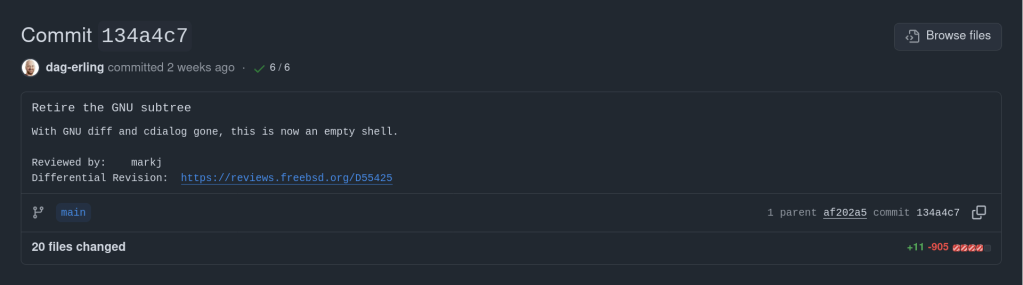
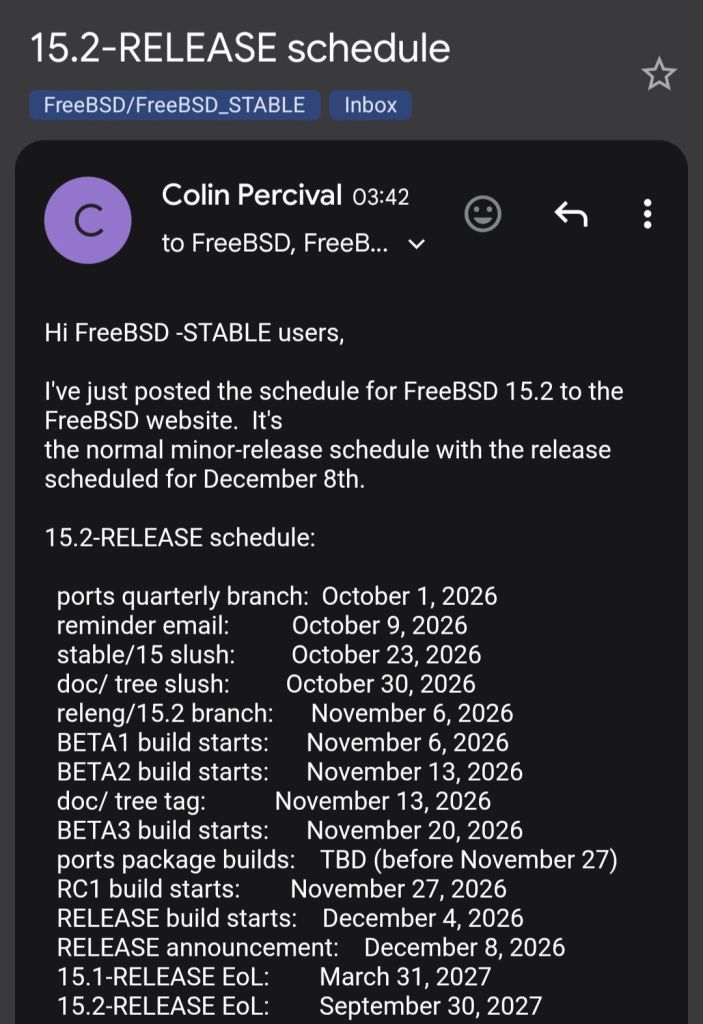
https://forums.truenas.com/t/we-re-bringing-some-smart-options-back/64029
I recently added my AUR package ankiR to the BioArchLinux repository, a repo that contains the majority of R Language related packages such as r-tidyverse etc.


Notable changes:
path_suffix variable substitutions failed middleware validation. The SMB share configuration forms became unusable in the web interface as a result.https://forums.truenas.com/t/truenas-25-10-2-1-is-now-available/63998
There’s an Anki addon called anki-mcp-server that exposes your Anki collection over MCP (Model Context Protocol). If you haven’t come across MCP yet — it’s basically a standardized way for AI assistants to interact with external tools. Connect this addon and suddenly Claude (or whatever you’re using) can search your cards, create notes, browse your decks, etc.
Pretty cool, but there was a big gap: zero FSRS support. The assistant could see your cards but had no idea how they were being scheduled. It couldn’t read your FSRS parameters, couldn’t check a card’s memory state, couldn’t run the optimizer. For anyone who’s moved past SM-2 (which should be everyone at this point), that’s a significant blind spot.
So I wrote a PR that adds four tools and a resource to fill that gap.
get_fsrs_params reads the FSRS weights, desired retention, and max interval — either for all presets at once or filtered to a specific deck. get_card_memory_state pulls the per-card memory state (stability, difficulty, retrievability) for a given card ID. set_fsrs_params lets you update retention or weights on a preset. And optimize_fsrs_params runs Anki’s built-in optimizer — with a dry-run mode so you can preview the optimized weights before committing.
There’s also an anki://fsrs/config resource that gives a quick overview of your FSRS setup without needing a tool call.
The annoying part was version compatibility. FSRS has been through several iterations and Anki stores the parameters under different protobuf field names depending on which version you’re on. I ended up writing a fallback chain that tries fsrsParams6 first, then fsrsParams5, then fsrsParams4, and finally the old fsrsWeights field. The optimizer tool also needs to adjust its kwargs depending on the Anki point version (25.02 and 25.07 changed the interface). All of that version-detection logic lives in a shared _fsrs_helpers.py so the individual tools stay clean.
One gotcha that took me a bit to track down: per-deck desired retention overrides are stored as 0–100 on the deck config dictionary, but the preset stores them as 0–1. Easy to miss, and you’d get nonsensical results if you didn’t normalize between the two.
What I’m most excited about is what this enables in practice. You can now ask an AI assistant things like “run the optimizer on my medical deck in dry-run mode and tell me how the new weights compare” or “which of my presets has the lowest desired retention?” — and it can actually do it, pulling real data from your collection instead of just guessing. For someone who spends a lot of time tweaking FSRS settings across different decks, having that accessible through natural language is a nice quality-of-life improvement.
The PR was recently merged. I tested everything locally — built the .ankiaddon, installed it in Anki, ran through all the tools against a live collection. If you’re into the Anki + AI workflow, take a look and let me know what you think.
Here’s a scenario most ZFS users have run into at least once. You reboot your server, maybe a drive didn’t spin up in time, or mdadm grabbed a partition before ZFS could — and zpool import hits you with this:
Your stomach drops. Corrupted? You start mentally cataloging your backups. Maybe you even reach for zpool destroy.
Except… the metadata isn’t corrupted. ZFS just couldn’t see all the disks. The data is fine. The pool is fine. The error message is the problem.
I’ve hit this myself on my TrueNAS box when a drive temporarily disappeared after a reboot. The first time I saw it I genuinely panicked. After digging into the source code, I realized that ZPOOL_STATUS_CORRUPT_POOL is basically a catch-all. Anytime the root vdev gets tagged with VDEV_AUX_CORRUPT_DATA — whether from actual corruption or simply missing devices — you get the same scary message. No distinction whatsoever.
This has been a known issue since 2018. Seven years. Plenty of people complained about it, but nobody got around to fixing it.
So I did. The PR is pretty straightforward — it touches four user-facing strings across the import and status display code paths. The core change:
The recovery message also changed. Instead of jumping straight to “destroy the pool”, it now tells you to make sure your devices aren’t claimed by another subsystem (mdadm, LVM, etc.) and try the import again. You know, the thing you should actually try first before nuking your data.
Brian Behlendorf reviewed it, said it should’ve been cleaned up ages ago, and merged it into master today. Not a glamorous contribution — no new features, no performance gains, just four strings. But if it saves even one person from destroying a perfectly healthy pool because of a misleading error message, that’s a win.
PR: openzfs/zfs#18251 — closes #8236
How the Model Context Protocol turns your NAS into a conversational system
The Model Context Protocol (MCP) is an open standard developed by Anthropic that allows AI assistants like Claude to connect to external tools, services, and data sources. Think of it as a universal plugin system for AI — instead of copy-pasting terminal output into a chat window, you give the AI a live, structured connection to your systems so it can query and act on them directly.
MCP servers are small programs that speak a standardized JSON-RPC protocol. The AI client (Claude Desktop, Claude Code, etc.) spawns the server process and communicates with it over stdio. The server translates AI requests into real API calls — in this case, against the TrueNAS middleware WebSocket API.
TrueNAS Research Labs recently released an official MCP server for TrueNAS systems. It is a single native Go binary that runs on your desktop or workstation, connects to your TrueNAS over an encrypted WebSocket (wss://), authenticates with an API key, and exposes the full TrueNAS middleware API to any MCP-compatible AI client.
Crucially, nothing is installed on the NAS itself. The binary runs entirely on your local machine.
The connector covers essentially the full surface area of TrueNAS management:
Storage — query pool health, list datasets with utilization, manage snapshots, configure SMB/NFS/iSCSI shares. Ask “which datasets are above 80% quota?” and get a direct answer.
System monitoring — real-time CPU, memory, disk I/O, and network metrics. Active alerts, system version, hardware info. The kind of overview that normally requires clicking through several pages of the web UI.
Maintenance — check for available updates, scrub status, boot environment management, last backup timestamps.
Application management — list, install, upgrade, and monitor the status of TrueNAS applications (Docker containers on SCALE).
Virtual machines — full VM lifecycle: create, start, stop, monitor resource usage.
Capacity planning — utilization trends, forecasting, and recommendations. Ask “how long until my main pool is full at current growth rate?” and get a reasoned answer.
Directory services — Active Directory, LDAP, and FreeIPA integration status and management.
The connector includes a dry-run mode that previews any destructive operation before executing it, showing estimated execution time and a diff of what would change. Built-in validation blocks dangerous operations automatically. Long-running tasks (scrubs, migrations, upgrades) are tracked in the background with progress updates.
Traditional NAS management is a context-switching problem. You have a question — “why is this pool degraded?” — and answering it means opening the web UI, navigating to storage, cross-referencing the alert log, checking disk SMART data, and reading documentation. Each step is manual.
With MCP, the AI holds all of that context simultaneously. A single question like “my pool has an error, what should I do?” triggers the AI to query pool status, check SMART data, look at recent alerts, and synthesize a diagnosis — in one response, with no tab-switching.
This is especially powerful for complex homelab setups with many datasets, containers, and services. Instead of maintaining mental models of your storage layout, you can just ask.
The setup takes about five minutes:
~/.config/claude/claude_desktop_config.json) or Claude Code (claude mcp add ...).The binary supports self-signed certificates (pass -insecure for typical TrueNAS setups) and works over Tailscale or any network path to your NAS.
The TrueNAS MCP connector is a research preview (currently v0.0.4). It is functional and comprehensive, but not yet recommended for production-critical automation. It is well-suited for monitoring, querying, and exploratory management. Treat destructive operations (dataset deletion, VM reconfiguration) with the same care you would in the web UI — use dry-run mode first.
The project is open source and actively developed. Given that this is an official TrueNAS Labs project, it is likely to become a supported feature in future TrueNAS releases.
The TrueNAS MCP connector is an early example of a pattern that will become common: infrastructure that exposes a semantic API layer for AI consumption, not just a REST API for human-written scripts. The difference is significant. A REST API tells you what the data looks like. An MCP server tells the AI what operations are possible, what they mean, and how to chain them safely.
As more homelab and enterprise tools adopt MCP, the practical vision of a conversational infrastructure layer — where you describe intent and the AI handles execution — becomes genuinely achievable, not just a demo.
The TrueNAS MCP connector is available at github.com/truenas/truenas-mcp. Setup documentation is at the TrueNAS Research Labs page.
Sample screenshots!!


This article describes a kernel-level patch to the FreeBSD rge(4) network driver that enables proper identification of Realtek RTL8125/8126/8127 silicon variants at attach time. The change is small but reveals an interesting idiom gap between two BSD kernels.
The rge(4) driver supports a family of Realtek multi-gigabit NICs spanning three product generations. Despite sharing a common PCI device ID tree, each silicon revision has meaningfully different characteristics: different firmware images, different register maps for some functions, and different feature sets.
| Chip | hwrev register | Type constant | Generation |
|---|---|---|---|
| RTL8125 | 0x60900000 | MAC_R25 | 2.5GbE first gen |
| RTL8125B | 0x64100000 | MAC_R25B | 2.5GbE revised |
| RTL8125D_1 | 0x68800000 | MAC_R25D | 2.5GbE third gen |
| RTL8125D_2 | 0x68900000 | MAC_R25D | 2.5GbE third gen alt |
| RTL8126_1 | 0x64900000 | MAC_R26 | 5GbE first gen |
| RTL8126_2 | 0x64a00000 | MAC_R26 | 5GbE alt |
| RTL8127 | 0x6c900000 | MAC_R27 | 10GbE |
The hardware revision is detected by reading the RGE_TXCFG register and masking off the lower bits, yielding the hwrev value. This happens in rge_get_macaddr() via the attachment path in rge_attach().
The detection is a straightforward switch statement in sys/dev/rge/if_rge.c:
hwrev = CSR_READ_4(sc, RGE_TXCFG) & RGE_TXCFG_HWREV;
switch (hwrev) {
case 0x60900000:
sc->rge_type = MAC_R25;
break;
case 0x64100000:
sc->rge_type = MAC_R25B;
break;
/* ... */
}
The rge_type field stored in the softc structure is then used throughout the driver to select chip-specific paths — for example, firmware loading, ring configuration, and certain register sequences differ between MAC_R25 and MAC_R25B.
Before the patch, despite detecting seven distinct silicon variants at runtime, the driver logged nothing about which one was found. All three product families produce dmesg output that looks like this:
pci0: <network> at device 0.0 (no driver attached)
rge0: <RTL8125> mem 0xfc400000-0xfc40ffff [...] at device 0.0 on pci2
rge0: Using 1 MSI-X message
rge0: CHIP: 0x00000000
miibus0: <MII bus> on rge0
The string <RTL8125> comes from the PCI probe function — specifically device_set_desc() — which is set once during probe based on the PCI subsystem ID, before the hardware revision register is even read. It cannot distinguish RTL8125 from RTL8125B, or RTL8126_1 from RTL8126_2. A user filing a bug report, or a developer debugging an issue specific to one silicon stepping, had no way to confirm which variant was present without writing custom code to read RGE_TXCFG manually.
Examining the original import commit reveals that identification prints were always present in the source — just commented out in a non-idiomatic style:
case 0x60900000:
sc->rge_type = MAC_R25;
// device_printf(dev, "RTL8125\n");
break;
case 0x64100000:
sc->rge_type = MAC_R25B;
// device_printf(dev, "RTL8125B\n");
break;
The use of // comments is itself a signal: the FreeBSD kernel style guide mandates /* */ C89-style comments for all kernel code. The // style is characteristic of code copied directly from another source and then quickly commented out.
The origin is OpenBSD’s sys/dev/pci/if_rge.c, where the equivalent identification uses a different printing idiom:
/* OpenBSD style — appends to the in-progress attach line */
case 0x64100000:
sc->rge_type = MAC_R25B;
printf(": RTL8125B");
break;
In OpenBSD, the device attachment infrastructure prints the device name on a line and drivers call bare printf() to append chip identification to that same line, producing output like:
rge0 at pci2 dev 0 function 0 "Realtek 8125" rev 0x00: RTL8125B, ...
FreeBSD’s driver framework does not work this way. device_printf(dev, ...) always begins a new line prefixed with the device name — it cannot append to an existing line. A direct translation of the OpenBSD bare printf() would either produce garbled output or nothing useful. Rather than translating the idiom at import time, the prints were commented out.
The correct FreeBSD idiom is device_printf() on its own line, following attach. The patch enables all seven commented prints in the proper style, and adds the raw hwrev register value alongside the human-readable name — consistent with how the re(4) driver reports chip revisions:
switch (hwrev) {
case 0x60900000:
sc->rge_type = MAC_R25;
device_printf(dev, "chip rev: RTL8125 (0x%08x)\n", hwrev);
break;
case 0x64100000:
sc->rge_type = MAC_R25B;
device_printf(dev, "chip rev: RTL8125B (0x%08x)\n", hwrev);
break;
case 0x64900000:
sc->rge_type = MAC_R26_1;
device_printf(dev, "chip rev: RTL8126_1 (0x%08x)\n", hwrev);
break;
case 0x64a00000:
sc->rge_type = MAC_R26_2;
device_printf(dev, "chip rev: RTL8126_2 (0x%08x)\n", hwrev);
break;
case 0x68800000:
sc->rge_type = MAC_R25D;
device_printf(dev, "chip rev: RTL8125D_1 (0x%08x)\n", hwrev);
break;
case 0x68900000:
sc->rge_type = MAC_R25D;
device_printf(dev, "chip rev: RTL8125D_2 (0x%08x)\n", hwrev);
break;
case 0x6c900000:
sc->rge_type = MAC_R27;
device_printf(dev, "chip rev: RTL8127 (0x%08x)\n", hwrev);
break;
}
Including the raw hex value serves two purposes. First, it allows unambiguous identification even if the human-readable label ever becomes incorrect or incomplete. Second, it mirrors the diagnostic value already present in the CHIP: line printed slightly later in attach, but associates it directly with the revision identification step.
After the patch, a system with an RTL8125B produces:
rge0: <RTL8125> mem 0xfc400000-0xfc40ffff [...] at device 0.0 on pci2
rge0: chip rev: RTL8125B (0x64100000)
rge0: Using 1 MSI-X message
A system with RTL8126_1 (a 5GbE part that probes as <RTL8126>) produces:
rge0: <RTL8126> mem 0xfc400000-0xfc40ffff [...] at device 0.0 on pci2
rge0: chip rev: RTL8126_1 (0x64900000)
rge0: Using 1 MSI-X message
The chip revision is now permanently captured in dmesg(8) output and system logs, available without any special tools or kernel knowledge.
The hwrev bitmask is read from bits [31:20] of RGE_TXCFG. Realtek does not publish full public documentation for these register fields, and the driver’s variant table has been built incrementally as new silicon steppings were encountered in the wild. Including the raw value means that if a new stepping appears with an hwrev not yet in the driver’s switch statement, it will still be captured in the log — giving developers the exact value needed to add support for it.
hwrev leaves rge_type at its zero-initialized value. With the patch, the raw value is logged for all handled cases, but an unknown stepping would produce no chip rev line at all — a future improvement could add a default case that logs the unknown value explicitly.
The complete change touches a single file, sys/dev/rge/if_rge.c:
7 lines changed: 7 insertions(+), 7 deletions(-)
- // device_printf(dev, "RTL8125\n"); (×7 variants)
+ device_printf(dev, "chip rev: RTL8125 (0x%08x)\n", hwrev); (×7 variants)
No logic changes. No new dependencies. No behavioral differences other than the additional log line per attach.
The patch is under review at reviews.freebsd.org/D55402, where it will be integrated into the broader rge(4) improvement stack for the upcoming development cycle.
iXsystems has released TrueNAS 25.10.2, a maintenance update to the 25.10 branch. If you’re running TrueNAS Scale on the Early Adopter channel, this is a recommended update — it fixes several critical issues including an upgrade path bug that could leave systems unbootable.
Upgrade failure fix (NAS-139541). Some systems upgrading from TrueNAS 25.04 to 25.10 encountered a “No space left on device” error during boot variable preparation, leaving the system unbootable after the failed attempt. This is fixed in 25.10.2.
SMB service startup after upgrade (NAS-139076). Systems with legacy ACL configurations from older TrueNAS versions could not start the SMB service after upgrading to 25.10.1. The update now automatically converts legacy permission formats during service initialization.
Disk replacement validation (NAS-138678). A frustrating bug rejected replacement drives with identical capacity to the failed drive, showing a “device is too small” error. Fixed — identical capacity replacements now work correctly.
NFS performance for NFSv4 clients (NAS-139128). Support for STATX_CHANGE_COOKIE has been added, surfacing ZFS sequence numbers to NFS clients via knfsd. Previously, the system synthesized change IDs based on ctime, which could fail to increment consistently due to kernel timer coarseness. This improves client attribute cache invalidation and reduces unnecessary server requests.
ZFS pool import performance (NAS-138879). Async destroy operations — which can run during pool import — now have a time limit per transaction group. Pool imports that previously stalled due to prolonged async destroy operations will complete significantly faster.
Containerized app CPU usage (NAS-139089). Background CPU usage from Docker stats collection and YAML processing has been reduced by optimizing asyncio_loop operations that were holding the Global Interpreter Lock during repeated container inspections.
Network configuration lockout fix (NAS-139575). Invalid IPv6 route entries in the routing table could block access to network settings, app management, and bug reporting. The system now handles invalid route entries gracefully.
Network bridge creation fix (NAS-139196). Pydantic validation errors were preventing bridge creation through the standard workflow of removing IPs from an interface, creating a bridge, and reassigning those IPs.
IPv6 Kerberos fix (NAS-139734). Active Directory authentication failed when using IPv6 addresses for Kerberos Distribution Centers. IPv6 addresses are now properly formatted with square brackets in krb5.conf.
SMB Hosts Allow/Deny controls (NAS-138814). IP-based access restrictions are now available for SMB shares across all relevant purpose presets. Also adds the ability to synchronize Kerberos keytab SPNs with Active Directory updates.
Dashboard storage widget (NAS-138705). Secondary storage pools were showing “Unknown” for used and free space in the Dashboard widget. Fixed.
Cloud Sync tasks invisible after CORE → SCALE upgrade (NAS-138886). Tasks were functional via CLI but invisible in the web UI due to a data inconsistency where the bwlimit field contained empty objects instead of empty arrays.
S3 endpoint validation (NAS-138903). Cloud Sync tasks now validate that S3 endpoints include the required https:// protocol prefix upfront, with a clear error message instead of the unhelpful “Invalid endpoint” response.
Session expiry fix (NAS-138467). Users were being unexpectedly logged out during active operations despite configured session timeout settings. Page refresh (F5) was also triggering the login screen during active sessions. Both are now fixed.
Error notifications showing placeholder text (NAS-139010). Error notifications were displaying “%(err)s Warning” instead of actual error messages.
Users page now shows Directory Services users by default (NAS-139073). Directory Services users now appear in the default view without requiring a manual filter change.
SSH access removal fix (NAS-139130). Clearing the SSH Access option appeared to save successfully but the SSH indicator persisted in the user list. Now properly disabled through the UI.
Certificate management for large DNs (NAS-139056). Certificates with Distinguished Names exceeding 1024 characters — typically those with many Subject Alternative Names — can now be properly imported and managed.
The root account’s group membership is now locked to builtin_administrators and cannot be modified through the UI. This prevents accidental removal of privileges that could break scheduled tasks, cloud sync, and cron jobs. To disable root UI access, use the Disable Password option in Credentials → Local Users instead.
Update via System → Update in the web UI, or download from truenas.com. Full release notes and changelog are available at the TrueNAS Documentation Hub.


https://forums.truenas.com/t/truenas-25-10-2-is-now-available/63778
The rge(4) driver recently landed in FreeBSD HEAD, ported from OpenBSD. I tested it with a physical RTL8125 2.5GbE NIC passed through to a QEMU/KVM virtual machine running FreeBSD 16.0-CURRENT. Here’s what works, what doesn’t, and what’s worth reporting upstream.
The Realtek RTL8125 is one of the most common 2.5 Gigabit Ethernet controllers on consumer motherboards. For years, FreeBSD users had to rely on either the in-tree re(4) driver (which didn’t support the RTL8125 at all) or the third-party realtek-re-kmod port, which was Realtek’s own driver adapted for FreeBSD but suffered from stability issues and coding standard mismatches with the FreeBSD kernel.
In December 2025, Adrian Chadd imported the OpenBSD rge(4) driver into FreeBSD HEAD. This driver, originally written by Kevin Lo for OpenBSD 6.6, provides native support for the RTL8125, RTL8126, and RTL8127 families. Bernard Spil created the net/realtek-rge-kmod port for testing on stable branches. The driver is still young on FreeBSD, and the community is actively seeking testing feedback.
I have an RTL8125 on my Gigabyte motherboard (Ryzen 7950X system running Arch Linux), so I set out to test the driver using VFIO/PCI passthrough into a FreeBSD 16.0-CURRENT VM.
The test environment uses PCI passthrough to give the FreeBSD VM direct hardware access to the physical RTL8125 NIC. This is the closest you can get to bare-metal testing without installing FreeBSD directly. The host keeps its network via WiFi (RTL8852CE) while the Ethernet card is handed to the guest.
host$ lspci -nn | grep -i realtek
06:00.0 Network controller: Realtek ... RTL8852CE [10ec:c852]
07:00.0 Ethernet controller: Realtek ... RTL8125 [10ec:8125] (rev 05)
$ find /sys/kernel/iommu_groups/ -type l | sort -V | grep 07:00
/sys/kernel/iommu_groups/16/devices/0000:07:00.0
The RTL8125 sits at PCI address 07:00.0 in IOMMU group 16, isolated from other devices. The RTL8852CE WiFi card at 06:00.0 stays on the host for connectivity.
host (root)# Load the VFIO PCI module
$ sudo modprobe vfio-pci
# Unbind from the r8169 host driver
$ sudo sh -c 'echo "0000:07:00.0" > /sys/bus/pci/devices/0000:07:00.0/driver/unbind'
# Bind to vfio-pci for passthrough
$ sudo sh -c 'echo "0000:07:00.0" > /sys/bus/pci/drivers/vfio-pci/bind'
# Verify
$ lspci -k -s 07:00.0
07:00.0 Ethernet controller: Realtek ... RTL8125 2.5GbE Controller (rev 05)
Kernel driver in use: vfio-pci
host$ sudo qemu-system-x86_64 \
-enable-kvm \
-m 4G \
-smp 4 \
-hda FreeBSD-16.0-CURRENT-amd64-ufs.qcow2 \
-device vfio-pci,host=07:00.0 \
-nographic
em0 (Intel e1000) by default, which routes through QEMU’s user-mode NAT. Since the default route points to em0, you need to switch it to use the passthrough NIC: route delete default && route add default 192.168.0.1
FreeBSD detects the RTL8125 immediately on boot and attaches the rge(4) driver:
dmesgrge0: <RTL8125> port 0xc000-0xc0ff mem 0xc000000000-0xc00000ffff,
0xc000010000-0xc000013fff irq 11 at device 4.0 on pci0
rge0: Ethernet address: xx:xx:xx:xx:xx:xx
rge0: link state changed to DOWN
rge0: link state changed to UP
DHCP works, DNS resolves, and the NIC gets a LAN address. Here’s what pciconf reports:
pciconf -lvrge0@pci0:0:4:0: class=0x020000 rev=0x05 vendor=0x10ec device=0x8125
subvendor=0x1458 subdevice=0xe000
vendor = 'Realtek Semiconductor Co., Ltd.'
device = 'RTL8125 2.5GbE Controller'
class = network
subclass = ethernet
The sysctl dev.rge.0 output shows healthy operation with no concerning errors:
| Metric | Value | Status |
|---|---|---|
rge_rx_ok | 26,274 | OK |
rge_tx_ok | 13,115 | OK |
rge_tx_er | 6 | link negotiation |
intr_system_errcnt | 0 | OK |
tx_watchdog_timeout_cnt | 0 | OK |
transmit_full_cnt | 0 | OK |
rx_ether_csum_err | 0 | OK |
link_state_change_cnt | 2 | DOWN → UP |
Hardware checksum offload for IPv4, TCP, and UDP all function correctly — every csum_valid counter matches its corresponding csum_exists counter. Ping latency to external hosts averaged 14–18ms, which is reasonable for the test configuration.
Comparing the two NICs in the VM reveals a significant gap in advertised features:
| Feature | em0 (emulated) | rge0 (passthrough) |
|---|---|---|
| RXCSUM / TXCSUM | yes | yes |
| VLAN_MTU / HWTAGGING | yes | yes |
| VLAN_HWCSUM | yes | yes |
| TSO4 | yes | no |
| LRO | yes | no |
| Jumbo frames | yes | no |
| WoL | yes | no |
| VLAN_HWTSO | yes | no |
The rge(4) driver currently exposes a basic set of offload features (options=9b). TSO, LRO, jumbo frame support, and Wake-on-LAN are not yet implemented, though the OpenBSD man page mentions WoL support.
Here’s the most notable finding: the driver does not expose 2500baseT as a media type.
FreeBSD VMroot@freebsd:~# ifconfig rge0 media 2500baseT mediaopt full-duplex
ifconfig: unknown media subtype: 2500baseT
root@freebsd:~# ifconfig rge0
rge0: flags=1008843<UP,BROADCAST,RUNNING,SIMPLEX,MULTICAST,LOWER_UP>
options=9b<RXCSUM,TXCSUM,VLAN_MTU,VLAN_HWTAGGING,VLAN_HWCSUM>
media: Ethernet autoselect (1000baseT <full-duplex>)
status: active
The NIC negotiates at 1000baseT only. This is a known limitation — another user on the FreeBSD forums with an RTL8125BG on an ASRock TRX50 motherboard reported the exact same behavior: options=9b, 1000baseT, no 2.5G option.
rge(4) man page explicitly documents the RTL8125 as capable of 2500Mbps operation. Since the FreeBSD driver was ported from OpenBSD, the 2.5G media type support may not have been fully adapted to FreeBSD’s ifmedia framework yet, or may require additional work in the FreeBSD-specific parts of the driver.
The rge(4) driver on FreeBSD 16.0-CURRENT works well for basic Ethernet functionality with the RTL8125. The NIC attaches cleanly, DHCP and DNS work, hardware checksum offload is functional, and there are no stability issues during my testing session. For a driver that landed in HEAD just two months ago, this is a solid start.
2500baseT media type not available — The hardware is a 2.5GbE controller, but the driver only negotiates at 1G. This is the most impactful limitation for users who specifically chose RTL8125-equipped boards for the faster link speed. I’ve reported this to the FreeBSD freebsd-net mailing list.
Limited offload features — TSO, LRO, jumbo frames, and WoL are not yet exposed. For typical desktop use this is fine, but it will affect throughput in high-bandwidth scenarios.
If you have an RTL8125 and are running FreeBSD 15 or CURRENT, testing the driver and reporting your results — positive or negative — will help get it stabilized and potentially backported to stable branches. The FreeBSD forums thread and the freebsd-current mailing list thread are the best places to contribute.
After shutting down the VM, don’t forget to give the NIC back to your host:
host$ sudo sh -c 'echo "0000:07:00.0" > /sys/bus/pci/drivers/vfio-pci/unbind'
$ sudo sh -c 'echo "0000:07:00.0" > /sys/bus/pci/drivers/r8169/bind'
$ sudo dhcpcd enp7s0
Update:
ifconfig -vm rge0 confirms 2500Base-T is listed as a supported media type:
supported media:
media autoselect
media 2500Base-T mediaopt full-duplex
media 2500Base-T
media 1000baseT mediaopt full-duplex
media 1000baseT
media 100baseTX mediaopt full-duplex
media 100baseTX
media 10baseT/UTP mediaopt full-duplex
media 10baseT/UTP
My original error was using 2500baseT (lowercase) instead of 2500Base-T — the media subtype string is case-sensitive.
I also tried forcing 2500Base-T:
ifconfig rge0 media 2500Base-T mediaopt full-duplex
The link briefly dropped and came back at 1000baseT. The media line showed “Ethernet Other ” rather than the expected type. However, I then checked my router and all LAN ports are 1 Gbps only … so the fallback to 1000baseT is expected. I don’t currently have a 2.5G switch to verify actual 2.5G linking.