Things are back to normal, and we have a networking pull this week. And probably because of the missed week, networking shows up quite clearly in the diffstat, although honestly, that’s probably also because everything else has been pretty quiet. We’ve got other misc driver fixes, of course, and a few filesystem fixes. But network drivers, core networking, and some network-related selftests do account for probably about half of the patch this week. Apart from that, nothing in here looks particularly odd, Linus
https://lore.kernel.org/lkml/CAHk-=wh7awamHE3ujoxZFcGMg3wvLTk8UZYSm3m7vUDhpmP2+A@mail.gmail.com/T/#u
-
-
One of the most useful Anki addons for editing cloze cards during review


-
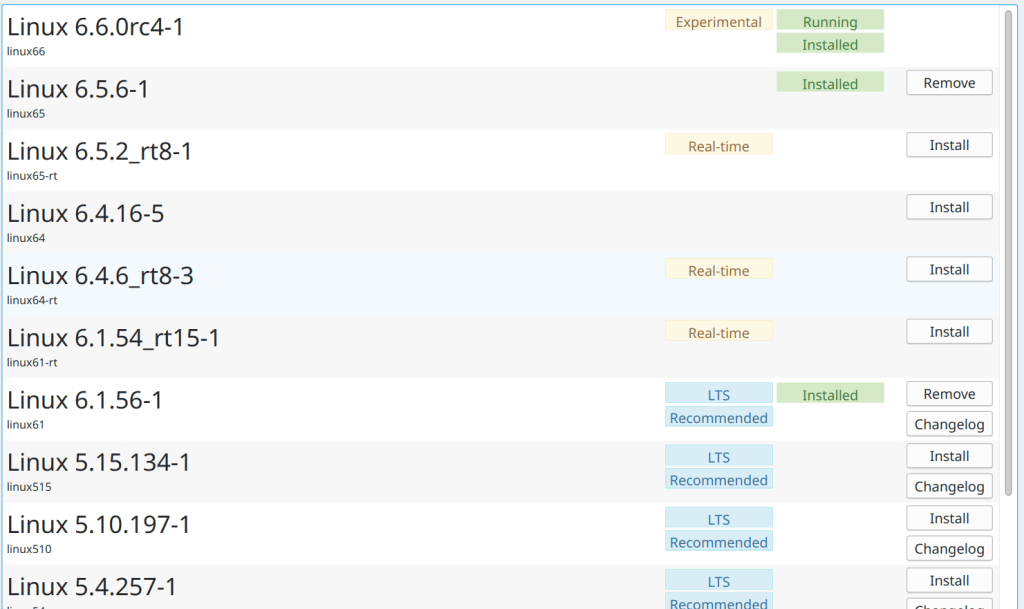
I always have an LTS (6.1.56), a current stable (6.5.6) kernel and sometimes I am testing an RC as in this case the 6.6-rc4
-
Changes since OpenSSH 9.4
This release fixes a number of bugs and adds some small features.
Potentially incompatible changes:
* ssh-keygen(1): generate Ed25519 keys by default. Ed25519 public keys are very convenient due to their small size. Ed25519 keys are specified in RFC 8709 and OpenSSH has supported them since version 6.5 (January 2014).
* sshd(8): the Subsystem directive now accurately preserves quoting of subsystem commands and arguments. This may change behaviour for exotic configurations, but the most common subsystem configuration (sftp-server) is unlikely to be affected.
New features:
* ssh(1): add keystroke timing obfuscation to the client. This attempts to hide inter-keystroke timings by sending interactive traffic at fixed intervals (default: every 20ms) when there is only a small amount of data being sent. It also sends fake “chaff” keystrokes for a random interval after the last real keystroke. These are controlled by a new ssh_config ObscureKeystrokeTiming keyword.
* ssh(1), sshd(8): Introduce a transport-level ping facility. This adds a pair of SSH transport protocol messages SSH2_MSG_PING/PONG to implement a ping capability. These messages use numbers in the “local extensions” number space and are advertised using a “ping@openssh.com” ext-info message with a string version number of “0”.
* sshd(8): allow override of Subsystem directives in sshd Match blocks.
https://www.openssh.com/releasenotes.html#9.5p1 -
There is currently an unmaintained port under the /usr/ports/german/dict. It contains a very old dict.cc database from 2000 with approximately 115,000 entries. The German-Englisch dict.cc version has actually over 1.260.000 translations available.
Unfortunately downloading and uploading the database as a txt file in GitHub is a violation of Terms and Conditions of the dictionary, so I decided to port this project: https://github.com/randomn4me/dictcc. It is basically a python script that searches online for the given keyword. The previous implementation was an sh script using the agrep utility to search the txt translation database.
Let’s see how it goes !
-
Yes, Adobe Flash is obsolete since the end of 2020. No point being in the documentation 🙂
Firefox ended support for Adobe Flash in Firefox at the end of 2020, as announced back in 2017. Adobe and other browsers also ended support for Flash at the end of 2020.
Firefox version 84 was the final version to support Flash. Firefox version 85 (released on January 26, 2021) shipped without Flash support, improving our performance and security. There is no setting to re-enable Flash support.
https://support.mozilla.org/en-US/kb/end-support-adobe-flashhttps://github.com/freebsd/freebsd-doc/pull/279/commits/6a76c8f49f7b3cad01d52dafa5c4b605295b5ed0
-
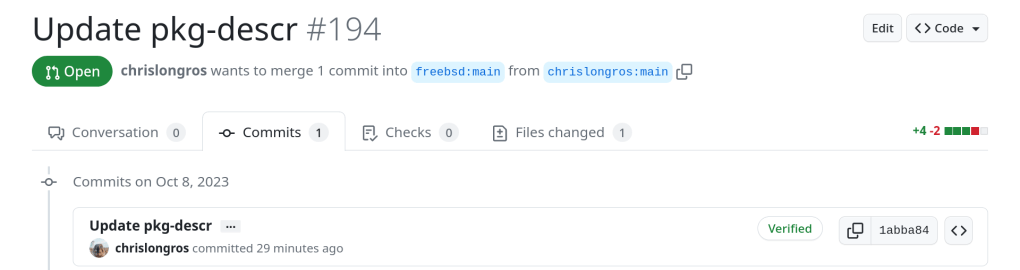
Committing a simple change in the browser section but the whole document has to be replaced with the newer pkg install command
https://github.com/freebsd/freebsd-doc/pull/279/commits/f3d580ed65573419b180891371076be6e239288d
-
After 12 years, from age 17 to age 29, of using every spaced repetition tool under the sun to learn all kinds of weird little things, this is the advice I have to give to anyone feeling like they’re dying under the burden of Anki repetitions.
Every minute of your life which passes resculpts, often imperceptibly, the way your neurons are wired together. Anki is a tool which allows you to get certain neurons to fire together at an interval which science has loosely deemed ‘optimal’ for keeping them wired together.
That’s it. That’s all it does. And you can choose anything to put in there. Your shoe size. The names and faces of your coworkers. Pictures from your wedding. Videos of your kids playing in a sprinkler park. The last words of famous men. Leetcode problems. A simple list of life lessons you discovered when you were younger and decided it made sense to steer by. Things you notice make your 2 year old niece howl with laughter. Mistakes you will never make again. Gwern’s list of ordinary life improvements since the 1990s. Photos of delicious things you made with instructions on the back. An instruction to mentally run up and down the Lydian scale on a fretboard. Minecraft recipes. The names of different kinds of clouds.
It is up to you. But no matter what, at the end of the day, all you are doing is sculpting your brain. Don’t fall hostage to the chisel.
From a reddit user: https://www.reddit.com/r/Anki/comments/171gwp3/its_not_retaining_information_its_sculpting_your/ -
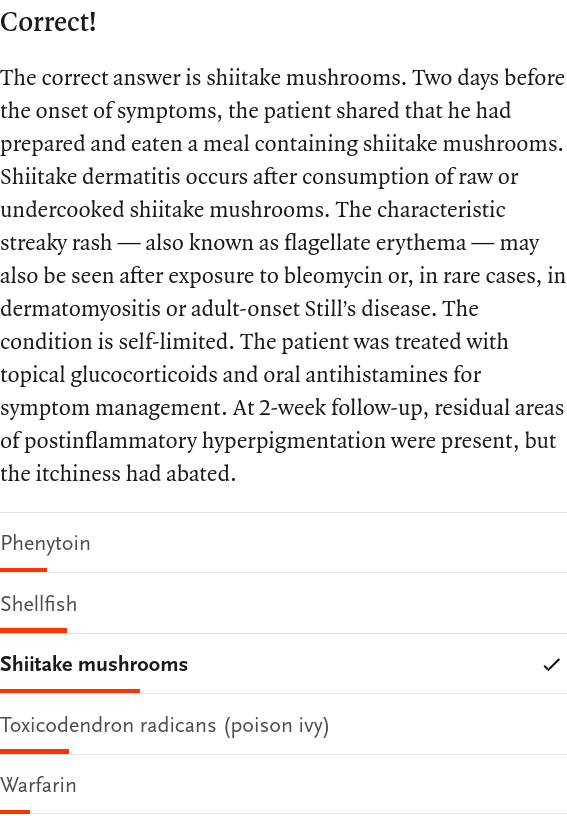
“A 72-year-old man presented to the emergency department with a 2-day history of an itchy rash on his back. On physical examination, edematous, flagellate plaques and linear patches were present across the patient’s entire back and upper buttocks. There was no adenopathy, dermographism, or mucosal involvement. What substance had the patient most likely handled and ingested before subsequently developing this rash?”
- Phenytoin
- Shellfish
- Shiitake mushrooms
- Toxicodendron radicans (poison ivy)
- Warfarin
The correct answer is 3, Shiitake mushrooms
-
A summary of changes since 14.0-BETA4 includes:
- An issue preventing binary upgrades using freebsd-update on earlier
supported releases had been fixed. - Several networking-related bug fixes had been addressed.
- Experimental support for Amazon EC2 cloud-init AMIs had been added.
- Several additional miscellaneous bug fixes and enhancements.

https://download.freebsd.org/releases/ISO-IMAGES/14.0/FreeBSD-14.0-BETA5-amd64-bootonly.iso
- An issue preventing binary upgrades using freebsd-update on earlier
-
So the official RELEASE announcement is shifted on 7 November 2023
-
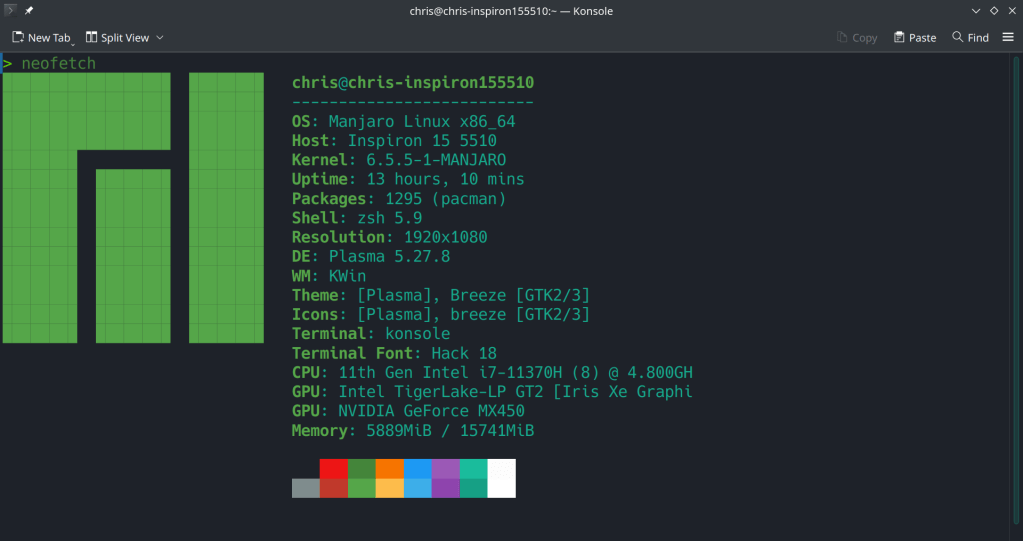
Using open-source as my daily driver has increased my productivity and there is no way back to Windows in the near future. I regret not transitioning into Linux a decade ago in 2012-2013.
The next step is FreeBSD + ZFS as a desktop !! It is just the simplicity, the low maintenance, cost and complexity. Once you set your defined, prefered parameters the system can run stable for years with minimal intervention.