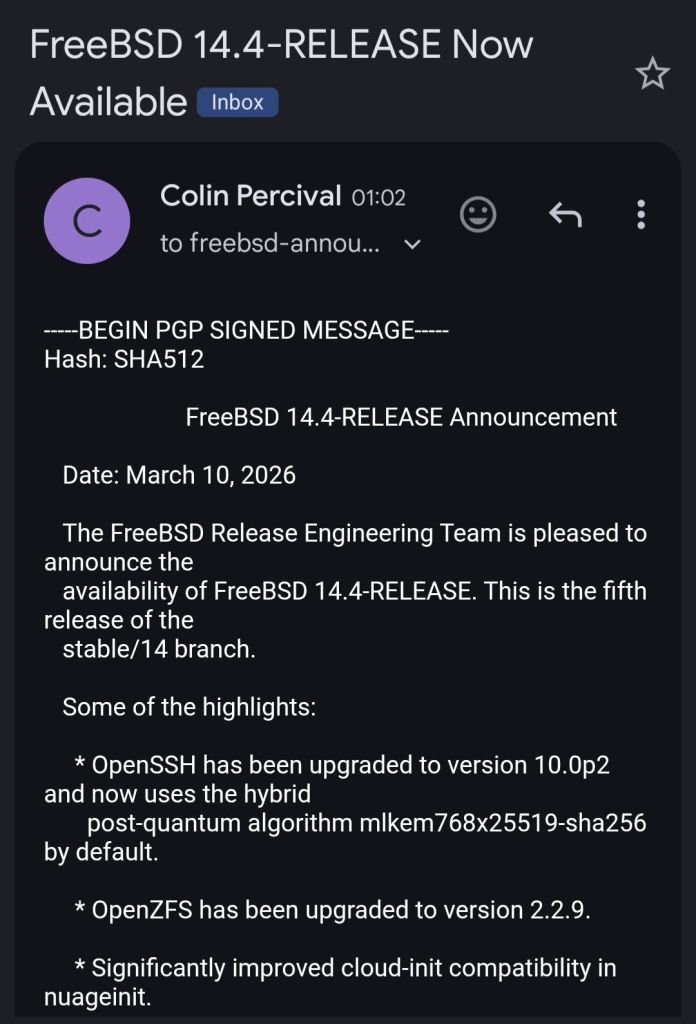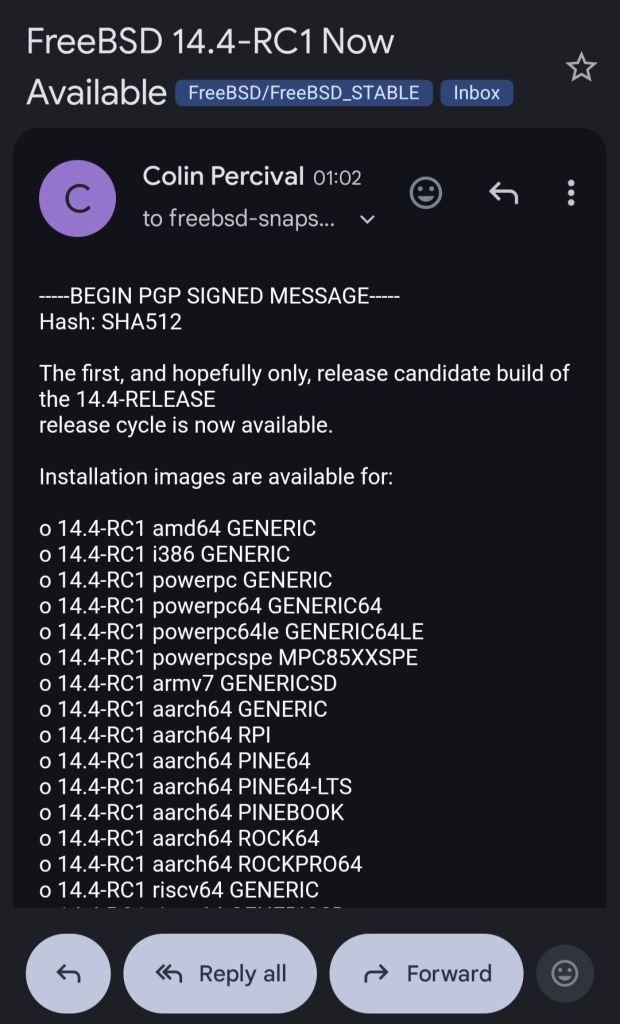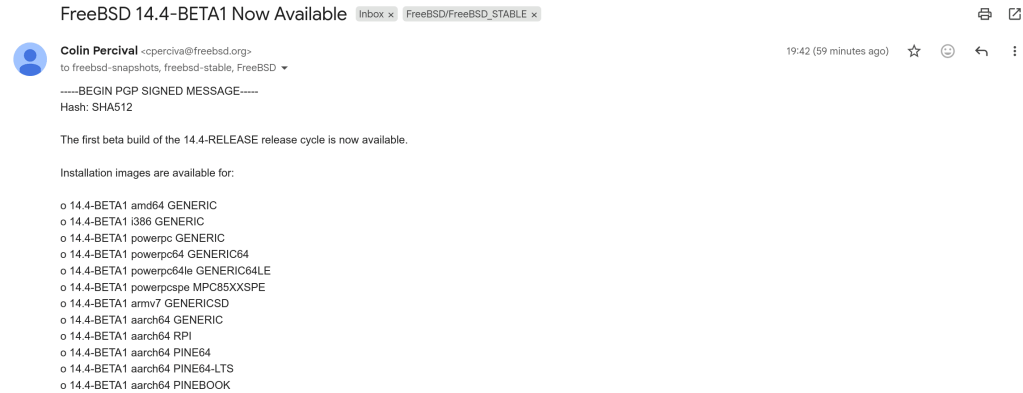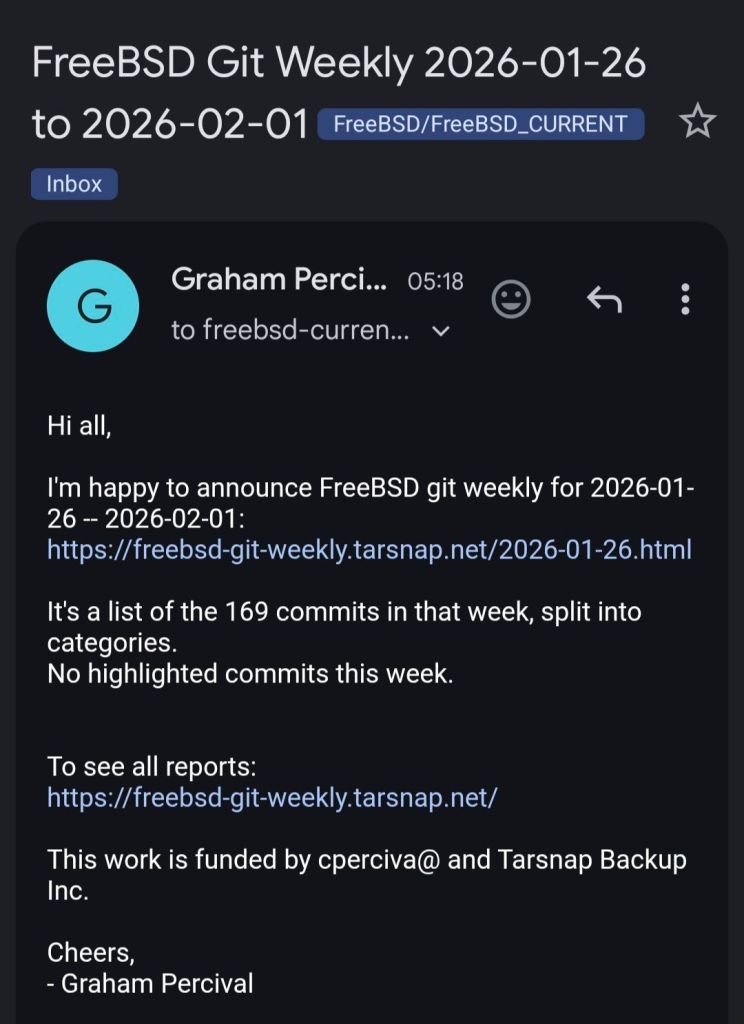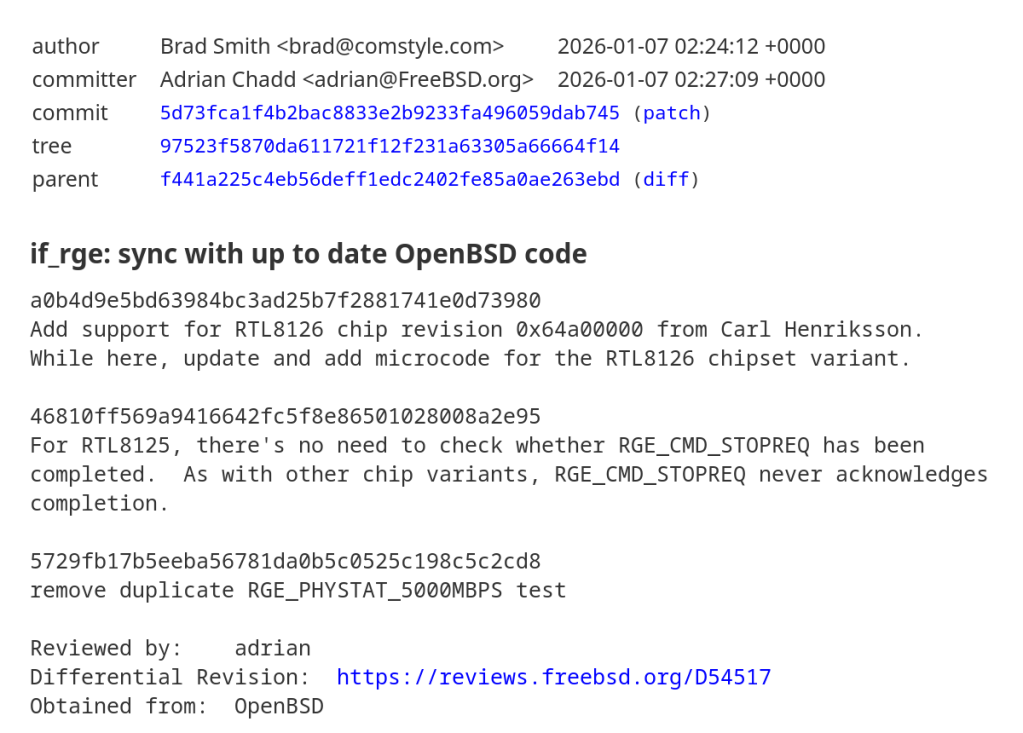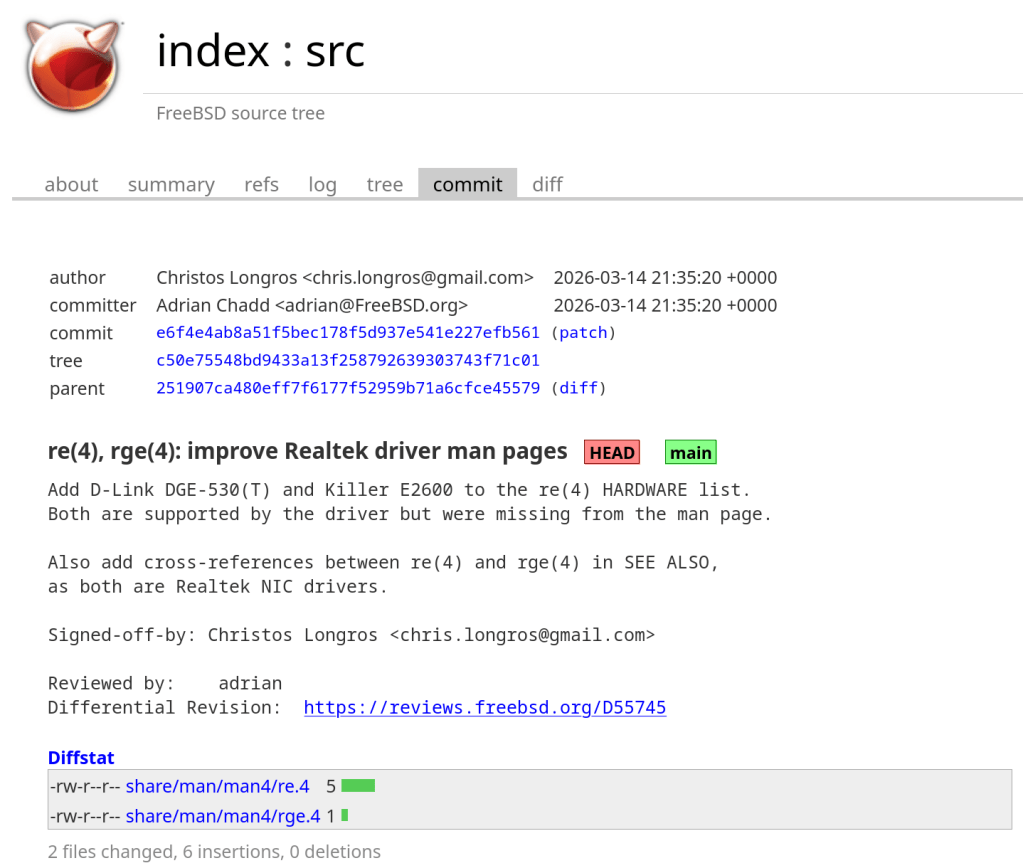
https://cgit.freebsd.org/src/commit/?id=e6f4e4ab8a51f5bec178f5d937e541e227efb561
An annoying problem that I always had while running FreeBSD on my Dell Inspiron 15 5510 is the high temperature and fan speed. Doesn’t matter if it’s a live medium or post-installation — the average CPU temp is over 60 degrees Celsius.
With FreeBSD 15.0 (released December 2025) and the FreeBSD Foundation’s laptop project, things have improved significantly. Here’s what works.
First, load the Intel Core temperature sensor driver:
kldload -v coretempThen check the temperature with:
sysctl dev.cpu | grep temperatureTo load this automatically at boot, add to /boot/loader.conf:
coretemp_load="YES"FreeBSD ships with powerd, a daemon that dynamically adjusts CPU frequency based on load. Enable it in /etc/rc.conf:
powerd_enable="YES"
powerd_flags="-a hiadaptive -b adaptive"
This sets the CPU to hiadaptive mode on AC power (favors performance but still scales) and adaptive on battery (favors power saving).
Enable deeper CPU sleep states by adding to /etc/sysctl.conf:
hw.acpi.cpu.cx_lowest=CmaxFreeBSD 15 brings new power management features from the Foundation’s laptop initiative:
For laptops, suspend/resume support can be tested with:
acpiconf -s 3If it works, you can bind it to your laptop lid by adding to /etc/sysctl.conf:
hw.acpi.lid_switch_state=S3After applying these changes, my Dell Inspiron dropped from a constant 60+ degrees down to around 40-45 degrees at idle, and the fan became much quieter. The combination of powerd with proper C-state configuration makes a noticeable difference on FreeBSD laptops.
More details: coretemp(4), powerd(8), FreeBSD Wiki: Tuning Power Consumption
If you’ve ever rebooted a machine and NTP refused to sync because the clock drifted too far, you’ve hit the panic threshold. By default, ntpd will exit if the offset exceeds 1000 seconds.
Add this to /etc/ntp.conf:
tinker panic 0Setting panic 0 disables the panic threshold entirely, allowing ntpd to correct any offset regardless of size.
If you don’t want to permanently disable the panic threshold, you can do a one-time force sync with:
ntpd -gqThe -g flag allows the first adjustment to be any size, and -q makes ntpd set the time and exit.
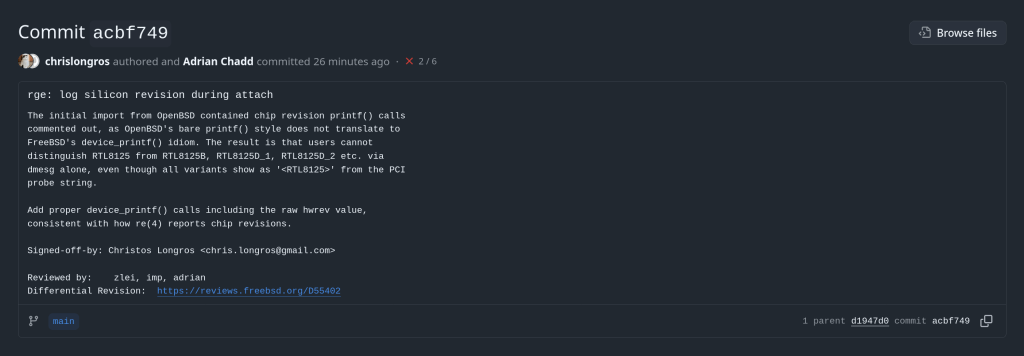
This article describes a kernel-level patch to the FreeBSD rge(4) network driver that enables proper identification of Realtek RTL8125/8126/8127 silicon variants at attach time. The change is small but reveals an interesting idiom gap between two BSD kernels.
The rge(4) driver supports a family of Realtek multi-gigabit NICs spanning three product generations. Despite sharing a common PCI device ID tree, each silicon revision has meaningfully different characteristics: different firmware images, different register maps for some functions, and different feature sets.
| Chip | hwrev register | Type constant | Generation |
|---|---|---|---|
| RTL8125 | 0x60900000 | MAC_R25 | 2.5GbE first gen |
| RTL8125B | 0x64100000 | MAC_R25B | 2.5GbE revised |
| RTL8125D_1 | 0x68800000 | MAC_R25D | 2.5GbE third gen |
| RTL8125D_2 | 0x68900000 | MAC_R25D | 2.5GbE third gen alt |
| RTL8126_1 | 0x64900000 | MAC_R26 | 5GbE first gen |
| RTL8126_2 | 0x64a00000 | MAC_R26 | 5GbE alt |
| RTL8127 | 0x6c900000 | MAC_R27 | 10GbE |
The hardware revision is detected by reading the RGE_TXCFG register and masking off the lower bits, yielding the hwrev value. This happens in rge_get_macaddr() via the attachment path in rge_attach().
The detection is a straightforward switch statement in sys/dev/rge/if_rge.c:
hwrev = CSR_READ_4(sc, RGE_TXCFG) & RGE_TXCFG_HWREV;
switch (hwrev) {
case 0x60900000:
    sc->rge_type = MAC_R25;
    break;
case 0x64100000:
    sc->rge_type = MAC_R25B;
    break;
/* ... */
}
The rge_type field stored in the softc structure is then used throughout the driver to select chip-specific paths — for example, firmware loading, ring configuration, and certain register sequences differ between MAC_R25 and MAC_R25B.
Before the patch, despite detecting seven distinct silicon variants at runtime, the driver logged nothing about which one was found. All three product families produce dmesg output that looks like this:
pci0: <network> at device 0.0 (no driver attached)
rge0: <RTL8125> mem 0xfc400000-0xfc40ffff [...] at device 0.0 on pci2
rge0: Using 1 MSI-X message
rge0: CHIP: 0x00000000
miibus0: <MII bus> on rge0
The string <RTL8125> comes from the PCI probe function — specifically device_set_desc() — which is set once during probe based on the PCI subsystem ID, before the hardware revision register is even read. It cannot distinguish RTL8125 from RTL8125B, or RTL8126_1 from RTL8126_2. A user filing a bug report, or a developer debugging an issue specific to one silicon stepping, had no way to confirm which variant was present without writing custom code to read RGE_TXCFG manually.
Examining the original import commit reveals that identification prints were always present in the source — just commented out in a non-idiomatic style:
case 0x60900000:
    sc->rge_type = MAC_R25;
// device_printf(dev, "RTL8125\n");
    break;
case 0x64100000:
    sc->rge_type = MAC_R25B;
// device_printf(dev, "RTL8125B\n");
    break;
The use of // comments is itself a signal: the FreeBSD kernel style guide mandates /* */ C89-style comments for all kernel code. The // style is characteristic of code copied directly from another source and then quickly commented out.
The origin is OpenBSD’s sys/dev/pci/if_rge.c, where the equivalent identification uses a different printing idiom:
/* OpenBSD style — appends to the in-progress attach line */
case 0x64100000:
    sc->rge_type = MAC_R25B;
    printf(": RTL8125B");
    break;
In OpenBSD, the device attachment infrastructure prints the device name on a line and drivers call bare printf() to append chip identification to that same line, producing output like:
rge0 at pci2 dev 0 function 0 "Realtek 8125" rev 0x00: RTL8125B, ...FreeBSD’s driver framework does not work this way. device_printf(dev, ...) always begins a new line prefixed with the device name — it cannot append to an existing line. A direct translation of the OpenBSD bare printf() would either produce garbled output or nothing useful. Rather than translating the idiom at import time, the prints were commented out.
The correct FreeBSD idiom is device_printf() on its own line, following attach. The patch enables all seven commented prints in the proper style, and adds the raw hwrev register value alongside the human-readable name — consistent with how the re(4) driver reports chip revisions:
switch (hwrev) {
case 0x60900000:
    sc->rge_type = MAC_R25;
    device_printf(dev, "chip rev: RTL8125 (0x%08x)\n", hwrev);
    break;
case 0x64100000:
    sc->rge_type = MAC_R25B;
    device_printf(dev, "chip rev: RTL8125B (0x%08x)\n", hwrev);
    break;
case 0x64900000:
    sc->rge_type = MAC_R26_1;
    device_printf(dev, "chip rev: RTL8126_1 (0x%08x)\n", hwrev);
    break;
case 0x64a00000:
    sc->rge_type = MAC_R26_2;
    device_printf(dev, "chip rev: RTL8126_2 (0x%08x)\n", hwrev);
    break;
case 0x68800000:
    sc->rge_type = MAC_R25D;
    device_printf(dev, "chip rev: RTL8125D_1 (0x%08x)\n", hwrev);
    break;
case 0x68900000:
    sc->rge_type = MAC_R25D;
    device_printf(dev, "chip rev: RTL8125D_2 (0x%08x)\n", hwrev);
    break;
case 0x6c900000:
    sc->rge_type = MAC_R27;
    device_printf(dev, "chip rev: RTL8127 (0x%08x)\n", hwrev);
    break;
}
Including the raw hex value serves two purposes. First, it allows unambiguous identification even if the human-readable label ever becomes incorrect or incomplete. Second, it mirrors the diagnostic value already present in the CHIP: line printed slightly later in attach, but associates it directly with the revision identification step.
After the patch, a system with an RTL8125B produces:
rge0: <RTL8125> mem 0xfc400000-0xfc40ffff [...] at device 0.0 on pci2
rge0: chip rev: RTL8125B (0x64100000)
rge0: Using 1 MSI-X message
A system with RTL8126_1 (a 5GbE part that probes as <RTL8126>) produces:
rge0: <RTL8126> mem 0xfc400000-0xfc40ffff [...] at device 0.0 on pci2
rge0: chip rev: RTL8126_1 (0x64900000)
rge0: Using 1 MSI-X message
The chip revision is now permanently captured in dmesg(8) output and system logs, available without any special tools or kernel knowledge.
The hwrev bitmask is read from bits [31:20] of RGE_TXCFG. Realtek does not publish full public documentation for these register fields, and the driver’s variant table has been built incrementally as new silicon steppings were encountered in the wild. Including the raw value means that if a new stepping appears with an hwrev not yet in the driver’s switch statement, it will still be captured in the log — giving developers the exact value needed to add support for it.
hwrev leaves rge_type at its zero-initialized value. With the patch, the raw value is logged for all handled cases, but an unknown stepping would produce no chip rev line at all — a future improvement could add a default case that logs the unknown value explicitly.
The complete change touches a single file, sys/dev/rge/if_rge.c:
7 lines changed: 7 insertions(+), 7 deletions(-)
- // device_printf(dev, "RTL8125\n");   (×7 variants)
+ device_printf(dev, "chip rev: RTL8125 (0x%08x)\n", hwrev);  (×7 variants)
No logic changes. No new dependencies. No behavioral differences other than the additional log line per attach.
The patch is under review at reviews.freebsd.org/D55402, where it will be integrated into the broader rge(4) improvement stack for the upcoming development cycle.
The rge(4) driver recently landed in FreeBSD HEAD, ported from OpenBSD. I tested it with a physical RTL8125 2.5GbE NIC passed through to a QEMU/KVM virtual machine running FreeBSD 16.0-CURRENT. Here’s what works, what doesn’t, and what’s worth reporting upstream.
The Realtek RTL8125 is one of the most common 2.5 Gigabit Ethernet controllers on consumer motherboards. For years, FreeBSD users had to rely on either the in-tree re(4) driver (which didn’t support the RTL8125 at all) or the third-party realtek-re-kmod port, which was Realtek’s own driver adapted for FreeBSD but suffered from stability issues and coding standard mismatches with the FreeBSD kernel.
In December 2025, Adrian Chadd imported the OpenBSD rge(4) driver into FreeBSD HEAD. This driver, originally written by Kevin Lo for OpenBSD 6.6, provides native support for the RTL8125, RTL8126, and RTL8127 families. Bernard Spil created the net/realtek-rge-kmod port for testing on stable branches. The driver is still young on FreeBSD, and the community is actively seeking testing feedback.
I have an RTL8125 on my Gigabyte motherboard (Ryzen 7950X system running Arch Linux), so I set out to test the driver using VFIO/PCI passthrough into a FreeBSD 16.0-CURRENT VM.
The test environment uses PCI passthrough to give the FreeBSD VM direct hardware access to the physical RTL8125 NIC. This is the closest you can get to bare-metal testing without installing FreeBSD directly. The host keeps its network via WiFi (RTL8852CE) while the Ethernet card is handed to the guest.
host$ lspci -nn | grep -i realtek
06:00.0 Network controller: Realtek ... RTL8852CE [10ec:c852]
07:00.0 Ethernet controller: Realtek ... RTL8125 [10ec:8125] (rev 05)

$ find /sys/kernel/iommu_groups/ -type l | sort -V | grep 07:00
/sys/kernel/iommu_groups/16/devices/0000:07:00.0
The RTL8125 sits at PCI address 07:00.0 in IOMMU group 16, isolated from other devices. The RTL8852CE WiFi card at 06:00.0 stays on the host for connectivity.
host (root)# Load the VFIO PCI module
$ sudo modprobe vfio-pci

# Unbind from the r8169 host driver
$ sudo sh -c 'echo "0000:07:00.0" > /sys/bus/pci/devices/0000:07:00.0/driver/unbind'

# Bind to vfio-pci for passthrough
$ sudo sh -c 'echo "0000:07:00.0" > /sys/bus/pci/drivers/vfio-pci/bind'

# Verify
$ lspci -k -s 07:00.0
07:00.0 Ethernet controller: Realtek ... RTL8125 2.5GbE Controller (rev 05)
Kernel driver in use: vfio-pcihost$ sudo qemu-system-x86_64 \
-enable-kvm \
-m 4G \
-smp 4 \
-hda FreeBSD-16.0-CURRENT-amd64-ufs.qcow2 \
-device vfio-pci,host=07:00.0 \
-nographicem0 (Intel e1000) by default, which routes through QEMU’s user-mode NAT. Since the default route points to em0, you need to switch it to use the passthrough NIC: route delete default && route add default 192.168.0.1
FreeBSD detects the RTL8125 immediately on boot and attaches the rge(4) driver:
dmesgrge0: <RTL8125> port 0xc000-0xc0ff mem 0xc000000000-0xc00000ffff,
      0xc000010000-0xc000013fff irq 11 at device 4.0 on pci0
rge0: Ethernet address: xx:xx:xx:xx:xx:xx
rge0: link state changed to DOWN
rge0: link state changed to UP
DHCP works, DNS resolves, and the NIC gets a LAN address. Here’s what pciconf reports:
pciconf -lvrge0@pci0:0:4:0: class=0x020000 rev=0x05 vendor=0x10ec device=0x8125
    subvendor=0x1458 subdevice=0xe000
    vendor     = 'Realtek Semiconductor Co., Ltd.'
    device     = 'RTL8125 2.5GbE Controller'
    class      = network
subclass = ethernetThe sysctl dev.rge.0 output shows healthy operation with no concerning errors:
| Metric | Value | Status |
|---|---|---|
rge_rx_ok | 26,274 | OK |
rge_tx_ok | 13,115 | OK |
rge_tx_er | 6 | link negotiation |
intr_system_errcnt | 0 | OK |
tx_watchdog_timeout_cnt | 0 | OK |
transmit_full_cnt | 0 | OK |
rx_ether_csum_err | 0 | OK |
link_state_change_cnt | 2 | DOWN → UP |
Hardware checksum offload for IPv4, TCP, and UDP all function correctly — every csum_valid counter matches its corresponding csum_exists counter. Ping latency to external hosts averaged 14–18ms, which is reasonable for the test configuration.
Comparing the two NICs in the VM reveals a significant gap in advertised features:
| Feature | em0 (emulated) | rge0 (passthrough) |
|---|---|---|
| RXCSUM / TXCSUM | yes | yes |
| VLAN_MTU / HWTAGGING | yes | yes |
| VLAN_HWCSUM | yes | yes |
| TSO4 | yes | no |
| LRO | yes | no |
| Jumbo frames | yes | no |
| WoL | yes | no |
| VLAN_HWTSO | yes | no |
The rge(4) driver currently exposes a basic set of offload features (options=9b). TSO, LRO, jumbo frame support, and Wake-on-LAN are not yet implemented, though the OpenBSD man page mentions WoL support.
Here’s the most notable finding: the driver does not expose 2500baseT as a media type.
FreeBSD VMroot@freebsd:~# ifconfig rge0 media 2500baseT mediaopt full-duplex
ifconfig: unknown media subtype: 2500baseT

root@freebsd:~# ifconfig rge0
rge0: flags=1008843<UP,BROADCAST,RUNNING,SIMPLEX,MULTICAST,LOWER_UP>
      options=9b<RXCSUM,TXCSUM,VLAN_MTU,VLAN_HWTAGGING,VLAN_HWCSUM>
      media: Ethernet autoselect (1000baseT <full-duplex>)
      status: active
The NIC negotiates at 1000baseT only. This is a known limitation — another user on the FreeBSD forums with an RTL8125BG on an ASRock TRX50 motherboard reported the exact same behavior: options=9b, 1000baseT, no 2.5G option.
rge(4) man page explicitly documents the RTL8125 as capable of 2500Mbps operation. Since the FreeBSD driver was ported from OpenBSD, the 2.5G media type support may not have been fully adapted to FreeBSD’s ifmedia framework yet, or may require additional work in the FreeBSD-specific parts of the driver.
The rge(4) driver on FreeBSD 16.0-CURRENT works well for basic Ethernet functionality with the RTL8125. The NIC attaches cleanly, DHCP and DNS work, hardware checksum offload is functional, and there are no stability issues during my testing session. For a driver that landed in HEAD just two months ago, this is a solid start.
2500baseT media type not available — The hardware is a 2.5GbE controller, but the driver only negotiates at 1G. This is the most impactful limitation for users who specifically chose RTL8125-equipped boards for the faster link speed. I’ve reported this to the FreeBSD freebsd-net mailing list.
Limited offload features — TSO, LRO, jumbo frames, and WoL are not yet exposed. For typical desktop use this is fine, but it will affect throughput in high-bandwidth scenarios.
If you have an RTL8125 and are running FreeBSD 15 or CURRENT, testing the driver and reporting your results — positive or negative — will help get it stabilized and potentially backported to stable branches. The FreeBSD forums thread and the freebsd-current mailing list thread are the best places to contribute.
After shutting down the VM, don’t forget to give the NIC back to your host:
host$ sudo sh -c 'echo "0000:07:00.0" > /sys/bus/pci/drivers/vfio-pci/unbind'
$ sudo sh -c 'echo "0000:07:00.0" > /sys/bus/pci/drivers/r8169/bind'
$ sudo dhcpcd enp7s0Update:
ifconfig -vm rge0 confirms 2500Base-T is listed as a supported media type:
supported media:
media autoselect
media 2500Base-T mediaopt full-duplex
media 2500Base-T
media 1000baseT mediaopt full-duplex
media 1000baseT
media 100baseTX mediaopt full-duplex
media 100baseTX
media 10baseT/UTP mediaopt full-duplex
media 10baseT/UTP
My original error was using 2500baseT (lowercase) instead of 2500Base-T — the media subtype string is case-sensitive.
I also tried forcing 2500Base-T:
ifconfig rge0 media 2500Base-T mediaopt full-duplex
The link briefly dropped and came back at 1000baseT. The media line showed “Ethernet Other ” rather than the expected type. However, I then checked my router and all LAN ports are 1 Gbps only … so the fallback to 1000baseT is expected. I don’t currently have a 2.5G switch to verify actual 2.5G linking.
A summary of changes since BETA1 includes:

o Multiple bug fixes in diff(1)

o Several updates to qlnxe(4)

o Updates to the blocklist (aka blacklist) system

o Compatibility in the ipfw(8) userland tools with FreeBSD 15 kernels
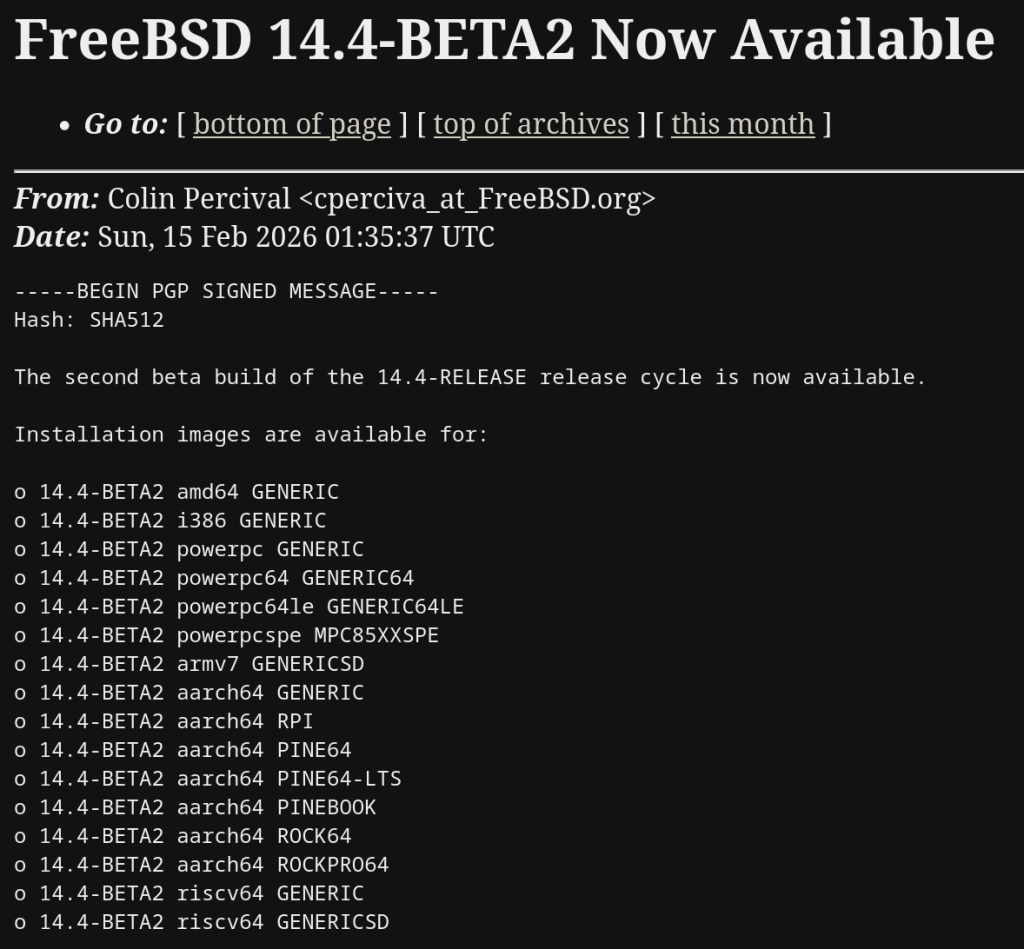
https://lists.freebsd.org/archives/freebsd-stable/2026-February/003848.html
Tutorial · February 2026 · 15 min read
From cloud images and package building to kernel module debugging and cross-platform validation — all from the command line.
Contents
01 Why QEMU?
02 Spinning Up Arch Linux Cloud Images
03 Running FreeBSD in QEMU
04 Testing OpenZFS with QEMU
05 Sharing Files Between Host and Guest
06 Networking Options
07 Testing Real Hardware Drivers
08 Quick Reference
QEMU combined with KVM turns your Linux host into a bare-metal hypervisor. Unlike VirtualBox or VMware, QEMU offers direct access to hardware emulation options, PCI passthrough, and granular control over every aspect of the virtual machine. On Arch Linux, setup is minimal.
$ sudo pacman -S qemu-full

# Verify KVM support
$ lsmod | grep kvm
kvm_amd               200704  0
kvm                  1302528  1 kvm_amd
You should see kvm_amd or kvm_intel loaded. That’s it — you’re ready to run VMs at near-native performance.
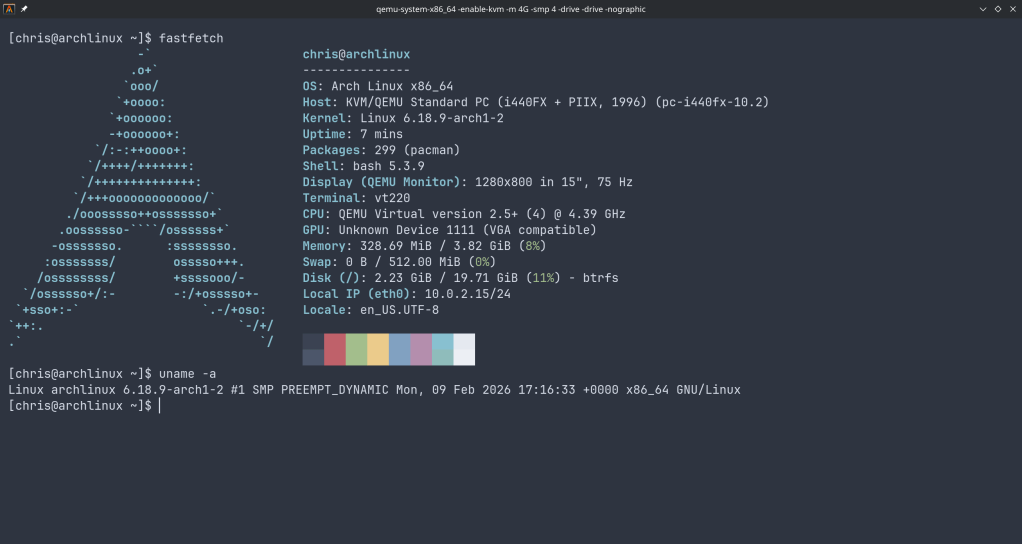
The fastest path to a working Arch Linux VM is the official cloud image — a pre-built qcow2 disk designed for automated provisioning with cloud-init.
$ curl -LO https://geo.mirror.pkgbuild.com/images/latest/Arch-Linux-x86_64-cloudimg.qcow2
$ qemu-img resize Arch-Linux-x86_64-cloudimg.qcow2 20G
The image ships at a minimal size. Resizing to 20G gives room for package building, compilation, and development work.
Cloud images expect a cloud-init seed to configure users, packages, and system settings on first boot. Install cloud-utils on your host:
$ sudo pacman -S cloud-utilsCreate a user-data file. Note the unquoted heredoc — this ensures shell variables expand correctly:
SSH_KEY=$(cat ~/.ssh/id_ed25519.pub 2>/dev/null || cat ~/.ssh/id_rsa.pub)
cat > user-data <<EOF
#cloud-config
users:
  - name: chris
    sudo: ALL=(ALL) NOPASSWD:ALL
    shell: /bin/bash
    lock_passwd: false
    plain_text_passwd: changeme
    ssh_authorized_keys:
      - ${SSH_KEY}
packages:
  - base-devel
  - git
  - vim
  - devtools
  - namcap
growpart:
  mode: auto
  devices: ['/']
EOF
⚠ Common Pitfall
Using 'EOF' (single-quoted) prevents variable expansion, so ${SSH_KEY} becomes a literal string. Always use unquoted EOF when you need variable substitution.
Generate the seed ISO and launch:
$ cloud-localds seed.iso user-data

$ qemu-system-x86_64 \
  -enable-kvm \
  -m 4G \
  -smp 4 \
  -drive file=Arch-Linux-x86_64-cloudimg.qcow2,if=virtio \
  -drive file=seed.iso,format=raw,if=virtio \
  -nographic
Cloud-Init Runs Once
Cloud-init marks itself as complete after the first boot. If you modify user-data and rebuild seed.iso, the existing image ignores it. You must download a fresh qcow2 image before applying new configuration.
Use Ctrl+A, X to kill the VM.
FreeBSD provides pre-built VM images in qcow2 format. FreeBSD 15.0-RELEASE (December 2025) is the latest stable release, while 16.0-CURRENT snapshots are available for testing bleeding-edge features.
# FreeBSD 15.0 stable
$ curl -LO https://download.freebsd.org/releases/VM-IMAGES/15.0-RELEASE/amd64/Latest/FreeBSD-15.0-RELEASE-amd64-ufs.qcow2.xz
$ xz -d FreeBSD-15.0-RELEASE-amd64-ufs.qcow2.xz

# FreeBSD 16.0-CURRENT (development snapshot)
$ curl -LO https://download.freebsd.org/snapshots/VM-IMAGES/16.0-CURRENT/amd64/Latest/FreeBSD-16.0-CURRENT-amd64-ufs.qcow2.xz
$ xz -d FreeBSD-16.0-CURRENT-amd64-ufs.qcow2.xz

$ qemu-img resize FreeBSD-15.0-RELEASE-amd64-ufs.qcow2 20GUnlike Linux cloud images, FreeBSD VM images default to VGA console output. Launching with -nographic appears to hang — the system is actually booting, but sending output to the emulated display.
Boot with VGA first to configure serial:
$ qemu-system-x86_64 \
  -enable-kvm \
  -m 4G \
  -smp 4 \
  -hda FreeBSD-15.0-RELEASE-amd64-ufs.qcow2 \
  -vga std
Login as root (no password), then enable serial console permanently:
# echo 'console="comconsole"' >> /boot/loader.conf
# poweroff
All subsequent boots work with -nographic. Alternatively, at the FreeBSD boot menu, press 3 to escape to the loader prompt and type set console=comconsole then boot.
Disk Interface Note
If FreeBSD fails to boot with if=virtio, fall back to IDE emulation using -hda instead. IDE is universally supported.
One of the most powerful uses of QEMU on Arch Linux is building and testing OpenZFS against new kernels. Arch’s rolling release model means kernel updates arrive frequently, and out-of-tree modules like ZFS need validation after every update.
$ git clone https://github.com/openzfs/zfs.git
$ cd zfs
$ ./autogen.sh
$ ./configure --enable-debug
$ make -j$(nproc)
$ sudo make install
$ sudo ldconfig
$ sudo modprobe zfsBefore running the test suite, a critical and often-missed step — install the test helpers:
$ sudo ~/zfs/scripts/zfs-helpers.sh -i

# Create loop devices for virtual disks
for i in $(seq 0 15); do
  sudo mknod -m 0660 /dev/loop$i b 7 $i 2>/dev/null
done

# Run sanity tests
$ ~/zfs/scripts/zfs-tests.sh -v -r sanityTesting OpenZFS 2.4.99 on kernel 6.18.8-arch2-1 revealed two cascading issues that dropped the pass rate dramatically. Here’s what happened and how to fix it.
Problem 1: Permission denied for ephemeral users. The test suite creates temporary users (staff1, staff2) for permission testing. If your ZFS source directory is under a home directory with restrictive permissions, these users can’t traverse the path:
err: env: 'ksh': Permission denied
staff2 doesn't have permissions on /home/arch/zfs/tests/zfs-tests/bin
$ chmod o+x /home/arch
$ chmod -R o+rx /home/arch/zfs
$ sudo chmod o+rw /dev/zfsProblem 2: Leftover test pools cascade failures. If a previous test run left a ZFS pool mounted, every subsequent setup script fails with “Device or resource busy”:
$ sudo zfs destroy -r testpool/testfs
$ sudo zpool destroy testpool
$ rm -rf /var/tmp/testdir
✓ Result
After fixing both issues, the sanity suite completed in 15 minutes: 808 PASS, 6 FAIL, 14 SKIP. The remaining 6 failures were all environment-related (missing packages) — zero kernel compatibility regressions.
QEMU’s 9p virtfs protocol allows sharing a host directory with the guest without network configuration — ideal for an edit-on-host, build-in-guest workflow:
$ qemu-system-x86_64 \
  -enable-kvm \
  -m 4G \
  -smp 4 \
  -drive file=Arch-Linux-x86_64-cloudimg.qcow2,if=virtio \
  -virtfs local,path=/home/chris/shared,mount_tag=host_share,security_model=mapped-xattr,id=host_share \
  -nographic
Inside the guest:
$ sudo mount -t 9p -o trans=virtio host_share /mnt/sharedQEMU’s user-mode networking (-nic user) is the simplest setup — it provides NAT-based internet access and port forwarding without any host configuration:
# Forward host port 2222 to guest SSH
-nic user,hostfwd=tcp::2222-:22
This is sufficient for most development and testing workflows. For bridged or TAP networking, consult the QEMU documentation.
QEMU emulates standard hardware (e1000 NICs, emulated VGA), not your actual devices. If you need to test drivers against real hardware — such as a Realtek Ethernet controller or an AMD GPU — you have two options:
PCI Passthrough (VFIO): Bind a real PCI device to the vfio-pci driver and pass it directly to the VM. This requires IOMMU support (amd_iommu=on in the kernel command line) and removes the device from the host for the duration.
Native Boot from USB: Write a live image to a USB stick and boot your physical machine directly. For driver testing, this is almost always the better choice:
$ sudo dd if=FreeBSD-16.0-CURRENT-amd64-memstick.img of=/dev/sdX bs=4M status=progress| Task | Command |
|---|---|
| Start Arch VM | qemu-system-x86_64 -enable-kvm -m 4G -smp 4 -drive file=arch.qcow2,if=virtio -drive file=seed.iso,format=raw,if=virtio -nographic |
| Start FreeBSD (VGA) | qemu-system-x86_64 -enable-kvm -m 4G -smp 4 -hda freebsd.qcow2 -vga std |
| Start FreeBSD (serial) | qemu-system-x86_64 -enable-kvm -m 4G -smp 4 -hda freebsd.qcow2 -nographic |
| Kill VM | Ctrl+A, X |
| Resize disk | qemu-img resize image.qcow2 20G |
| Create seed ISO | cloud-localds seed.iso user-data |
QEMU Arch Linux FreeBSD OpenZFS KVM
Written from real-world testing on AMD Ryzen 9 9900X · Arch Linux · Kernel 6.18.8

After months and months of work that went to this version of FreeBSD, the time has now come! FreeBSD 15.0 is now globally available for the general public! This version of FreeBSD aims to be more welcoming to new users and to maintain the reproducible builds, alongside many improvements to come. The ISO images can […]
FreeBSD 15.0 goes official!