Category: FreeBSD
-
An annoying problem that I always had while running FreeBSD on my Dell Inspiron 15 5510 is the high temperature and fan speed. Doesn’t matter if it’s a live medium or post-installation — the average CPU temp is over 60 degrees Celsius.
With FreeBSD 15.0 (released December 2025) and the FreeBSD Foundation’s laptop project, things have improved significantly. Here’s what works.
Checking CPU Temperature
First, load the Intel Core temperature sensor driver:
kldload -v coretempThen check the temperature with:
sysctl dev.cpu | grep temperatureTo load this automatically at boot, add to
/boot/loader.conf:coretemp_load="YES"Power Management with powerd
FreeBSD ships with
powerd, a daemon that dynamically adjusts CPU frequency based on load. Enable it in/etc/rc.conf:powerd_enable="YES" powerd_flags="-a hiadaptive -b adaptive"This sets the CPU to hiadaptive mode on AC power (favors performance but still scales) and adaptive on battery (favors power saving).
C-States and Power Saving
Enable deeper CPU sleep states by adding to
/etc/sysctl.conf:hw.acpi.cpu.cx_lowest=CmaxNew in FreeBSD 15: Modern Sleep States
FreeBSD 15 brings new power management features from the Foundation’s laptop initiative:
- s2idle (suspend-to-idle) support for modern standby
- New SPMC (System Power Management Controller) driver for s0ix sleep states
- Work-in-progress CPPC (Collaborative Processor Performance Control) for AMD processors — enabling finer-grained performance/efficiency control
Suspend and Resume
For laptops, suspend/resume support can be tested with:
acpiconf -s 3If it works, you can bind it to your laptop lid by adding to
/etc/sysctl.conf:hw.acpi.lid_switch_state=S3Results
After applying these changes, my Dell Inspiron dropped from a constant 60+ degrees down to around 40-45 degrees at idle, and the fan became much quieter. The combination of
powerdwith proper C-state configuration makes a noticeable difference on FreeBSD laptops.More details: coretemp(4), powerd(8), FreeBSD Wiki: Tuning Power Consumption
-
If you’ve ever rebooted a machine and NTP refused to sync because the clock drifted too far, you’ve hit the panic threshold. By default,
ntpdwill exit if the offset exceeds 1000 seconds.The Fix
Add this to
/etc/ntp.conf:tinker panic 0Setting
panic 0disables the panic threshold entirely, allowingntpdto correct any offset regardless of size.When Is This Useful?
- Machines that have been powered off for a long time (e.g., home servers, lab equipment)
- VMs that resume from a suspended state with a stale clock
- Systems without a working RTC battery
- FreeBSD jails or containers that inherit a drifted host clock
Alternative: One-Time Force Sync
If you don’t want to permanently disable the panic threshold, you can do a one-time force sync with:
ntpd -gqThe
-gflag allows the first adjustment to be any size, and-qmakes ntpd set the time and exit. -
Enabling Silicon Revision Logging in FreeBSD’s rge(4) Driver
This article describes a kernel-level patch to the FreeBSD
rge(4)network driver that enables proper identification of Realtek RTL8125/8126/8127 silicon variants at attach time. The change is small but reveals an interesting idiom gap between two BSD kernels.The rge(4) Driver and Its Hardware
The
rge(4)driver supports a family of Realtek multi-gigabit NICs spanning three product generations. Despite sharing a common PCI device ID tree, each silicon revision has meaningfully different characteristics: different firmware images, different register maps for some functions, and different feature sets.Chip hwrev register Type constant Generation RTL8125 0x60900000 MAC_R25 2.5GbE first gen RTL8125B 0x64100000 MAC_R25B 2.5GbE revised RTL8125D_1 0x68800000 MAC_R25D 2.5GbE third gen RTL8125D_2 0x68900000 MAC_R25D 2.5GbE third gen alt RTL8126_1 0x64900000 MAC_R26 5GbE first gen RTL8126_2 0x64a00000 MAC_R26 5GbE alt RTL8127 0x6c900000 MAC_R27 10GbE The hardware revision is detected by reading the
RGE_TXCFGregister and masking off the lower bits, yielding thehwrevvalue. This happens inrge_get_macaddr()via the attachment path inrge_attach().How Hardware Revision Detection Works
The detection is a straightforward switch statement in
sys/dev/rge/if_rge.c:hwrev = CSR_READ_4(sc, RGE_TXCFG) & RGE_TXCFG_HWREV; switch (hwrev) { case 0x60900000: sc->rge_type = MAC_R25; break; case 0x64100000: sc->rge_type = MAC_R25B; break; /* ... */ }The
rge_typefield stored in the softc structure is then used throughout the driver to select chip-specific paths — for example, firmware loading, ring configuration, and certain register sequences differ between MAC_R25 and MAC_R25B.The Problem: Invisible Chip Identification
Before the patch, despite detecting seven distinct silicon variants at runtime, the driver logged nothing about which one was found. All three product families produce dmesg output that looks like this:
pci0: <network> at device 0.0 (no driver attached) rge0: <RTL8125> mem 0xfc400000-0xfc40ffff [...] at device 0.0 on pci2 rge0: Using 1 MSI-X message rge0: CHIP: 0x00000000 miibus0: <MII bus> on rge0The string
<RTL8125>comes from the PCI probe function — specificallydevice_set_desc()— which is set once during probe based on the PCI subsystem ID, before the hardware revision register is even read. It cannot distinguish RTL8125 from RTL8125B, or RTL8126_1 from RTL8126_2. A user filing a bug report, or a developer debugging an issue specific to one silicon stepping, had no way to confirm which variant was present without writing custom code to readRGE_TXCFGmanually.The OpenBSD Import and the Commented Code
Examining the original import commit reveals that identification prints were always present in the source — just commented out in a non-idiomatic style:
case 0x60900000: sc->rge_type = MAC_R25; // device_printf(dev, "RTL8125\n"); break; case 0x64100000: sc->rge_type = MAC_R25B; // device_printf(dev, "RTL8125B\n"); break;The use of
//comments is itself a signal: the FreeBSD kernel style guide mandates/* */C89-style comments for all kernel code. The//style is characteristic of code copied directly from another source and then quickly commented out.The origin is OpenBSD’s
sys/dev/pci/if_rge.c, where the equivalent identification uses a different printing idiom:/* OpenBSD style — appends to the in-progress attach line */ case 0x64100000: sc->rge_type = MAC_R25B; printf(": RTL8125B"); break;In OpenBSD, the device attachment infrastructure prints the device name on a line and drivers call bare
printf()to append chip identification to that same line, producing output like:rge0 at pci2 dev 0 function 0 "Realtek 8125" rev 0x00: RTL8125B, ...FreeBSD’s driver framework does not work this way.
device_printf(dev, ...)always begins a new line prefixed with the device name — it cannot append to an existing line. A direct translation of the OpenBSD bareprintf()would either produce garbled output or nothing useful. Rather than translating the idiom at import time, the prints were commented out.The Fix
The correct FreeBSD idiom is
device_printf()on its own line, following attach. The patch enables all seven commented prints in the proper style, and adds the rawhwrevregister value alongside the human-readable name — consistent with how there(4)driver reports chip revisions:switch (hwrev) { case 0x60900000: sc->rge_type = MAC_R25; device_printf(dev, "chip rev: RTL8125 (0x%08x)\n", hwrev); break; case 0x64100000: sc->rge_type = MAC_R25B; device_printf(dev, "chip rev: RTL8125B (0x%08x)\n", hwrev); break; case 0x64900000: sc->rge_type = MAC_R26_1; device_printf(dev, "chip rev: RTL8126_1 (0x%08x)\n", hwrev); break; case 0x64a00000: sc->rge_type = MAC_R26_2; device_printf(dev, "chip rev: RTL8126_2 (0x%08x)\n", hwrev); break; case 0x68800000: sc->rge_type = MAC_R25D; device_printf(dev, "chip rev: RTL8125D_1 (0x%08x)\n", hwrev); break; case 0x68900000: sc->rge_type = MAC_R25D; device_printf(dev, "chip rev: RTL8125D_2 (0x%08x)\n", hwrev); break; case 0x6c900000: sc->rge_type = MAC_R27; device_printf(dev, "chip rev: RTL8127 (0x%08x)\n", hwrev); break; }Including the raw hex value serves two purposes. First, it allows unambiguous identification even if the human-readable label ever becomes incorrect or incomplete. Second, it mirrors the diagnostic value already present in the
CHIP:line printed slightly later in attach, but associates it directly with the revision identification step.Result: Before and After
After the patch, a system with an RTL8125B produces:
rge0: <RTL8125> mem 0xfc400000-0xfc40ffff [...] at device 0.0 on pci2 rge0: chip rev: RTL8125B (0x64100000) rge0: Using 1 MSI-X messageA system with RTL8126_1 (a 5GbE part that probes as
<RTL8126>) produces:rge0: <RTL8126> mem 0xfc400000-0xfc40ffff [...] at device 0.0 on pci2 rge0: chip rev: RTL8126_1 (0x64900000) rge0: Using 1 MSI-X messageThe chip revision is now permanently captured in
dmesg(8)output and system logs, available without any special tools or kernel knowledge.Why the Raw hwrev Value Matters
The
hwrevbitmask is read from bits [31:20] ofRGE_TXCFG. Realtek does not publish full public documentation for these register fields, and the driver’s variant table has been built incrementally as new silicon steppings were encountered in the wild. Including the raw value means that if a new stepping appears with anhwrevnot yet in the driver’s switch statement, it will still be captured in the log — giving developers the exact value needed to add support for it.Note on the default case: The switch has no explicit default. An unrecognizedhwrevleavesrge_typeat its zero-initialized value. With the patch, the raw value is logged for all handled cases, but an unknown stepping would produce no chip rev line at all — a future improvement could add a default case that logs the unknown value explicitly.Diff Summary
The complete change touches a single file,
sys/dev/rge/if_rge.c:7 lines changed: 7 insertions(+), 7 deletions(-) - // device_printf(dev, "RTL8125\n"); (×7 variants) + device_printf(dev, "chip rev: RTL8125 (0x%08x)\n", hwrev); (×7 variants)No logic changes. No new dependencies. No behavioral differences other than the additional log line per attach.
Review
The patch is under review at reviews.freebsd.org/D55402, where it will be integrated into the broader
rge(4)improvement stack for the upcoming development cycle. -
The rge(4) driver recently landed in FreeBSD HEAD, ported from OpenBSD. I tested it with a physical RTL8125 2.5GbE NIC passed through to a QEMU/KVM virtual machine running FreeBSD 16.0-CURRENT. Here’s what works, what doesn’t, and what’s worth reporting upstream.
Background
The Realtek RTL8125 is one of the most common 2.5 Gigabit Ethernet controllers on consumer motherboards. For years, FreeBSD users had to rely on either the in-tree
re(4)driver (which didn’t support the RTL8125 at all) or the third-partyrealtek-re-kmodport, which was Realtek’s own driver adapted for FreeBSD but suffered from stability issues and coding standard mismatches with the FreeBSD kernel.In December 2025, Adrian Chadd imported the OpenBSD
rge(4)driver into FreeBSD HEAD. This driver, originally written by Kevin Lo for OpenBSD 6.6, provides native support for the RTL8125, RTL8126, and RTL8127 families. Bernard Spil created thenet/realtek-rge-kmodport for testing on stable branches. The driver is still young on FreeBSD, and the community is actively seeking testing feedback.I have an RTL8125 on my Gigabyte motherboard (Ryzen 7950X system running Arch Linux), so I set out to test the driver using VFIO/PCI passthrough into a FreeBSD 16.0-CURRENT VM.
Test Setup: VFIO Passthrough
The test environment uses PCI passthrough to give the FreeBSD VM direct hardware access to the physical RTL8125 NIC. This is the closest you can get to bare-metal testing without installing FreeBSD directly. The host keeps its network via WiFi (RTL8852CE) while the Ethernet card is handed to the guest.
Arch Linux Host
RTL8852CE (WiFi)→vfio-pci
RTL8125→QEMU/KVM VM
FreeBSD 16-CURRENTStep 1: Identify the NIC and IOMMU group
host$ lspci -nn | grep -i realtek 06:00.0 Network controller: Realtek ... RTL8852CE [10ec:c852] 07:00.0 Ethernet controller: Realtek ... RTL8125 [10ec:8125] (rev 05) $ find /sys/kernel/iommu_groups/ -type l | sort -V | grep 07:00 /sys/kernel/iommu_groups/16/devices/0000:07:00.0The RTL8125 sits at PCI address
07:00.0in IOMMU group 16, isolated from other devices. The RTL8852CE WiFi card at06:00.0stays on the host for connectivity.Step 2: Unbind from host and bind to VFIO
host (root)# Load the VFIO PCI module $ sudo modprobe vfio-pci # Unbind from the r8169 host driver $ sudo sh -c 'echo "0000:07:00.0" > /sys/bus/pci/devices/0000:07:00.0/driver/unbind' # Bind to vfio-pci for passthrough $ sudo sh -c 'echo "0000:07:00.0" > /sys/bus/pci/drivers/vfio-pci/bind' # Verify $ lspci -k -s 07:00.0 07:00.0 Ethernet controller: Realtek ... RTL8125 2.5GbE Controller (rev 05) Kernel driver in use: vfio-pciStep 3: Launch the FreeBSD VM
host$ sudo qemu-system-x86_64 \ -enable-kvm \ -m 4G \ -smp 4 \ -hda FreeBSD-16.0-CURRENT-amd64-ufs.qcow2 \ -device vfio-pci,host=07:00.0 \ -nographicNote The VM also gets QEMU’s emulatedem0(Intel e1000) by default, which routes through QEMU’s user-mode NAT. Since the default route points toem0, you need to switch it to use the passthrough NIC:route delete default && route add default 192.168.0.1Driver Behavior & Results
FreeBSD detects the RTL8125 immediately on boot and attaches the
rge(4)driver:dmesgrge0: <RTL8125> port 0xc000-0xc0ff mem 0xc000000000-0xc00000ffff, 0xc000010000-0xc000013fff irq 11 at device 4.0 on pci0 rge0: Ethernet address: xx:xx:xx:xx:xx:xx rge0: link state changed to DOWN rge0: link state changed to UPDHCP works, DNS resolves, and the NIC gets a LAN address. Here’s what
pciconfreports:pciconf -lvrge0@pci0:0:4:0: class=0x020000 rev=0x05 vendor=0x10ec device=0x8125 subvendor=0x1458 subdevice=0xe000 vendor = 'Realtek Semiconductor Co., Ltd.' device = 'RTL8125 2.5GbE Controller' class = network subclass = ethernetDriver Statistics
The
sysctl dev.rge.0output shows healthy operation with no concerning errors:Metric Value Status rge_rx_ok26,274 OK rge_tx_ok13,115 OK rge_tx_er6 link negotiation intr_system_errcnt0 OK tx_watchdog_timeout_cnt0 OK transmit_full_cnt0 OK rx_ether_csum_err0 OK link_state_change_cnt2 DOWN → UP Hardware checksum offload for IPv4, TCP, and UDP all function correctly — every
csum_validcounter matches its correspondingcsum_existscounter. Ping latency to external hosts averaged 14–18ms, which is reasonable for the test configuration.Interface capabilities: rge0 vs em0
Comparing the two NICs in the VM reveals a significant gap in advertised features:
Feature em0 (emulated) rge0 (passthrough) RXCSUM / TXCSUM yes yes VLAN_MTU / HWTAGGING yes yes VLAN_HWCSUM yes yes TSO4 yes no LRO yes no Jumbo frames yes no WoL yes no VLAN_HWTSO yes no The
rge(4)driver currently exposes a basic set of offload features (options=9b). TSO, LRO, jumbo frame support, and Wake-on-LAN are not yet implemented, though the OpenBSD man page mentions WoL support.The 2.5G Question
Here’s the most notable finding: the driver does not expose 2500baseT as a media type.
FreeBSD VMroot@freebsd:~# ifconfig rge0 media 2500baseT mediaopt full-duplex ifconfig: unknown media subtype: 2500baseT root@freebsd:~# ifconfig rge0 rge0: flags=1008843<UP,BROADCAST,RUNNING,SIMPLEX,MULTICAST,LOWER_UP> options=9b<RXCSUM,TXCSUM,VLAN_MTU,VLAN_HWTAGGING,VLAN_HWCSUM> media: Ethernet autoselect (1000baseT <full-duplex>) status: activeThe NIC negotiates at 1000baseT only. This is a known limitation — another user on the FreeBSD forums with an RTL8125BG on an ASRock TRX50 motherboard reported the exact same behavior:
options=9b, 1000baseT, no 2.5G option.OpenBSD comparison The OpenBSDrge(4)man page explicitly documents the RTL8125 as capable of 2500Mbps operation. Since the FreeBSD driver was ported from OpenBSD, the 2.5G media type support may not have been fully adapted to FreeBSD’s ifmedia framework yet, or may require additional work in the FreeBSD-specific parts of the driver.Conclusion & Next Steps
The
rge(4)driver on FreeBSD 16.0-CURRENT works well for basic Ethernet functionality with the RTL8125. The NIC attaches cleanly, DHCP and DNS work, hardware checksum offload is functional, and there are no stability issues during my testing session. For a driver that landed in HEAD just two months ago, this is a solid start.2500baseT media type not available — The hardware is a 2.5GbE controller, but the driver only negotiates at 1G. This is the most impactful limitation for users who specifically chose RTL8125-equipped boards for the faster link speed. I’ve reported this to the FreeBSD freebsd-net mailing list.
Limited offload features — TSO, LRO, jumbo frames, and WoL are not yet exposed. For typical desktop use this is fine, but it will affect throughput in high-bandwidth scenarios.
If you have an RTL8125 and are running FreeBSD 15 or CURRENT, testing the driver and reporting your results — positive or negative — will help get it stabilized and potentially backported to stable branches. The FreeBSD forums thread and the freebsd-current mailing list thread are the best places to contribute.
Reverting passthrough on the host
After shutting down the VM, don’t forget to give the NIC back to your host:
host$ sudo sh -c 'echo "0000:07:00.0" > /sys/bus/pci/drivers/vfio-pci/unbind' $ sudo sh -c 'echo "0000:07:00.0" > /sys/bus/pci/drivers/r8169/bind' $ sudo dhcpcd enp7s0Update:
ifconfig -vm rge0confirms 2500Base-T is listed as a supported media type:supported media:
media autoselect
media 2500Base-T mediaopt full-duplex
media 2500Base-T
media 1000baseT mediaopt full-duplex
media 1000baseT
media 100baseTX mediaopt full-duplex
media 100baseTX
media 10baseT/UTP mediaopt full-duplex
media 10baseT/UTPMy original error was using
2500baseT(lowercase) instead of2500Base-T— the media subtype string is case-sensitive.I also tried forcing 2500Base-T:
ifconfig rge0 media 2500Base-T mediaopt full-duplex
The link briefly dropped and came back at 1000baseT. The media line showed “Ethernet Other ” rather than the expected type. However, I then checked my router and all LAN ports are 1 Gbps only … so the fallback to 1000baseT is expected. I don’t currently have a 2.5G switch to verify actual 2.5G linking.
-
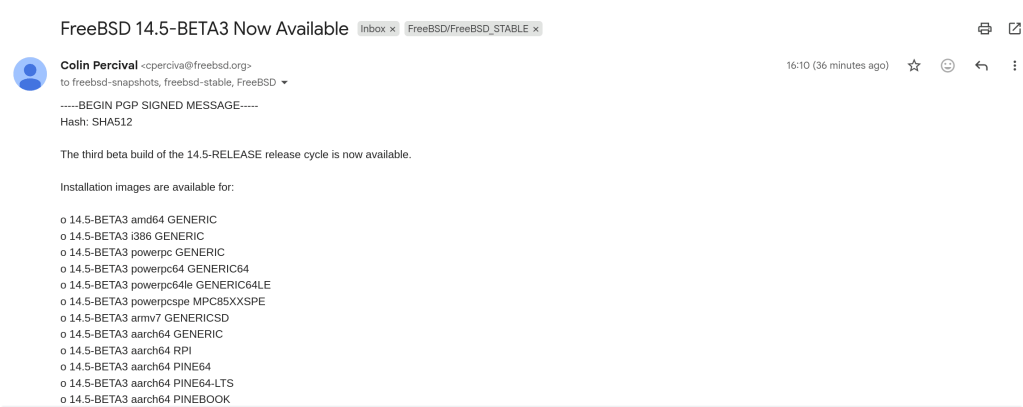
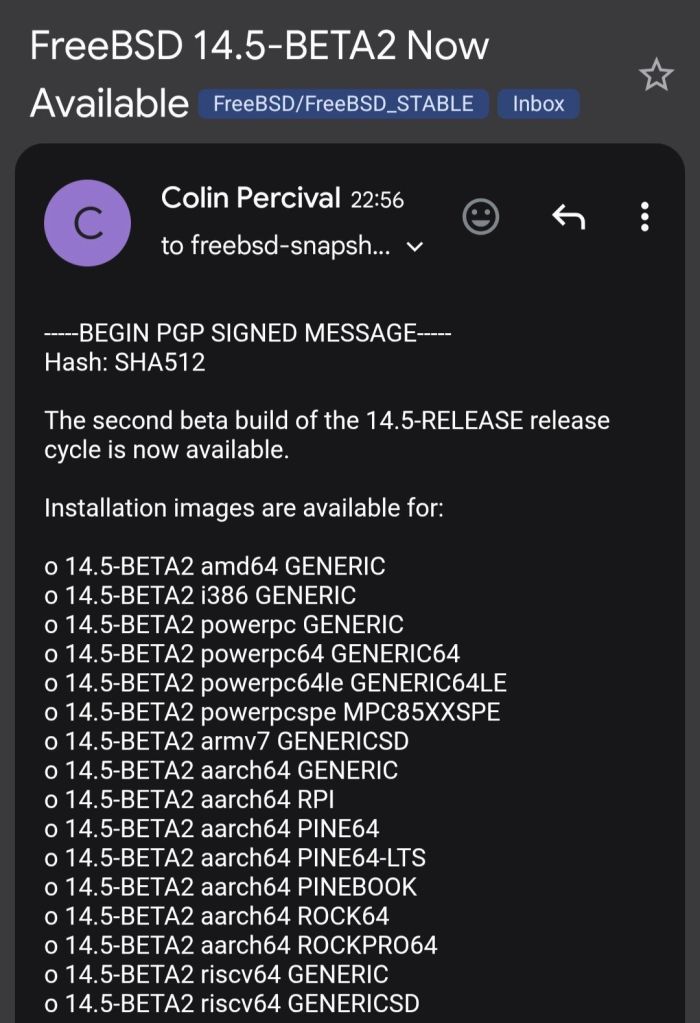
A summary of changes since BETA1 includes: o Multiple bug fixes in diff(1) o Several updates to qlnxe(4) o Updates to the blocklist (aka blacklist) system o Compatibility in the ipfw(8) userland tools with FreeBSD 15 kernels

https://lists.freebsd.org/archives/freebsd-stable/2026-February/003848.html
-
Tutorial · February 2026 · 15 min read
QEMU on Arch Linux: A Practical Guide to Virtual Machine Testing
From cloud images and package building to kernel module debugging and cross-platform validation — all from the command line.
Contents
01 Why QEMU?
02 Spinning Up Arch Linux Cloud Images
03 Running FreeBSD in QEMU
04 Testing OpenZFS with QEMU
05 Sharing Files Between Host and Guest
06 Networking Options
07 Testing Real Hardware Drivers
08 Quick Reference
Why QEMU?
QEMU combined with KVM turns your Linux host into a bare-metal hypervisor. Unlike VirtualBox or VMware, QEMU offers direct access to hardware emulation options, PCI passthrough, and granular control over every aspect of the virtual machine. On Arch Linux, setup is minimal.
$ sudo pacman -S qemu-full # Verify KVM support $ lsmod | grep kvm kvm_amd 200704 0 kvm 1302528 1 kvm_amdYou should see
kvm_amdorkvm_intelloaded. That’s it — you’re ready to run VMs at near-native performance.Spinning Up Arch Linux Cloud Images
The fastest path to a working Arch Linux VM is the official cloud image — a pre-built qcow2 disk designed for automated provisioning with cloud-init.
Download and Prepare
$ curl -LO https://geo.mirror.pkgbuild.com/images/latest/Arch-Linux-x86_64-cloudimg.qcow2 $ qemu-img resize Arch-Linux-x86_64-cloudimg.qcow2 20GThe image ships at a minimal size. Resizing to 20G gives room for package building, compilation, and development work.
Cloud-Init Configuration
Cloud images expect a cloud-init seed to configure users, packages, and system settings on first boot. Install
cloud-utilson your host:$ sudo pacman -S cloud-utilsCreate a
user-datafile. Note the unquoted heredoc — this ensures shell variables expand correctly:SSH_KEY=$(cat ~/.ssh/id_ed25519.pub 2>/dev/null || cat ~/.ssh/id_rsa.pub) cat > user-data <<EOF #cloud-config users: - name: chris sudo: ALL=(ALL) NOPASSWD:ALL shell: /bin/bash lock_passwd: false plain_text_passwd: changeme ssh_authorized_keys: - ${SSH_KEY} packages: - base-devel - git - vim - devtools - namcap growpart: mode: auto devices: ['/'] EOF⚠ Common Pitfall
Using
'EOF'(single-quoted) prevents variable expansion, so${SSH_KEY}becomes a literal string. Always use unquotedEOFwhen you need variable substitution.Generate the seed ISO and launch:
$ cloud-localds seed.iso user-data $ qemu-system-x86_64 \ -enable-kvm \ -m 4G \ -smp 4 \ -drive file=Arch-Linux-x86_64-cloudimg.qcow2,if=virtio \ -drive file=seed.iso,format=raw,if=virtio \ -nographicCloud-Init Runs Once
Cloud-init marks itself as complete after the first boot. If you modify
user-dataand rebuildseed.iso, the existing image ignores it. You must download a fresh qcow2 image before applying new configuration.Use
Ctrl+A, Xto kill the VM.Running FreeBSD in QEMU
FreeBSD provides pre-built VM images in qcow2 format. FreeBSD 15.0-RELEASE (December 2025) is the latest stable release, while 16.0-CURRENT snapshots are available for testing bleeding-edge features.
Download
# FreeBSD 15.0 stable $ curl -LO https://download.freebsd.org/releases/VM-IMAGES/15.0-RELEASE/amd64/Latest/FreeBSD-15.0-RELEASE-amd64-ufs.qcow2.xz $ xz -d FreeBSD-15.0-RELEASE-amd64-ufs.qcow2.xz # FreeBSD 16.0-CURRENT (development snapshot) $ curl -LO https://download.freebsd.org/snapshots/VM-IMAGES/16.0-CURRENT/amd64/Latest/FreeBSD-16.0-CURRENT-amd64-ufs.qcow2.xz $ xz -d FreeBSD-16.0-CURRENT-amd64-ufs.qcow2.xz $ qemu-img resize FreeBSD-15.0-RELEASE-amd64-ufs.qcow2 20GThe Serial Console Challenge
Unlike Linux cloud images, FreeBSD VM images default to VGA console output. Launching with
-nographicappears to hang — the system is actually booting, but sending output to the emulated display.Boot with VGA first to configure serial:
$ qemu-system-x86_64 \ -enable-kvm \ -m 4G \ -smp 4 \ -hda FreeBSD-15.0-RELEASE-amd64-ufs.qcow2 \ -vga stdLogin as
root(no password), then enable serial console permanently:# echo 'console="comconsole"' >> /boot/loader.conf # poweroffAll subsequent boots work with
-nographic. Alternatively, at the FreeBSD boot menu, press 3 to escape to the loader prompt and typeset console=comconsolethenboot.Disk Interface Note
If FreeBSD fails to boot with
if=virtio, fall back to IDE emulation using-hdainstead. IDE is universally supported.Testing OpenZFS with QEMU
One of the most powerful uses of QEMU on Arch Linux is building and testing OpenZFS against new kernels. Arch’s rolling release model means kernel updates arrive frequently, and out-of-tree modules like ZFS need validation after every update.
Build Environment
$ git clone https://github.com/openzfs/zfs.git $ cd zfs $ ./autogen.sh $ ./configure --enable-debug $ make -j$(nproc) $ sudo make install $ sudo ldconfig $ sudo modprobe zfsRunning the ZFS Test Suite
Before running the test suite, a critical and often-missed step — install the test helpers:
$ sudo ~/zfs/scripts/zfs-helpers.sh -i # Create loop devices for virtual disks for i in $(seq 0 15); do sudo mknod -m 0660 /dev/loop$i b 7 $i 2>/dev/null done # Run sanity tests $ ~/zfs/scripts/zfs-tests.sh -v -r sanityReal-World Debugging: From 18% to 97.6%
Testing OpenZFS 2.4.99 on kernel 6.18.8-arch2-1 revealed two cascading issues that dropped the pass rate dramatically. Here’s what happened and how to fix it.
Problem 1: Permission denied for ephemeral users. The test suite creates temporary users (
staff1,staff2) for permission testing. If your ZFS source directory is under a home directory with restrictive permissions, these users can’t traverse the path:err: env: 'ksh': Permission denied staff2 doesn't have permissions on /home/arch/zfs/tests/zfs-tests/bin$ chmod o+x /home/arch $ chmod -R o+rx /home/arch/zfs $ sudo chmod o+rw /dev/zfsProblem 2: Leftover test pools cascade failures. If a previous test run left a ZFS pool mounted, every subsequent setup script fails with “Device or resource busy”:
$ sudo zfs destroy -r testpool/testfs $ sudo zpool destroy testpool $ rm -rf /var/tmp/testdir✓ Result
After fixing both issues, the sanity suite completed in 15 minutes: 808 PASS, 6 FAIL, 14 SKIP. The remaining 6 failures were all environment-related (missing packages) — zero kernel compatibility regressions.
Sharing Files Between Host and Guest
QEMU’s 9p virtfs protocol allows sharing a host directory with the guest without network configuration — ideal for an edit-on-host, build-in-guest workflow:
$ qemu-system-x86_64 \ -enable-kvm \ -m 4G \ -smp 4 \ -drive file=Arch-Linux-x86_64-cloudimg.qcow2,if=virtio \ -virtfs local,path=/home/chris/shared,mount_tag=host_share,security_model=mapped-xattr,id=host_share \ -nographicInside the guest:
$ sudo mount -t 9p -o trans=virtio host_share /mnt/sharedNetworking Options
QEMU’s user-mode networking (
-nic user) is the simplest setup — it provides NAT-based internet access and port forwarding without any host configuration:# Forward host port 2222 to guest SSH -nic user,hostfwd=tcp::2222-:22This is sufficient for most development and testing workflows. For bridged or TAP networking, consult the QEMU documentation.
Testing Real Hardware Drivers
QEMU emulates standard hardware (e1000 NICs, emulated VGA), not your actual devices. If you need to test drivers against real hardware — such as a Realtek Ethernet controller or an AMD GPU — you have two options:
PCI Passthrough (VFIO): Bind a real PCI device to the
vfio-pcidriver and pass it directly to the VM. This requires IOMMU support (amd_iommu=onin the kernel command line) and removes the device from the host for the duration.Native Boot from USB: Write a live image to a USB stick and boot your physical machine directly. For driver testing, this is almost always the better choice:
$ sudo dd if=FreeBSD-16.0-CURRENT-amd64-memstick.img of=/dev/sdX bs=4M status=progressQuick Reference
Task Command Start Arch VM qemu-system-x86_64 -enable-kvm -m 4G -smp 4 -drive file=arch.qcow2,if=virtio -drive file=seed.iso,format=raw,if=virtio -nographicStart FreeBSD (VGA) qemu-system-x86_64 -enable-kvm -m 4G -smp 4 -hda freebsd.qcow2 -vga stdStart FreeBSD (serial) qemu-system-x86_64 -enable-kvm -m 4G -smp 4 -hda freebsd.qcow2 -nographicKill VM Ctrl+A, XResize disk qemu-img resize image.qcow2 20GCreate seed ISO cloud-localds seed.iso user-data
QEMU Arch Linux FreeBSD OpenZFS KVM
Written from real-world testing on AMD Ryzen 9 9900X · Arch Linux · Kernel 6.18.8

-

After months and months of work that went to this version of FreeBSD, the time has now come! FreeBSD 15.0 is now globally available for the general public! This version of FreeBSD aims to be more welcoming to new users and to maintain the reproducible builds, alongside many improvements to come. The ISO images can […]
FreeBSD 15.0 goes official! -
The driver will be ported from OpenBSD. Didn’t know that OpenBSD was far ahead when it comes to this issue …