Released on KDE’s 30th anniversary, Plasma 6.8 introduces accessibility improvements, better performance, enhanced remote desktop functionality, and major changes to theming and Wayland support.
1. Accessibility & System Monitoring
- Dwell Clicker: Automatically clicks when the mouse pointer stops moving, improving accessibility.
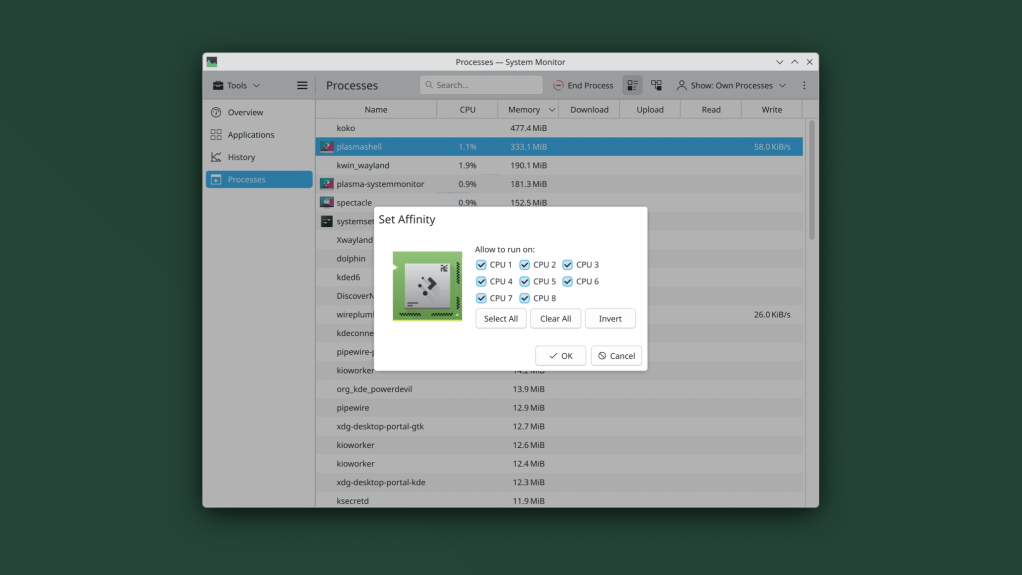
- CPU Affinity: Assign processes to specific CPU cores directly from System Monitor.
- VRAM Monitoring: GPU memory utilization is now displayed as a percentage.
- Localization: Support for the Bikram Sambat calendar and Amharic on-screen keyboard.
2. Remote Desktop & Screen Recording
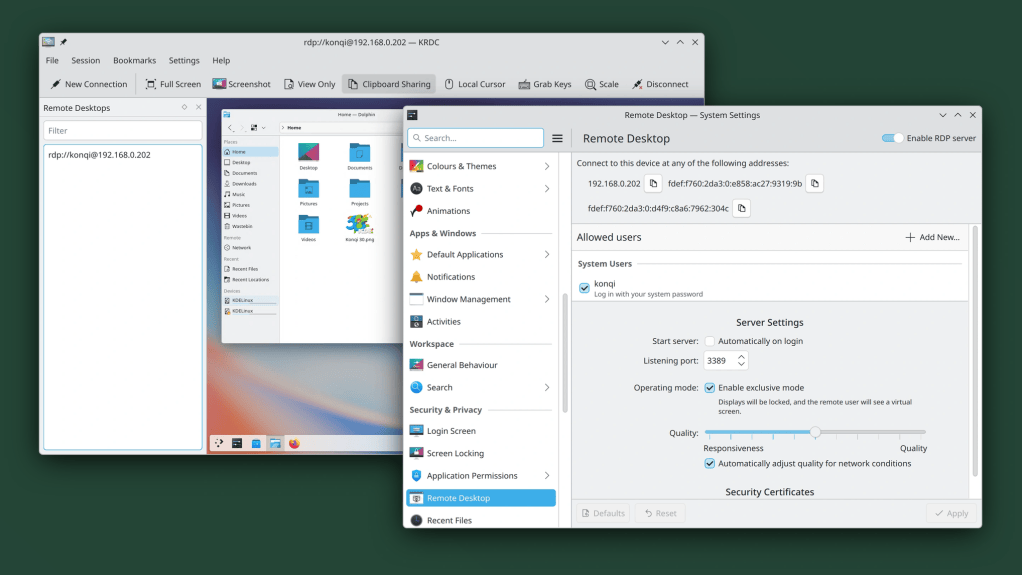
- Improved Remote Desktop: Better performance, lower latency, and adaptive quality on slower networks.
- Exclusive Mode: Locks the physical display while providing a virtual screen matching the remote client’s window size.
- Clipboard Synchronization: Bidirectional clipboard sharing between client and server.
- Spectacle: Screen recordings can capture system audio and microphone input simultaneously.
- Virtual Displays: Custom resolutions for virtual screens used in screen sharing, replacing the previous 1920 × 1080 limitation.
- Improved overall screen recording and screencasting quality.
3. Window Management
- Steam Integration: New KWin window rules provide shadows, outlines, and rounded corners for Steam windows.
- New Keyboard Shortcuts:
Meta + Ctrl + Page Up/Down: Cycle through tasks.Meta + Ctrl + Shift + Page Up/Down: Move the active task backward or forward in task order.
4. Union Theming — Beta
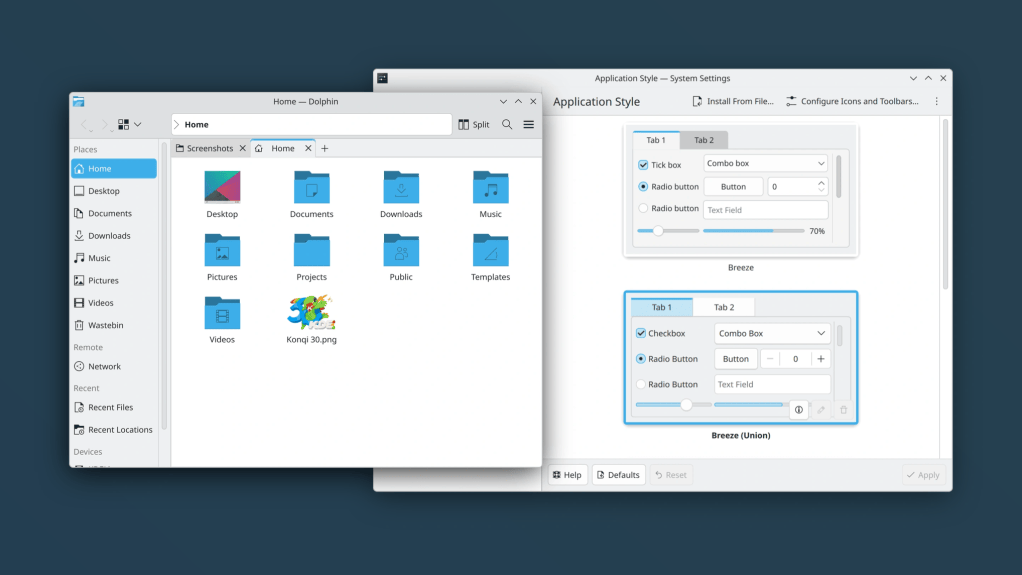
- Union progresses from alpha in Plasma 6.7 to beta in Plasma 6.8.
- Now supports both:
- Qt Quick applications.
- Qt Widgets applications, including Dolphin, Kate, and Konsole.
- Aims to provide consistent styling across KDE applications.
- Not yet enabled by default.
5. Wayland Replaces X11 Sessions
- Plasma 6.8 retires support for starting native X11 desktop sessions.
- Wayland becomes the standard session technology.
- Legacy X11 applications continue working through XWayland.
- KDE applications will continue supporting X11 independently for the foreseeable future.
6. Performance, NVIDIA & HDR
- Reduced memory consumption and faster Plasma startup.
- Discover’s update notifier uses less memory.
- NVIDIA: Triple buffering is now enabled by default in KWin.
- HDR Improvements:
- Better HDR rendering when using ICC color profiles.
- Support for the HLG (Hybrid Log-Gamma) transfer function, improving compatibility with HDR content and applications.
7. Additional Improvements
- kscreenctl: New command-line tool for display configuration and automation.
- Kup: KDE’s backup utility is now distributed as part of Plasma.
- VPN: EAP-TTLS authentication support for StrongSwan.
- Autostart: Enable or disable startup applications without deleting entries.
- Display Configuration: Pixel-by-pixel positioning using arrow keys.
- Printing: Notifications when attempting to use unavailable printers.
- Clipboard Security: Clearer explanations when copied passwords are excluded from clipboard history.
- Emoji Selector: Adjustable emoji display sizes.
Key Takeaways
| Area | Most important change |
|---|---|
| Desktop architecture | Native X11 sessions retired in favor of Wayland |
| Theming | Union beta supports Qt Quick and Qt Widgets |
| NVIDIA | Triple buffering enabled by default |
| Performance | Faster startup and reduced memory usage |
| HDR | Better ICC handling and HLG support |
| Remote Desktop | Lower latency, exclusive mode, clipboard sync |
| Monitoring | CPU affinity controls and VRAM percentage |
| Screen recording | Simultaneous system and microphone audio |
| Automation | New kscreenctl command-line utility |