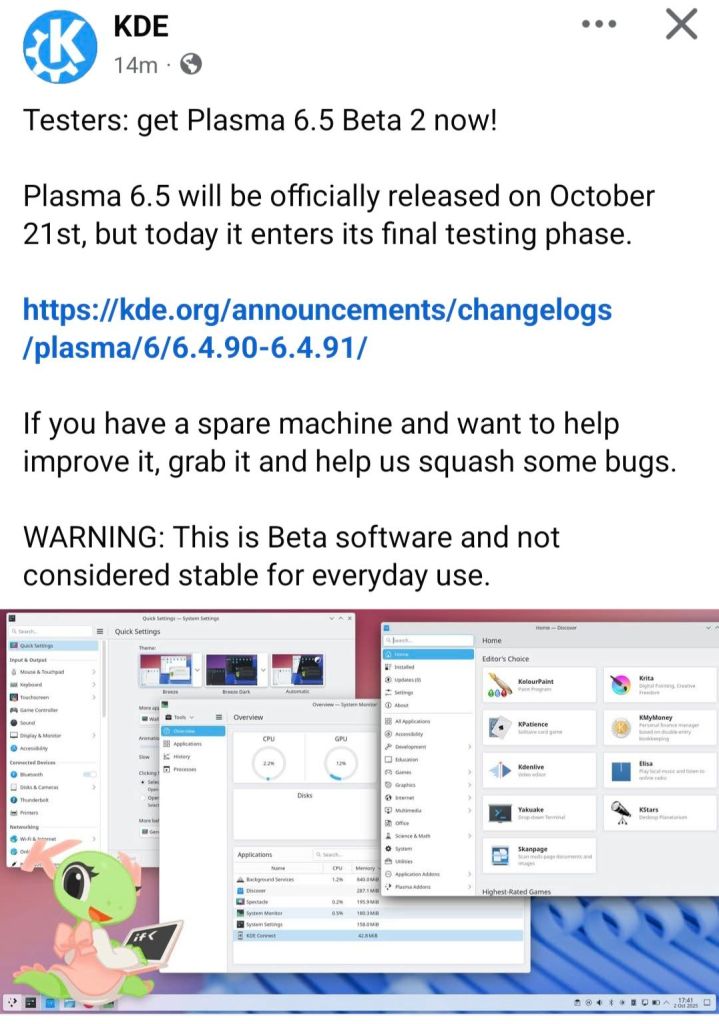
Final beta: Plasma 6.8 Beta 2 is the second and last beta before the stable release.
Union theming: The new Union theme engine enters the latter half of its public tech preview and now supports QtWidgets applications, including Dolphin and Kate.
KWin memory leak fix: KWin now depends on Plasma-Wayland-Protocols 1.23, addressing a Wayland resource leak that could cause RAM usage to grow dramatically over long uptimes.
Wayland improvements: Adds dwell-click support, commit-timing protocol support, improved remote desktop functionality, and server-side drop shadows.
Performance: Includes VRAM usage optimizations and additional KWin/desktop efficiency improvements.
Multi-GPU & displays: Improves multi-GPU handling and multi-monitor behavior.
New tool: Introduces kscreenctl for managing display configurations.
General polish: Numerous additional fixes and refinements are included across Plasma.
Release date:Plasma 6.8.0 is scheduled for 14 October 2026, coinciding with KDE’s 30th anniversary.
KDE follows a “human in the loop” principle: when using an LLM, a human must be making decisions beyond mere prompting. The output must express the operator’s unique humanity in some way.
So nobody in KDE should know you used an LLM — not because you’re concealing it, but because the results are functionally indistinguishable from what you could produce yourself.
How can you ensure that? Here are some examples:
Acceptable LLM usage
Create it yourself in the first place, with no LLM.
Write text that you want other people to read yourself in English, with no LLM.
Have an LLM make a rough draft or something, then you rewrite or refine it yourself.
Have an LLM find a bug, and then you verify that and fix it yourself.
Have an LLM fix a merge conflict in your patch, then you verify and push the result yourself.
Use an LLM to debug an issue and identify a bug, then report the bug yourself, with your own words.
Write text that you want other people to read yourself in your native language, and then machine-translate it (with no stylistic or tonal changes) into English.
Use an LLM to explain or teach you something you don’t understand, then test your new knowledge in the field to verify that it was correct and that you now have a new skill.
Prohibited
Don’t ask an LLM to write some English text, and copy-paste that into a chat or merge request description.
Don’t copy someone else’s response to you into an LLM, tell it to reply, and then copy-paste the output as a response to the other person.
Don’t submit “vibe-coded” changes you don’t understand and couldn’t make yourself.
Don’t disclose LLM usage as a way of trying to excuse the potential errors or poor quality of a contribution.
Don’t add “Assisted-by: [some LLM]” tags to your commits; it’s just free advertising for the LLM’s provider.
KDE’s new Union theming system gained initial support for styling QtWidgets-based apps (Akseli Lahtinen). It’s a first draft with known visual glitches, but a notable milestone. Plasma 6.8 is taking shape.
New features
Plasma 6.8: Union theming for QtWidgets apps; built-in RDP server adapts quality to available bandwidth for steadier frame rates; Strongswan VPN now supports EAP-TTLS authentication.
UI improvements
Plasma 6.7.5: Discover only offers .deb install on systems that natively support the format.
Plasma 6.8:
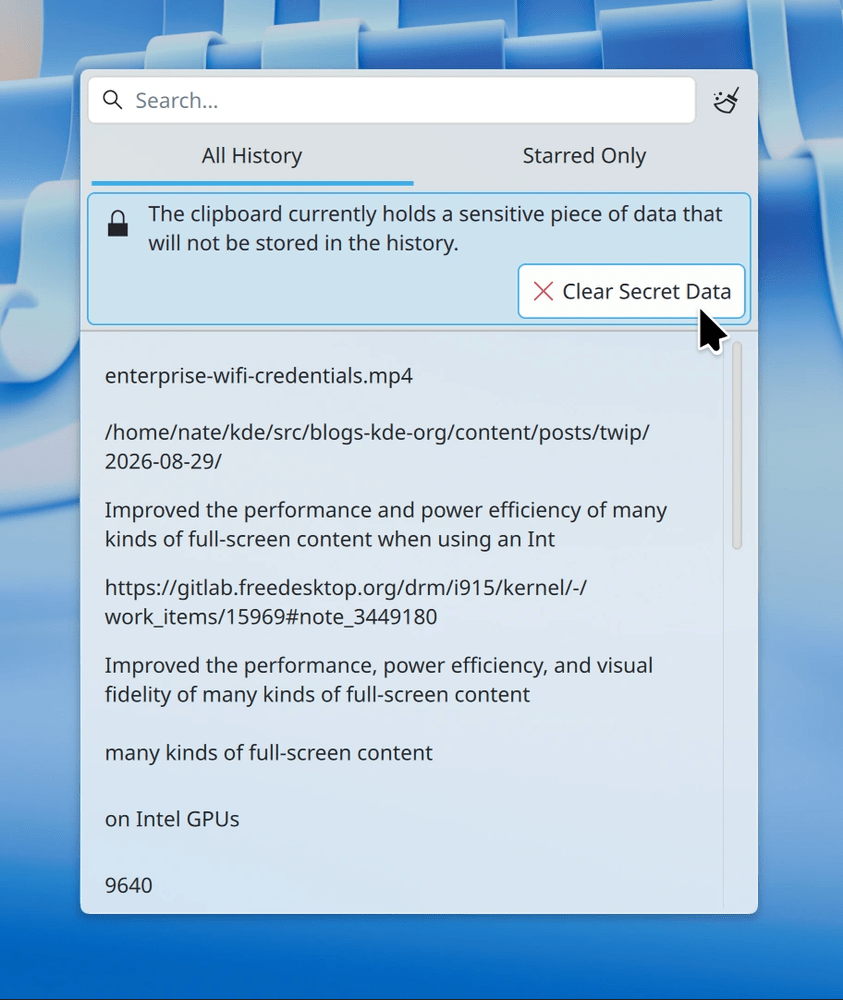
Clipboard history now indicates when copied text was marked secret, instead of silently hiding it.
Screen-recording indicator appears only during actual recording.
Overview effect easier to trigger via four-finger touchpad swipe.
Digital Clock calendar event text fully selectable.
Less awkward dialog design for drawing-tablet pen button config.
Bluetooth widget’s “Configure” button moved to the standard location.
Enterprise Wi-Fi connection jumps straight to credential entry.
System Tray icons stay visible until their popup closes.
“Keep selection and clipboard the same” no longer disables unrelated settings.
Mass crashes now produce a single System Tray icon listing all crashes, not dozens.
Frameworks 6.30: Better contrast for in-window Kirigami dialogs in dark themes; System Monitor graph legends request tabular numerals for alignment.
Bug fixes
Plasma 6.6.7: Security fix — screen locker failed to lock under a specific screen-off + grace-period configuration.
Plasma 6.7.5: Discover no longer hangs on update checks with the Snap backend and no upgradeable Snaps; non-KDE app crashes on dialog close fixed; pointer-movement regression in VMs with non-accelerated drivers fixed; RTL languages no longer block force-quit in System Monitor; malformed panel edit-mode tooltip fixed; DrKonqi no longer crash-loops until memory exhaustion.
Plasma 6.8: Fixed Plasma’s second-most-common crash (during logout); Plasma Search “Defaults” button and non-default highlighting work correctly; all Kickoff widgets can return results for uninstalled apps; logout sound no longer needlessly delays logout.
Performance & technical
Plasma 6.7.5: Improved HDR appearance with ICC profiles.
Plasma 6.8: Better performance/power efficiency for full-screen content on Intel and NVIDIA GPUs with HDR, ICC profiles, or Night Light; HLG transfer function support in KWin; screen-casting latency cut by one frame; lower resource use for notification/Activities thumbnails and the Trash widget; Spectacle omits the alpha channel when unused; disabling a System Tray widget frees memory immediately; showConfigurationInterface() works in Plasma scripting; Plasma launches with a plain background if all wallpaper plugins are broken or missing.
Frameworks 6.30: KWallet log spam removed along with the non-functional feature causing it.
KDE Gear 26.12.0: System Settings’ Proxy page rewritten in QML, enabling Plasma Mobile support with a near-identical design.
Contributing
KDE asks for help with the weekly report (via its Matrix room), general project involvement — noting donated time matters more than money and non-programmers are welcome — and financial donations covering operations, salaries, and contributor travel. Work is featured here by pushing commits to merge requests on invent.kde.org.
Released 20 August 2026, KDE Gear 26.08 delivers four months of updates across KDE applications, focusing on usability, integration, and workflow improvements.
Okular
Improved and streamlined PDF signing, with stronger security.
Combined the separate backend and application settings dialogs.
Triple-click now selects an entire line.
Highlighted/underlined text is automatically included in associated annotation notes.
Notes and inline comments can be copied and pasted, including between documents.
Dolphin
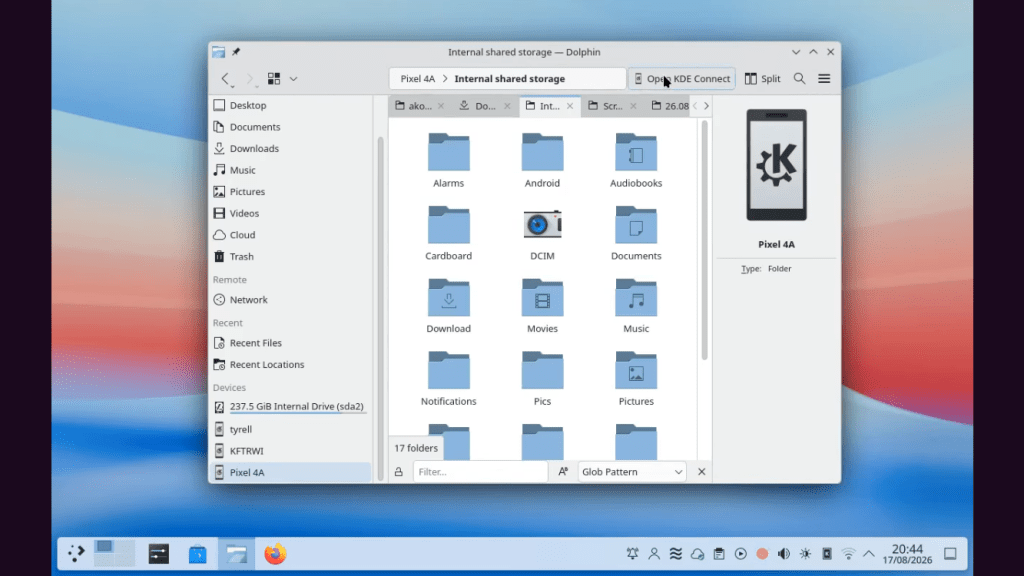
Better KDE Connect integration when browsing files on a phone.
Filter Bar (Ctrl + I) now supports:
Plain-text filtering
Glob patterns
Regular expressions
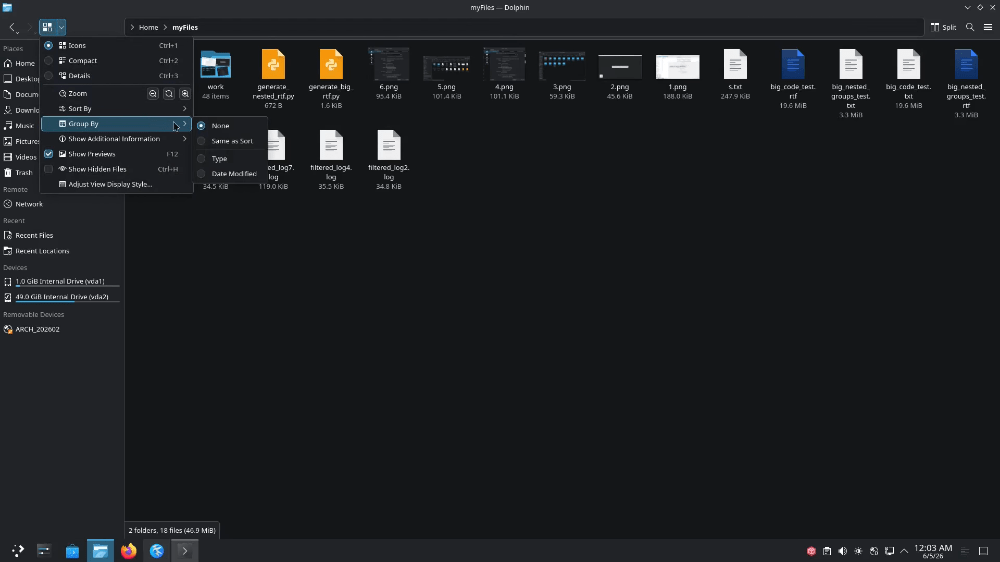
Files can be grouped independently of their sorting method.
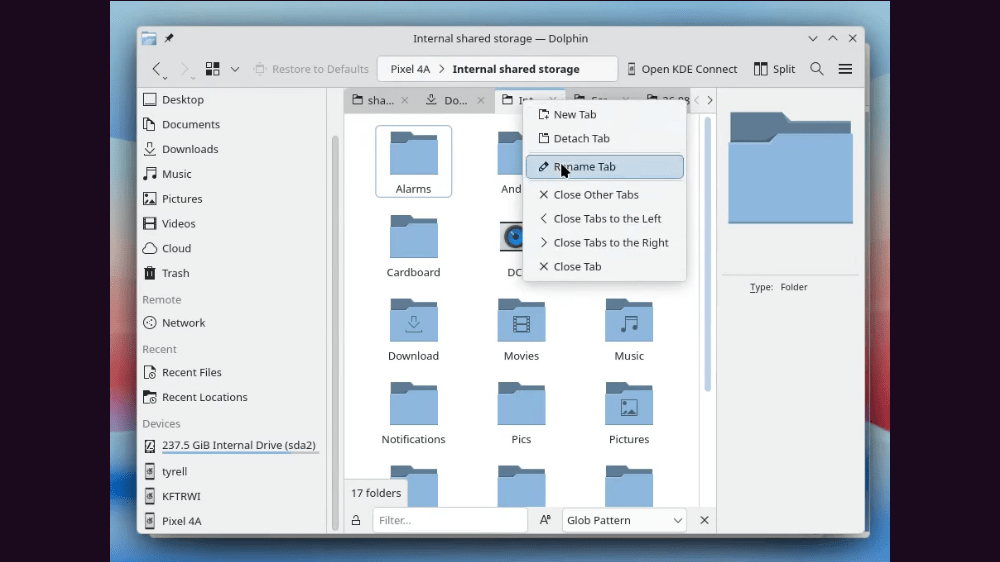
Tab context menu can close tabs to the left, right, or both sides.
Konsole
Expanded Alt + click-and-drag functionality for recognized content.
Files can be dragged directly into compatible applications.
Links can be dragged into browsers or text editors.
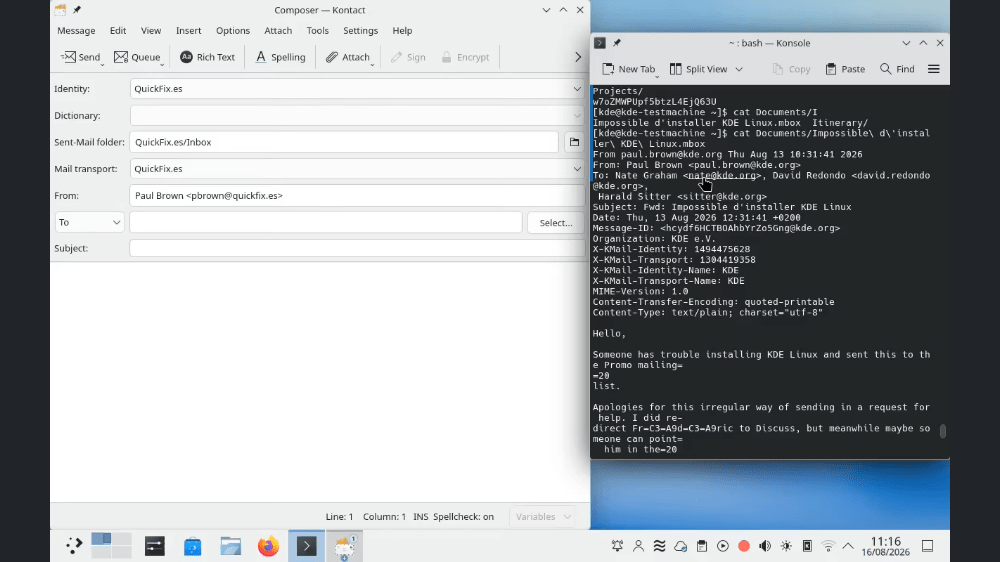
Email addresses and color values are also draggable.
Example: dragging a color code into Krita can fill a layer with that color; dragging it into a text editor inserts its hexadecimal value.
Kdenlive
Transform effect: rotation axis can be repositioned.
Gradient Map: supports multiple gradient stops.
Curves: individual curves can be adjusted independently.
Timeline improvements include:
Copying selections into new sequences.
Automatic creation of required audio tracks.
Track reordering.
Different colors for video, images, titles, etc.
Titler improvements:
Copy/paste objects.
Rounded rectangles.
Snapping to screen edges, center, and other objects.
Visual alignment guides.
Minuet
Completely redesigned interface suitable for desktop and mobile.
Improved home page and navigation.
Exercises appear as cards with descriptions.
New search filters exercises using translated names and descriptions.
Exercise layouts make better use of narrow/mobile screens.
Availability
KDE Gear 26.08 applications will become available through supported Linux app stores and distribution repositories.
Availability depends on individual distributions and may lag behind the release announcement.
Full KDE Gear 26.08.0 source code is available for manual compilation.
Spectacle can now record audio during screen recordings — mic, system output, or both
System Monitor can report VRAM usage as a percentage of total, matching how it handles RAM
Added support for the 13-month Ethiopian calendar
UI Improvements
Plasma 6.6.6
Brightness slider in the Brightness & Color widget is more responsive
Plasma 6.7.3
Vietnamese lunar calendar now shows Vietnamese text regardless of system language
Press-and-hold for alternative characters now requires 600 ms instead of 200 ms, reducing accidental triggers
Drawing tablet styluses now work with the Overview and Custom Tiling overlays on Wayland
Plasma 6.8
Combobox popups follow the active Plasma theme instead of a hardcoded Breeze look; menu highlight animations removed
System Settings’ Remote Desktop page now lays out properly at small/narrow window sizes
“Report a Bug in the Current Page” now works for non-KDE pages that supply a bug URL
Auto-login works in Plasma Login Manager on older systemd versions (e.g. KDE neon)
External monitor brightness responds faster to slider changes
Frameworks 6.29
List and grid view highlights in QML-based apps respect the active app style (with qqc2-desktop-style); password fields no longer shift height on first keystroke
Breeze icon theme gained an icon for Android app bundles
Large Kirigami tab bars now respond to scrolling and standard tab-switching shortcuts
The KDE Plasma 6.5 stable release is scheduled for October 21, 2025. A beta version of Plasma 6.5 was released on September 18, 2025, allowing for public testing.
A very handy tool to convert screenshots in to text. If you have for example a scanned document or PDF you can easily copy the contents just using Spectacle.
A package dependency is Tesseract, that you can find in AUR.
There is also this pull request that adds native support for this functionality.