




“Rust Drama, Russian Kernel Maintainers & Other Top Linux Kernel Happenings Of 2024”
Tag: Linux
-
~32K lines of code

-
“For being able to force additional CPU security mitigations even if the processor indicates it’s not vulnerable to a given bug like Spectre, Meltdown, Retbleed, and others.”

-
Anki provides the option the self host your own sync server. It is an advanced feature for experienced users.
SYNC_USER1=user:pass anki –syncserver from the command line starts the sync server. If you use a firewall such as ufw you have to adjust the rules to allow IP addresses from 192.168.0.xxx or 192.168.1.xxx with:
ufw allow from 192.168.0.0/24
or
ufw allow from 192.128.1.0/24
Then you get a message like this, indicating a functioning sync server:
Anki starting…
2024-11-16T18:31:41.598515Z INFO listening addr=0.0.0.0:8080
In order to sync your Anki clients towards this server you have to set a URL link to the server’s IP address (in my case 192.168.1.195 => http://192.168.1.195:8080). The server listens to port 8080 as default.

Another option to set a sync server is using a docker container. You can find a sample Dockerfile under the /docs/syncserver path of the git repository: https://github.com/ankitects/anki/tree/main/docs/syncserver
The first step is building the image using:
sudo docker buildx build docs/syncserver/<Dockerfile> –no-cache –build-arg ANKI_VERSION=<version> -t anki-sync-server .
(Please use the <> brackets !!! as well an version available in https://github.com/ankitects/anki/releases, because the script searches through release tags !!!
You should execute this command from the Dockerfile PATH
The build command is deprecated !!! Use buildx)
The command at the end should look like this:
sudo docker build ~/syncserver/<Dockerfile> –no-cache –build-arg ANKI_VERSION=24.06.3 -t anki-sync-server
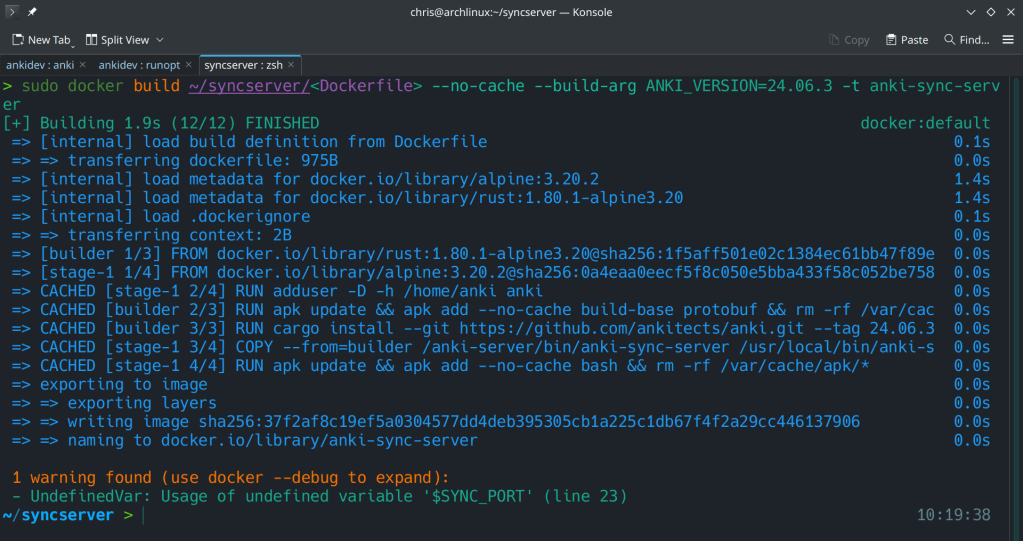
The second step is to run the docker container with:
docker run -d -e “SYNC_USER1=admin:admin” -p 8080:8080 –name anki-sync-server anki-sync-server
You can check the container’s status with sudo docker ps -a

-
What type of BS is this !!?
Rejecting commits and removing developers based on nationality !!! What does even has nationality to do with open-source contributions !!? If the code is good, non-malicious and runs it should be accepted …
The kernel leadership is ridiculous…
-
-
“Advanced Performance Extensions (Intel® APX) Intel® doubles the number of general-purpose registers (GPRs) from 16 to 32. This allows the compiler to keep more values in registers; as a result, APX-compiled code contains 10% fewer loads and more than 20% fewer stores than the same code compiled for an Intel® 64 baseline.”

-
With over 750 commits over the last 2 years, previous xz versions are also not safe.

https://boehs.org/node/everything-i-know-about-the-xz-backdoor
-
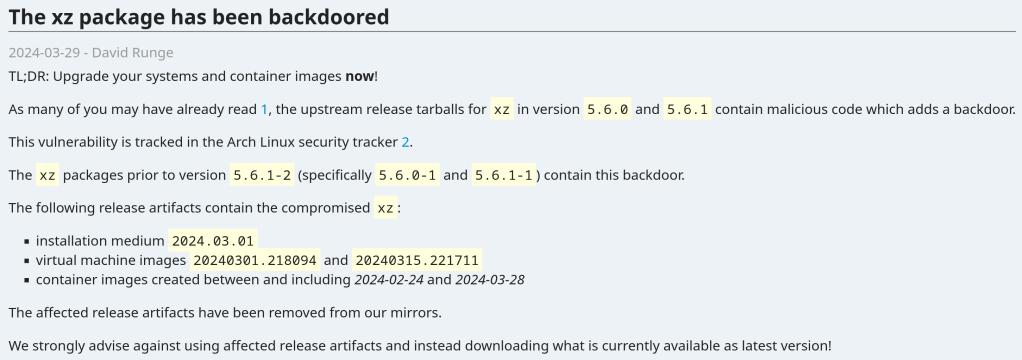
Seems pretty serious! Update your systems now !!!
The vulnerability affects xz packages prior to version 5.6.1-2 (specifically 5.6.0-1 and 5.6.1-1).
Andres Freund noticed odd symptoms around liblzma (part of the xz package) on Debian sid installations over the last weeks (logins with ssh taking a lot of CPU, valgrind errors) and concluded that the xz package has been backdoored.
The backdoor is present in the tarballs released upstream and contains the following line (originally not present in the source code):
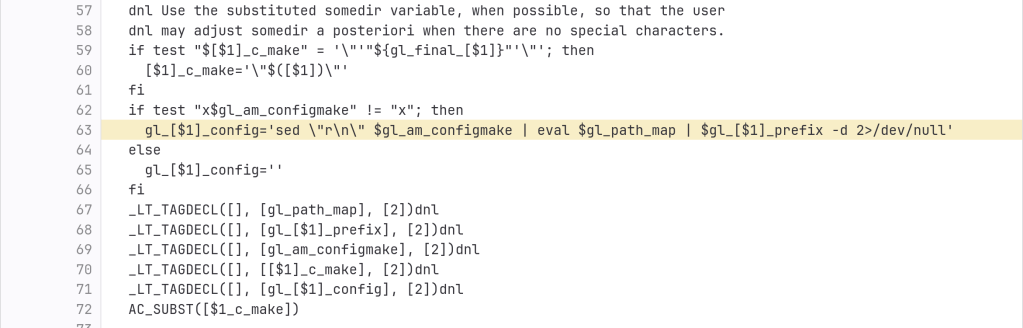
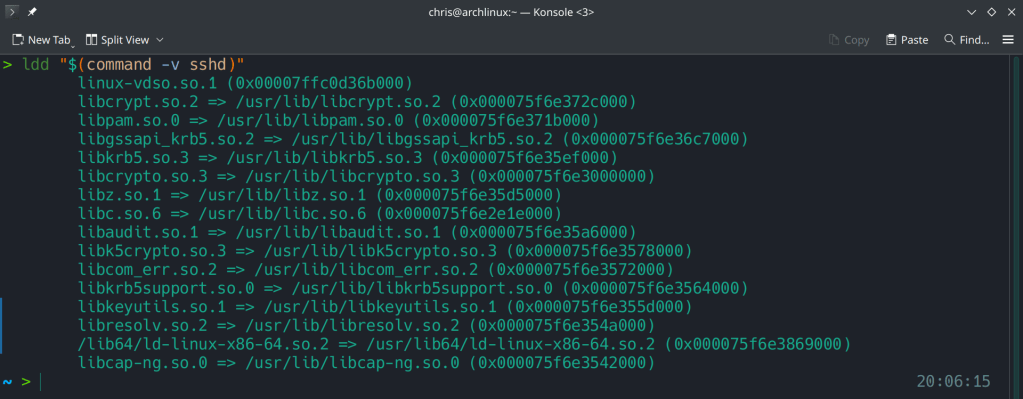
After the update:

Running ldd (shared libraries utility) to ensure no linkage between openssh and liblzma.
https://www.openwall.com/lists/oss-security/2024/03/29/4
https://archlinux.org/news/the-xz-package-has-been-backdoored
-
23.10 adds ZFS on root during the installation process and Gnome 45 as the default desktop environment.
I may write about Manjaro’s disorganization in another post…





 /root
/root 