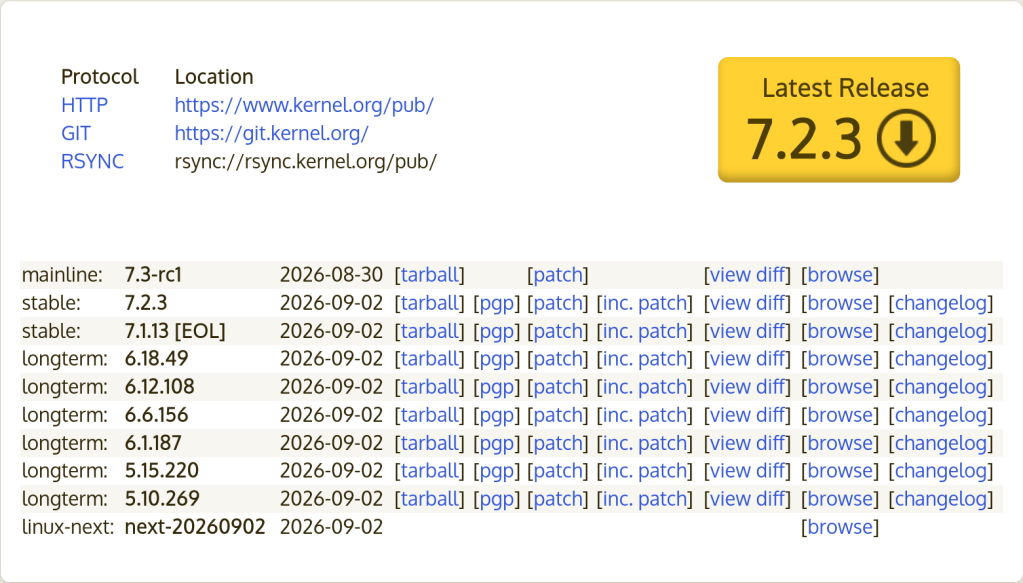
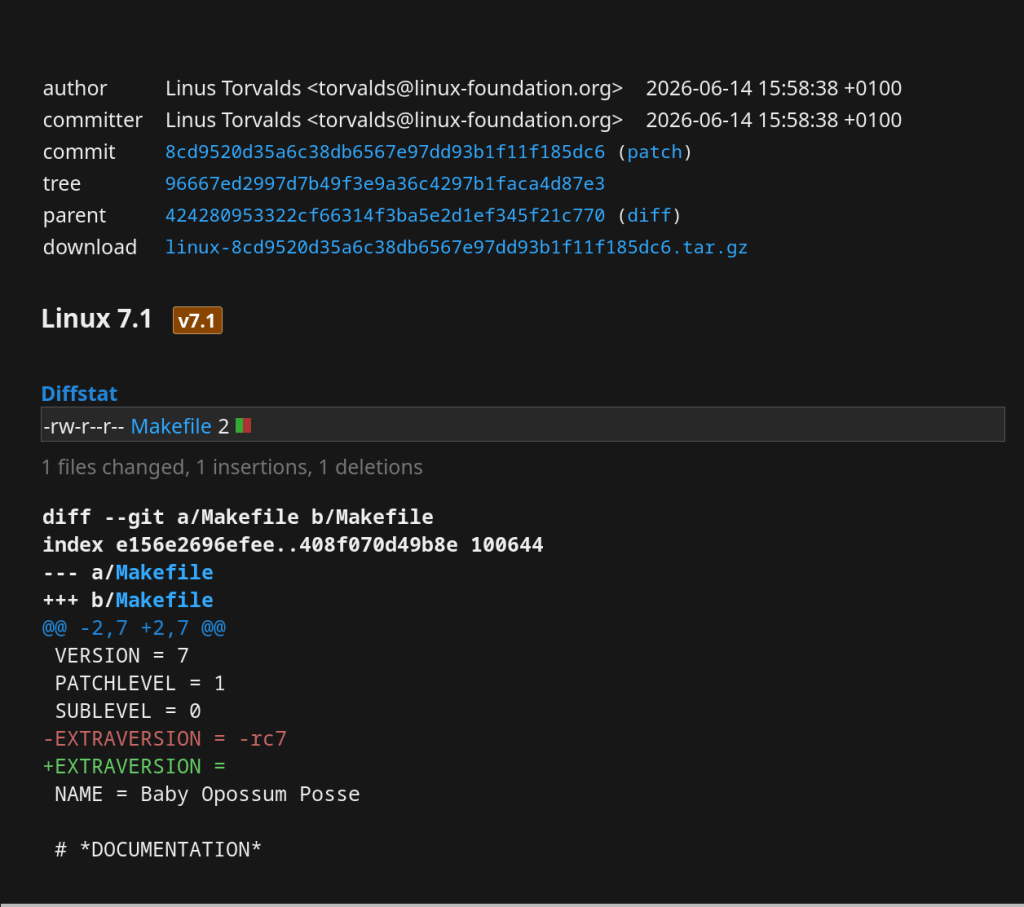
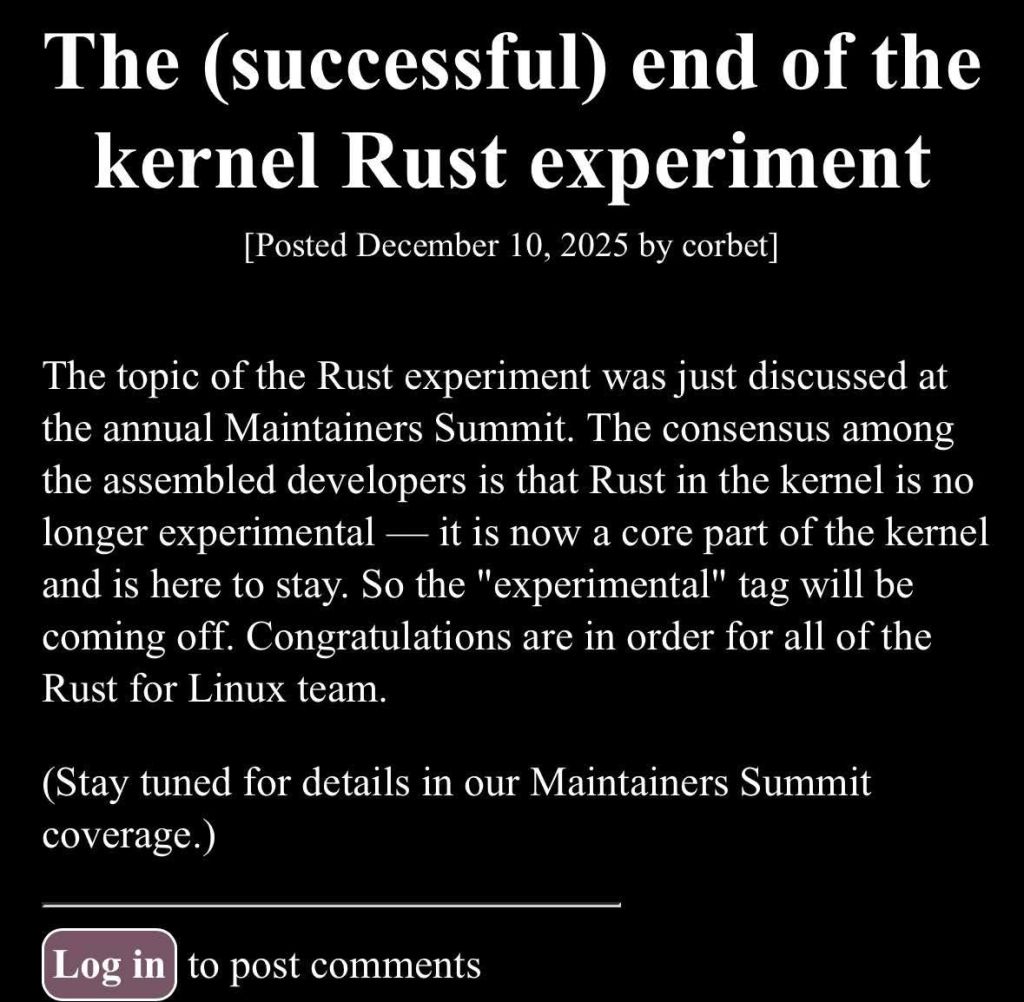
Ubuntu 26.10 “Stonking Stingray” will ship with Linux 7.3, replacing the previously planned Linux 7.2 kernel.
Canonical revised its target because the upstream Linux 7.1 and 7.2 development cycles had no delays, making Linux 7.3 feasible within Ubuntu’s schedule.
The main motivation is to provide newer upstream features and improved support for the latest hardware.
Development Status
Canonical is enabling Ubuntu-specific features on top of Linux 7.3.
Linux 7.3 has moved from Ubuntu’s -proposed archive toward the regular Ubuntu 26.10 archive.
It is being integrated ahead of the Ubuntu 26.10 beta.
Release-Timing Issue
Ubuntu 26.10 release: October 15, 2026
Kernel freeze: October 1
Expected Linux 7.3 stable release: October 18, or October 25 if another release candidate is required.
Therefore, Ubuntu 26.10’s initial ISO is expected to use a pre-release Linux 7.3 kernel snapshot, with stable updates following afterward.
Why Canonical Is Doing This
Because Ubuntu 26.10 is not an LTS release, Canonical is taking a more aggressive approach to tracking the newest upstream kernel, prioritizing new features, hardware enablement, and recent kernel improvements over the more conservative kernel selection typical of LTS releases.
“Linux 7.1 has many exciting new features including the new NTFS driver, Intel FRED for better performance on Panther Lake and future CPUs, faster Intel Arc Battlemage graphics, improvements for older AMD Radeon GPUs, and a variety of other improvements.”
If you’re trying to run VirtualBox on a Linux host with an AMD CPU and you get this error:
VirtualBox can't enable the AMD-V extension. Please disable the KVM kernel extension, recompile your kernel and reboot (VERR_SVM_IN_USE).
The problem is that KVM has claimed the AMD-V virtualization extension, and VirtualBox can’t use it at the same time.
Worse on Newer Kernels (6.12+)
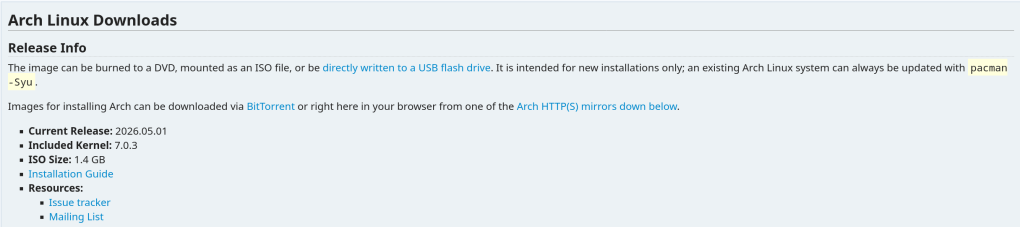
This issue has become more common with Linux kernel 6.12 and later. The KVM modules are now loaded more aggressively at boot, even if you’re not using KVM. If you recently updated your kernel (e.g., to 6.14+ on Arch Linux) and VirtualBox stopped working, this is likely the cause.
Solution
You don’t need to recompile anything. Just unload the KVM modules:
sudo modprobe -r kvm_amd
sudo modprobe -r kvm
Then start your VirtualBox VM — it should work.
Making It Persistent
If you want KVM to never load automatically (so VirtualBox always works), blacklist the modules:
echo "blacklist kvm_amd" | sudo tee /etc/modprobe.d/blacklist-kvm.conf
echo "blacklist kvm" | sudo tee -a /etc/modprobe.d/blacklist-kvm.conf
Going Back to KVM
If you need KVM again (e.g., for QEMU), simply reload the modules:
sudo modprobe kvm
sudo modprobe kvm_amd
You can only use one hypervisor at a time — VirtualBox or KVM, not both simultaneously. That’s a hardware limitation of AMD-V/SVM.
An annoying problem that I always had while running FreeBSD on my Dell Inspiron 15 5510 is the high temperature and fan speed. Doesn’t matter if it’s a live medium or post-installation — the average CPU temp is over 60 degrees Celsius.
With FreeBSD 15.0 (released December 2025) and the FreeBSD Foundation’s laptop project, things have improved significantly. Here’s what works.
Checking CPU Temperature
First, load the Intel Core temperature sensor driver:
kldload -v coretemp
Then check the temperature with:
sysctl dev.cpu | grep temperature
To load this automatically at boot, add to /boot/loader.conf:
coretemp_load="YES"
Power Management with powerd
FreeBSD ships with powerd, a daemon that dynamically adjusts CPU frequency based on load. Enable it in /etc/rc.conf:
This sets the CPU to hiadaptive mode on AC power (favors performance but still scales) and adaptive on battery (favors power saving).
C-States and Power Saving
Enable deeper CPU sleep states by adding to /etc/sysctl.conf:
hw.acpi.cpu.cx_lowest=Cmax
New in FreeBSD 15: Modern Sleep States
FreeBSD 15 brings new power management features from the Foundation’s laptop initiative:
s2idle (suspend-to-idle) support for modern standby
New SPMC (System Power Management Controller) driver for s0ix sleep states
Work-in-progress CPPC (Collaborative Processor Performance Control) for AMD processors — enabling finer-grained performance/efficiency control
Suspend and Resume
For laptops, suspend/resume support can be tested with:
acpiconf -s 3
If it works, you can bind it to your laptop lid by adding to /etc/sysctl.conf:
hw.acpi.lid_switch_state=S3
Results
After applying these changes, my Dell Inspiron dropped from a constant 60+ degrees down to around 40-45 degrees at idle, and the fan became much quieter. The combination of powerd with proper C-state configuration makes a noticeable difference on FreeBSD laptops.
If you’ve ever rebooted a machine and NTP refused to sync because the clock drifted too far, you’ve hit the panic threshold. By default, ntpd will exit if the offset exceeds 1000 seconds.
The Fix
Add this to /etc/ntp.conf:
tinker panic 0
Setting panic 0 disables the panic threshold entirely, allowing ntpd to correct any offset regardless of size.
When Is This Useful?
Machines that have been powered off for a long time (e.g., home servers, lab equipment)
VMs that resume from a suspended state with a stale clock
Systems without a working RTC battery
FreeBSD jails or containers that inherit a drifted host clock
Alternative: One-Time Force Sync
If you don’t want to permanently disable the panic threshold, you can do a one-time force sync with:
ntpd -gq
The -g flag allows the first adjustment to be any size, and -q makes ntpd set the time and exit.
The ArchZFS project has moved its official package repository from archzfs.com to GitHub Releases. Here’s how to migrate — and why this matters for Arch Linux ZFS users.
If you run ZFS on Arch Linux, you almost certainly depend on the ArchZFS project for your kernel modules. The project has been the go-to source for prebuilt ZFS packages on Arch for years, saving users from the pain of building DKMS modules on every kernel update.
The old archzfs.com repository has gone stale, and the project has migrated to serving packages directly from GitHub Releases. The packages are built the same way and provide the same set of packages — the only difference is a new PGP signing key and the repository URL.
How to Migrate
If you’re currently using the old archzfs.com server in your /etc/pacman.conf, you need to update it. There are two options depending on your trust model.
Option 1: Without PGP Verification
The PGP signing system is still being finalized, so if you just want it working right away, you can skip signature verification for now:
pacman.conf[archzfs]
SigLevel = Never
Server = https://github.com/archzfs/archzfs/releases/download/experimental
Option 2: With PGP Verification (Recommended)
For proper package verification, import the new signing key first:
pacman.conf[archzfs]
SigLevel = Required
Server = https://github.com/archzfs/archzfs/releases/download/experimental
After updating your config, sync and refresh:
bash# pacman -Sy
What’s Available
The repository provides the same package groups as before, targeting different kernels:
Package Group
Kernel
Use Case
archzfs-linux
linux (default)
Best for most users, latest stable OpenZFS
archzfs-linux-lts
linux-lts
LTS kernel, better compatibility
archzfs-linux-zen
linux-zen
Zen kernel with extra features
archzfs-linux-hardened
linux-hardened
Security-focused kernel
archzfs-dkms
Any kernel
Auto-rebuilds on kernel update, works with any kernel
Note on DKMS vs Prebuilt
Prebuilt packages are tied to a specific kernel version — if the Arch repos push a newer kernel than ArchZFS has built for, you’ll be blocked from updating until ArchZFS catches up. The DKMS packages avoid this by compiling locally, at the cost of longer update times. Choose based on your tolerance for build times vs. update delays.
Why GitHub Releases?
Hosting a pacman repository on GitHub Releases is a clever approach. GitHub handles the CDN, availability, and bandwidth — no more worrying about a single server going down and blocking ZFS users from updating. The build pipeline uses GitHub Actions, so packages are built automatically and transparently. You can even inspect the build scripts in the repository itself.
The trade-off is that the URL is a bit unwieldy compared to the old archzfs.com/$repo/$arch, but that’s a minor cosmetic issue.
A Note of Caution
The project labels this as experimental and advises starting with non-critical systems. In practice, the packages are the same ones the community has been using — the “experimental” label applies to the new distribution method, not the packages themselves. Still, the PGP signing system is being reworked, so you may want to revisit your SigLevel setting once that’s finalized.
If You’re Using the Old Repository
The old archzfs.com repository is stale and will not receive updates. If you haven’t migrated yet, do it now — before your next pacman -Syu pulls a kernel that your current ZFS modules don’t support, leaving you unable to import your pools after reboot.
A kernel-to-userspace patch that replaces a vague zpool create error with one that names the exact device and pool causing the problem. Here’s how it works, from the ioctl layer to the formatted error message.
The problem
If you’ve managed ZFS pools with more than a handful of disks, you’ve almost certainly hit this error:
bash$ sudo zpool create tank mirror /dev/sda /dev/sdb /dev/sdc /dev/sdd
cannot create 'tank': one or more vdevs refer to the same device,
or one of the devices is part of an active md or lvm device
Which device? What pool? The error gives you nothing. In a 12-disk server you’re left checking each device one by one until you find the culprit.
I’d been working on a previous PR (#18184) improving zpool create error messages when Brian Behlendorf suggested a follow-up: pass device-specific error information from the kernel back to userspace, following the existing ZPOOL_CONFIG_LOAD_INFO pattern that zpool import already uses.
cannot create 'tank': one or more vdevs refer to the same device
After
cannot create 'tank': device '/dev/sdb1' is part of active pool 'rpool'
Why this is harder than it looks
The obvious approach would be: when zpool create fails, walk the vdev tree, find the device with the error, and report it. But there’s a timing problem in the kernel that makes this impossible.
When spa_create() fails, the error cleanup path calls vdev_close() on all vdevs. This function unconditionally resetsvd->vdev_stat.vs_aux to VDEV_AUX_NONE on every device in the tree. By the time the error code reaches the ioctl handler, all evidence of which device failed and why has been wiped clean.
Key Insight
The error information must be captured at the exact moment of failure, inside vdev_label_init(), before the cleanup path destroys it. And it must be stored somewhere that survives the cleanup — the spa_t struct, which represents the pool itself.
The only errno that travels back through the ioctl is an integer like EBUSY. No context about which device, no pool name, nothing. The entire design challenge is getting two strings (a device path and a pool name) from a kernel function that runs during vdev initialization all the way back to the userspace zpool command.
Architecture: the data flow
The solution follows the same mechanism that zpool import already uses to return rich error information: an nvlist (ZFS’s key-value dictionary, like a JSON object) packed into the ioctl output buffer under a well-known key.
vdev_label_init() detect conflict, read label
→
spa→errlist vdev + pool name
→
spa_create() hand off errlist
→
ioc_pool_create() wrap → put_nvlist
→
ioctl kernel → user
→
zpool_create() unpack → format
Four touch points, each doing one small thing. Let’s walk through them.
Implementation
1. Capture the error at the moment of failure
This is the heart of the change. Inside vdev_label_init(), when vdev_inuse() returns true, we build an nvlist with the device path, then read the on-disk label to extract the pool name:
module/zfs/vdev_label.c/*
 * Determine if the vdev is in use.
 */
if (reason != VDEV_LABEL_REMOVE && reason != VDEV_LABEL_SPLIT &&
    vdev_inuse(vd, crtxg, reason, &spare_guid, &l2cache_guid)) {
        if (spa->spa_create_errlist == NULL) {
                nvlist_t *nv = fnvlist_alloc();
                nvlist_t *cfg;

                if (vd->vdev_path != NULL)
                        fnvlist_add_string(nv,
                            ZPOOL_CREATE_INFO_VDEV, vd->vdev_path);

                cfg = vdev_label_read_config(vd, -1ULL);
                if (cfg != NULL) {
                        const char *pname;
                        if (nvlist_lookup_string(cfg,
                            ZPOOL_CONFIG_POOL_NAME, &pname) == 0)
                                fnvlist_add_string(nv,
                                    ZPOOL_CREATE_INFO_POOL, pname);
                        nvlist_free(cfg);
                }

                spa->spa_create_errlist = nv;
        }
        return (SET_ERROR(EBUSY));
}
The NULL check on spa_create_errlist ensures we only record the first failing device. If there are multiple conflicts, the first one is what you need to fix anyway. fnvlist_alloc() and fnvlist_add_string() are the “fatal” nvlist functions that panic on allocation failure — appropriate here since we’re in a code path where memory should be available.
2. Hand the errlist to the caller
On error, spa_create() transfers ownership of the errlist via the new errinfo output parameter:
put_nvlist() serializes the nvlist into zc->zc_nvlist_dst, which is a shared buffer between kernel and userspace.
4. Unpack and format in userspace
In libzfs, after the ioctl fails, we unpack the buffer, extract the device and pool name, and format the error:
lib/libzfs/libzfs_pool.cnvlist_t *outnv = NULL;
if (zc.zc_nvlist_dst_size > 0 &&
    nvlist_unpack((void *)(uintptr_t)zc.zc_nvlist_dst,
    zc.zc_nvlist_dst_size, &outnv, 0) == 0 &&
    outnv != NULL) {
        nvlist_t *errinfo = NULL;
        if (nvlist_lookup_nvlist(outnv,
            ZPOOL_CONFIG_CREATE_INFO, &errinfo) == 0) {
                const char *vdev = NULL;
                const char *pname = NULL;
                (void) nvlist_lookup_string(errinfo,
                    ZPOOL_CREATE_INFO_VDEV, &vdev);
                (void) nvlist_lookup_string(errinfo,
                    ZPOOL_CREATE_INFO_POOL, &pname);
                if (vdev != NULL) {
                        if (pname != NULL)
                                zfs_error_aux(hdl,
                                    dgettext(TEXT_DOMAIN,
                                    "device '%s' is part of "
                                    "active pool '%s'"),
                                    vdev, pname);
                        else
                                zfs_error_aux(hdl,
                                    dgettext(TEXT_DOMAIN,
                                    "device '%s' is in use"),
                                    vdev);
                        ...
                }
        }
}
If both values are available, you get: device ‘/dev/sdb1’ is part of active pool ‘rpool’. If only the path is available (label can’t be read), you get: device ‘/dev/sdb1’ is in use. If no errinfo came back at all, the existing generic error handling kicks in unchanged.
What changed
File
+
−
module/zfs/vdev_label.c
+23
-1
lib/libzfs/libzfs_pool.c
+41
module/zfs/zfs_ioctl.c
+12
-1
module/zfs/spa.c
+10
-1
cmd/ztest.c
+5
-5
include/sys/fs/zfs.h
+3
include/sys/spa.h
+1
-1
include/sys/spa_impl.h
+1
tests/.../zpool_create_errinfo_001_neg.ksh
+99
11 files total
+195
-10
93 lines of feature code across 8 C files, plus a 99-line ZTS test. The cmd/ztest.c changes are mechanical — just adding a NULL parameter to each spa_create() call to match the new signature.
Testing
I tested on an Arch Linux VM running kernel 6.18.9-arch1-2 with ZFS built from source. The test environment used loopback devices, which is the standard approach in the ZFS Test Suite — the kernel code path is identical regardless of the underlying block device.
Duplicate device — device-specific error
bash$ truncate -s 128M /tmp/vdev1
$ sudo losetup /dev/loop10 /tmp/vdev1
$ sudo losetup /dev/loop12 /tmp/vdev1   # same backing file
$ sudo zpool create testpool1 mirror /dev/loop10 /dev/loop12
cannot create 'testpool1': device '/dev/loop12' is part of active pool 'testpool1'
A new negative test (zpool_create_errinfo_001_neg) creates two loopback devices backed by the same file and attempts a mirror pool creation. It verifies three things: the command fails, the error names the specific device, and the error mentions the active pool.
CI checkstyle passes on all platforms (Ubuntu 22/24, Debian 12/13, CentOS Stream 9, AlmaLinux 8/10, FreeBSD 14). Clean build with no compiler warnings.
Design trade-offs
Only the first failing device is recorded. If multiple vdevs conflict, only the first one goes into spa_create_errlist. You need to fix the first problem before you can see the next one anyway, and it keeps the implementation simple.
The label is read twice.vdev_inuse() already reads the on-disk label and frees it before returning. We read it again with vdev_label_read_config() to extract the pool name. Modifying vdev_inuse() to optionally return the label would avoid this, but changing that function signature affects many callers — a much larger change for a follow-up.
The errlist field lives on spa_t permanently. It’s only used during spa_create(), but the field exists on every pool in memory. This costs 8 bytes per pool (one pointer, always NULL during normal operation) — negligible.
Only one error path is covered. The mechanism only fires for the vdev_inuse() EBUSY case inside vdev_label_init(). Other failures (open errors, size mismatches) still produce generic messages. The spa_create_errlist infrastructure is there for future extension.
What’s next
This is a focused first step. The spa_create_errlist mechanism could be extended to cover more error paths — vdev_open() failures, size mismatches, GUID conflicts. The infrastructure is in place; it just needs more callsites.
A journey through packaging Python libraries for spaced repetition and Anki deck generation across multiple platforms.
As someone passionate about both medical education tools and open-source software, I recently embarked on a project to make several useful Python libraries available as native packages for FreeBSD and Arch Linux. This post documents the process and shares what I learned along the way.
The Motivation
Spaced repetition software like Anki has become indispensable for medical students and lifelong learners. However, the ecosystem of tools around Anki—libraries for generating decks programmatically, analyzing study data, and implementing scheduling algorithms—often requires manual installation via pip. This creates friction for users and doesn’t integrate well with system package managers.
My goal was to package three key Python libraries:
genanki – A library for programmatically generating Anki decks
fsrs – The Free Spaced Repetition Scheduler algorithm (used in Anki and other SRS apps)
ankipandas – A library for analyzing Anki collections using pandas DataFrames
Arch Linux User Repository (AUR)
The AUR is a community-driven repository for Arch Linux users. Creating packages here involves writing a PKGBUILD file that describes how to fetch, build, and install the software.
python-fsrs 6.3.0
The FSRS (Free Spaced Repetition Scheduler) algorithm represents the cutting edge of spaced repetition research. Version 6.x brought significant API changes, including renaming the main FSRS class to Scheduler.
genanki allows developers to create Anki decks programmatically—perfect for generating flashcards from databases, APIs, or other structured data sources.
FreeBSD’s ports system is more formal than the AUR, with stricter guidelines and a review process. Ports are submitted via Bugzilla and reviewed by committers before inclusion in the official ports tree.
py-genanki Port
Creating a FreeBSD port required several steps:
Setting up the port skeleton – Creating the Makefile, pkg-descr, and distinfo files
Handling dependencies – Mapping Python dependencies to existing FreeBSD ports
Patching setup.py – Removing the pytest-runner build dependency which doesn’t exist in FreeBSD ports
Testing the build – Running make and make install in a FreeBSD environment
One challenge was that genanki’s setup.py required pytest-runner as a build dependency, which doesn’t exist in FreeBSD ports. The solution was to create a patch file that removes this requirement:
One of the biggest challenges in packaging is mapping upstream dependencies to existing packages in the target ecosystem. For FreeBSD, this meant:
Searching /usr/ports for existing Python packages
Understanding the @${PY_FLAVOR} suffix for Python version flexibility
Discovering hidden dependencies (like chevron) that weren’t immediately obvious from the package metadata
Build System Quirks
Python packaging has evolved significantly, with projects using various combinations of:
setup.py with setuptools
pyproject.toml with various backends (setuptools, flit, hatch, poetry)
Legacy setup_requires patterns that don’t translate well to system packaging
Creating patches to work around these issues is a normal part of the porting process.
Testing Across Platforms
Running a FreeBSD VM (via VirtualBox) proved essential for testing ports before submission. The build process can reveal missing dependencies, incorrect paths, and other issues that only appear in the actual target environment.
Summary
Package
Version
AUR
FreeBSD
python-fsrs / py-fsrs
6.3.0
✅ Published
📝 Submitted
python-genanki / py-genanki
0.13.1
✅ Published
📝 Submitted
python-ankipandas
0.3.15
✅ Published
🔜 Planned
Get Involved
If you use these tools on Arch Linux or FreeBSD, I’d love to hear your feedback. And if you’re interested in contributing to open-source packaging: