Add the following parameters in the /etc/rc.conf configuration file:
ntpd_enable=”YES” ntpd_sync_on_start=”YES”
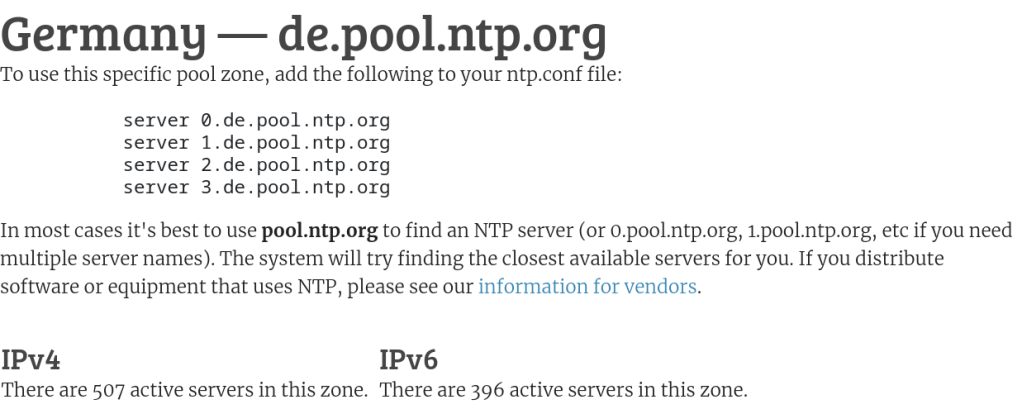
add the line: pool de.pool.ntp.org iburst in /etc/ntp.conf file
iburst denotes that ntpd will perform a burst of 8 quick packet exchanges with a server when contact is first established, to help quickly synchronize system time.
The de prefix differs depending on the servers of the country you choose. In my case Germany. A complete list of active servers is on https://www.ntppool.org/en/
In addition, FreeBSD provides a project-sponsored pool, 0.freebsd.pool.ntp.org.
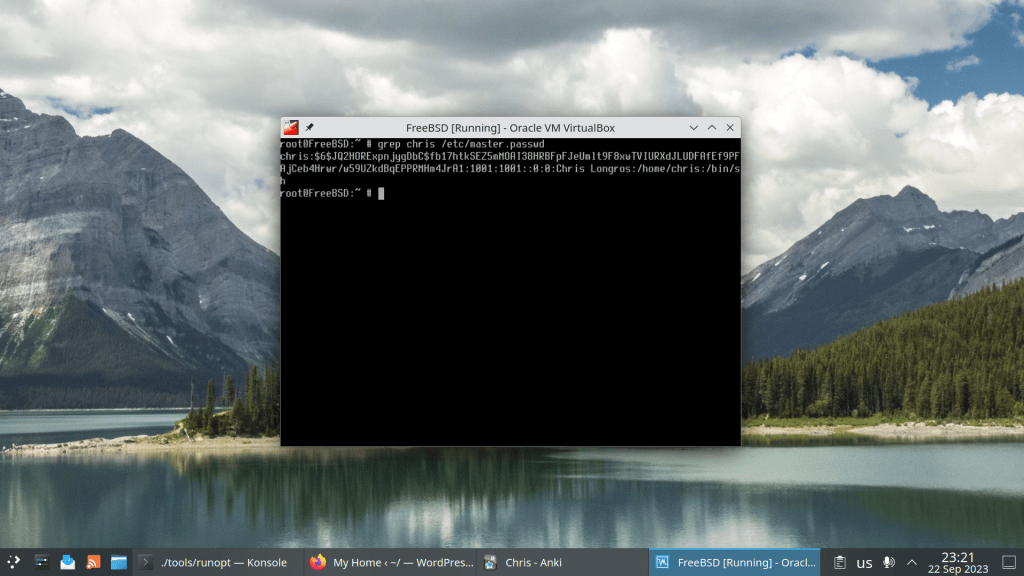
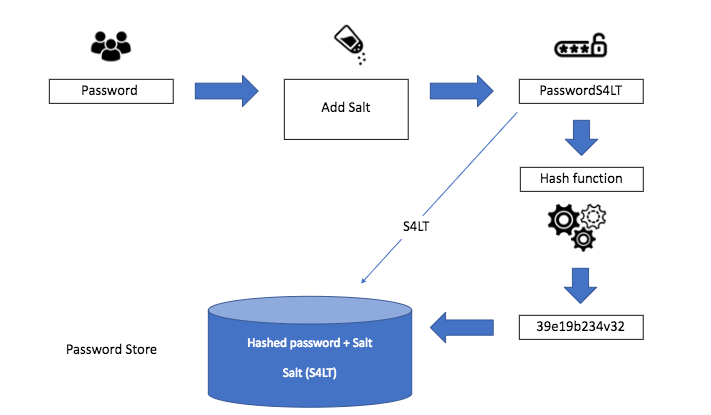
The supported hashing algorithms are DES, MD5, SHA256, SHA512, and Blowfish but the default is SHA512
Hashes that start with $6$ are indicative of SHA512
The settings are found in /etc/login.conf where :passwd_format=sha512:\ declares the preferred hashing algorithm
In order to change the hashing method execute cap_mkdb /etc/login.conf. It will only affect the new passwords. The old ones need to be re-hashed by asking users to run passwd in order to change their password
fwupdmgr update Devices with no available firmware updates: • DELL0A7E:00 04F3:3147 • Fingerprint Sensor • Internal SPI Controller • UEFI Device Firmware Devices with the latest available firmware version: • PM9A1 NVMe Samsung 1024GB ╔══════════════════════════════════════════════════════════════════════════════╗ ║ Upgrade System Firmware from 2.20.0 to 2.21.0? ║ ╠══════════════════════════════════════════════════════════════════════════════╣ ║ This stable release fixes the following issues: ║ ║ ║ ║ Fixed the issue where the BIOS admin password cannot be set if Dell ║ ║ Encryption PBA is active. ║ ║ ║ ║ Fixed the issue where the battery status shows charging when you unplug the ║ ║ Type-C dock from the system. This issue occurs with Windows 11 version ║ ║ 21H2. ║ ║ ║ ║ Fixed the issue where the system boots automatically when connected to a ║ ║ Dell Power Button Sync (DPBS) monitor. This issue occurs when the system ║ ║ enters Sleep mode. ║ ║ ║ ║ Fixed the issue where the system cannot display to an external monitor. ║ ║ This issue occurs when you try to turn on the system through the monitor ║ ║ power button on a Dell Power Button Sync (DPBS) monitor. ║ ║ ║ ║ Inspiron 15 5510 must remain plugged into a power source for the duration ║ ║ of the update to avoid damage. ║ ╚══════════════════════════════════════════════════════════════════════════════╝ Perform operation? [Y|n]: Waiting… [***] Successfully installed firmware Do not turn off your computer or remove the AC adapter while the update is in progress. • UEFI Device Firmware • UEFI dbx • Unifying Receiver An update requires a reboot to complete. Restart now? [y|N]:
Error An error occurred. Please start Anki while holding down the shift key, which will temporarily disable the add-ons you have installed. If the issue only occurs when add-ons are enabled, please use the Tools > Add-ons menu item to disable some add-ons and restart Anki, repeating until you discover the add-on that is causing the problem. When you’ve discovered the add-on that is causing the problem, please report the issue to the add-on author. Debug info: Anki 23.10 (c2b1ab5e) Python 3.9.15 Qt 6.5.0 PyQt 6.5.0 Platform: Linux-6.5.4-1-MANJARO-x86_64-with-glibc2.38 Flags: frz=False ao=True sv=3 Add-ons, last update check: 2023-09-21 16:34:38
Caught exception: Traceback (most recent call last): File “/home/chris/ankidev/qt/aqt/taskman.py”, line 138, in _on_closures_pending closure() File “/home/chris/ankidev/qt/aqt/taskman.py”, line 82, in lambda future: self.run_on_main(lambda: on_done(future)) File “/home/chris/ankidev/qt/aqt/taskman.py”, line 102, in wrapped_done on_done(fut) File “/home/chris/ankidev/qt/aqt/sync.py”, line 100, in on_future_done mw.col.db.begin() File “/home/chris/ankidev/pylib/anki/dbproxy.py”, line 36, in begin self._backend.db_begin() File “/home/chris/ankidev/pylib/anki/_backend.py”, line 100, in db_begin return self._db_command(dict(kind=”begin”)) File “/home/chris/ankidev/pylib/anki/_backend.py”, line 116, in _db_command raise backend_exception_to_pylib(err) anki.errors.DBError: DbError { info: “SqliteFailure(Error { code: Unknown, extended_code: 1 }, Some(\”cannot start a transaction within a transaction\”))”, kind: Other }
“In 2017, the kernel jumped from two years of support to six. Now, six years later, it turns out that’s a lot of work. Linux Weekly News executive editor Jonathan Corbet announced the Linux kernel will return to two years of LTS support.
The plan to cut back down to two years isn’t instant.”
According to the article the currently LTS maintained kernels are 6 🙂
















 /root
/root 