





-
I get the following error when trying to execute kdesrc-build or kde-builder.
> kdesrc-build –install-distro-packages-perl –install-distro-packages
=== install-distro-packages-perl ===
– Installing system packages for arch…
Installing packages for arch/unknown
Using installer for arch
* All dependencies are already installed. No need to run installer. 🙂
* Looks like the necessary packages were successfully installed!
=== install-distro-packages ===
Cloning sysadmin-repo-metadata
* Failed to make initial clone of sysadmin-repo-metadata
~/anki/ankidev main >P.S: This solved the problem !
git config –global –add url.http://invent.kde.org/.insteadOf kde:
git config –global –add url.ssh://git@invent.kde.org/.pushInsteadOf kde: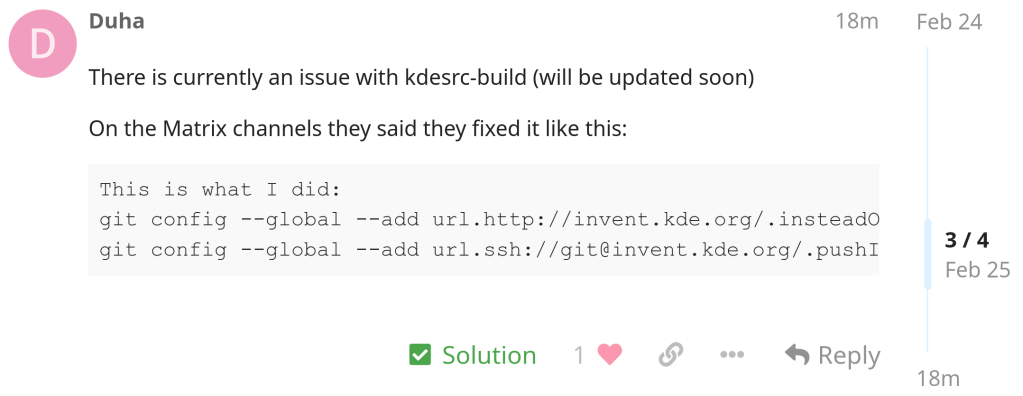
https://tech.sadaalomma.com/git/the-process-usr-bin-git-failed-with-exit-code-128
-

vs today:

-
After almost 3 years of development, 958 changes from 26 contributors since 2.16 version and 1972 translators.


The release is currently not available on Play Store but I installed it from source using the .apk file provided in the following GitHub link by the main developer.
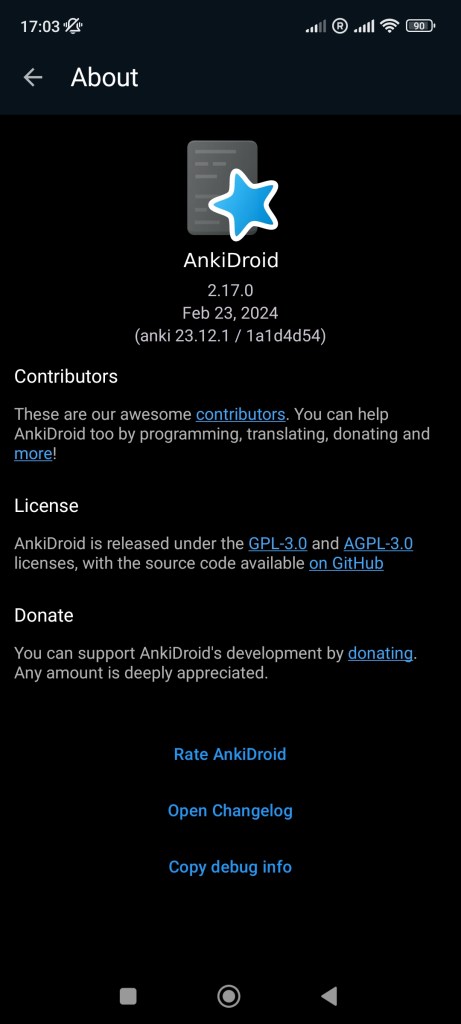

https://github.com/ankidroid/Anki-Android/releases/tag/v2.17.0
https://ankidroid.org/docs/changelog.html#_version_2_17_0_20240223
-
Contains many improvements including faster rebasing etc.

-

Linux kernel has a Rust version policy:
“The kernel documents the minimal requirements to compile it. In the case of Rust, currently only a single version is supported (i.e. rather than a minimum)”
-

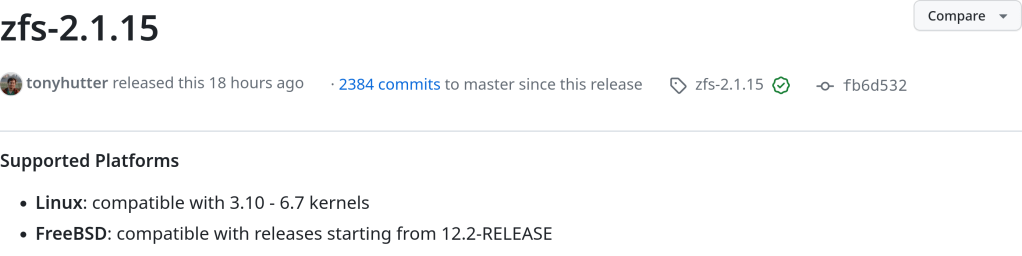
“OpenZFS 2.2.3 is heavy on fixes plus now has support for the Linux 6.7 kernel as well as some preliminary Linux 6.8 kernel compatibility… The Linux 6.8 support isn’t yet official and still prone to breaking before the stable v6.8 in March, but at least some initial elements are here. OpenZFS support going back to the Linux 3.10 kernel is maintained as well as for FreeBSD 12.2 and newer.”

-
update
:: Synchronizing package databases…
kde-unstable is up to date
core is up to date
extra is up to date
error: failed retrieving file ‘kde-unstable.db’ from pkg.fef.moe : SSL certificate problem: certificate has expired
error: failed retrieving file ‘core.db’ from pkg.fef.moe : SSL certificate problem: certificate has expired
error: failed retrieving file ‘extra.db’ from pkg.fef.moe : SSL certificate problem: certificate has expired
warning: too many errors from pkg.fef.moe, skipping for the remainder of this transaction
:: Starting full system upgrade…
there is nothing to do
:: Synchronizing package databases…
kde-unstable is up to date
core is up to date
extra is up to date
error: failed retrieving file ‘kde-unstable.db’ from pkg.fef.moe : SSL certificate problem: certificate has expired
error: failed retrieving file ‘core.db’ from pkg.fef.moe : SSL certificate problem: certificate has expired
error: failed retrieving file ‘extra.db’ from pkg.fef.moe : SSL certificate problem: certificate has expired
warning: too many errors from pkg.fef.moe, skipping for the remainder of this transaction
:: Searching AUR for updates…
:: Searching databases for updates…
there is nothing to doInstalling reflector and updating my mirror by download rate just solved the issue completely:
reflector –verbose -l 5 –sort rate –save /etc/pacman.d/mirrorlist




 /root
/root 