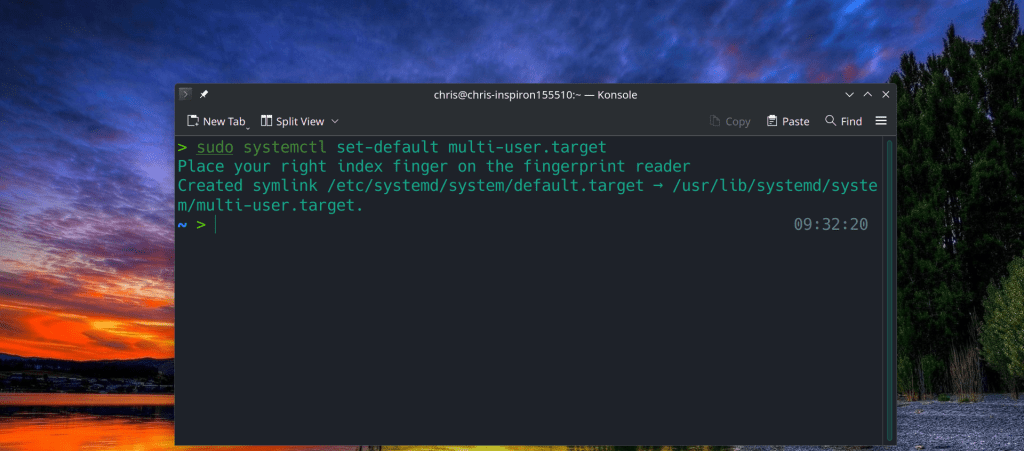
> sudo systemctl set-default multi-user.target Place your right index finger on the fingerprint reader Created symlink /etc/systemd/system/default.target → /usr/lib/systemd/syste m/multi-user.target.
In order to reverse this cahnge and boot into GUI mode of your Desktop Environment
But what does this even mean? Let’s break it down.
(pacman -V)’s output is piped to base32, the result of which is processed by head.
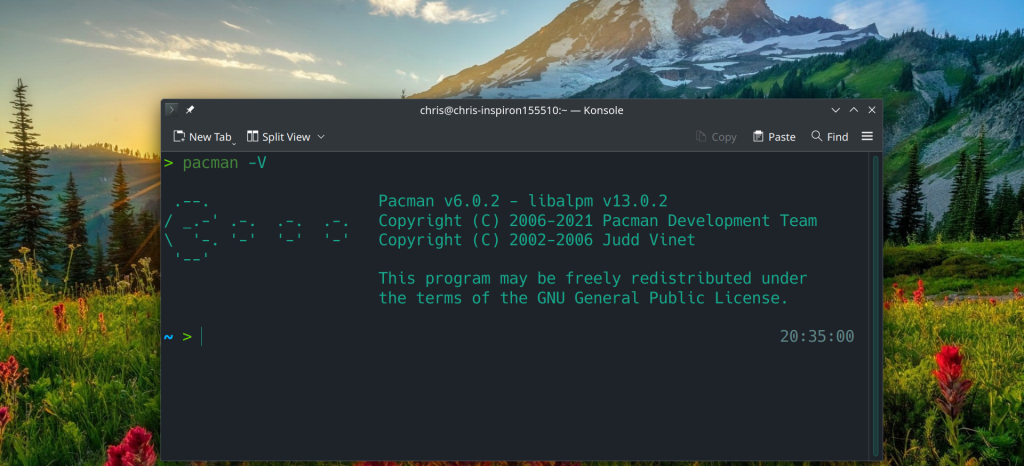
pacman -V gives info about the current version of pacman
> pacman -V
.–. Pacman v6.0.2 – libalpm v13.0.2 / _.-‘ .-. .-. .-. Copyright (C) 2006-2021 Pacman Development Team \ ‘-. ‘-‘ ‘-‘ ‘-‘ Copyright (C) 2002-2006 Judd Vinet ‘–‘ This program may be freely redistributed under the terms of the GNU General Public License.
base32 transforms data read from a file into base32 encoded form and uses printable ASCII characters to represent binary data.
In my case pacman -V|base32 output is:
BIQC4LJNFYQCAIBAEAQCAIBAEAQCAIBAEAQCAICQMFRW2YLOEB3DMLRQFYZCALJANRUWEYLMOBW S A5RRGMXDALRSBIXSAXZOFUTSALRNFYQCALRNFYQCALRNFYQCAICDN5YHS4TJM5UHIIBIIMUSAMR Q GA3C2MRQGIYSAUDBMNWWC3RAIRSXMZLMN5YG2ZLOOQQFIZLBNUFFYIBAE4WS4IBHFUTSAIBHFUT S AIBHFUTSAIBAINXXA6LSNFTWQ5BAFBBSSIBSGAYDELJSGAYDMICKOVSGIICWNFXGK5AKEATS2LJ H BIQCAIBAEAQCAIBAEAQCAIBAEAQCAIBAEAQCAICUNBUXGIDQOJXWO4TBNUQG2YLZEBRGKIDGOJS W K3DZEBZGKZDJON2HE2LCOV2GKZBAOVXGIZLSBIQCAIBAEAQCAIBAEAQCAIBAEAQCAIBAEAQCAID U NBSSA5DFOJWXGIDPMYQHI2DFEBDU4VJAI5SW4ZLSMFWCAUDVMJWGSYZAJRUWGZLOONSS4CQK
We have identified hate speech from a malicious contributor in some of our translations submitted as part of a third party tool outside of the Ubuntu Archive.
The Ubuntu 23.10 image has been taken down and a new version will be available once the correct translations have been restored.”
This release fixes a number of bugs and adds some small features.
Potentially incompatible changes:
* ssh-keygen(1): generate Ed25519 keys by default. Ed25519 public keys are very convenient due to their small size. Ed25519 keys are specified in RFC 8709 and OpenSSH has supported them since version 6.5 (January 2014).
* sshd(8): the Subsystem directive now accurately preserves quoting of subsystem commands and arguments. This may change behaviour for exotic configurations, but the most common subsystem configuration (sftp-server) is unlikely to be affected.
New features:
* ssh(1): add keystroke timing obfuscation to the client. This attempts to hide inter-keystroke timings by sending interactive traffic at fixed intervals (default: every 20ms) when there is only a small amount of data being sent. It also sends fake “chaff” keystrokes for a random interval after the last real keystroke. These are controlled by a new ssh_config ObscureKeystrokeTiming keyword.
* ssh(1), sshd(8): Introduce a transport-level ping facility. This adds a pair of SSH transport protocol messages SSH2_MSG_PING/PONG to implement a ping capability. These messages use numbers in the “local extensions” number space and are advertised using a “ping@openssh.com” ext-info message with a string version number of “0”.
* sshd(8): allow override of Subsystem directives in sshd Match blocks.
Using open-source as my daily driver has increased my productivity and there is no way back to Windows in the near future. I regret not transitioning into Linux a decade ago in 2012-2013.
The next step is FreeBSD + ZFS as a desktop !! It is just the simplicity, the low maintenance, cost and complexity. Once you set your defined, prefered parameters the system can run stable for years with minimal intervention.
The stable version of Chomium does not allow me to sync my data across devices, while beta functions as supposed to be.
“Version 117.0.5938.149 (Official Build) Arch Linux (64-bit)” vs “Version 118.0.5993.54 (Official Build) beta (64-bit)”
UPDATE: The problem is related with the limited Private API availability and is present from March 15 2021. Unfortunately the Stackoverflow instructions were unsuccessful













 /root
/root 