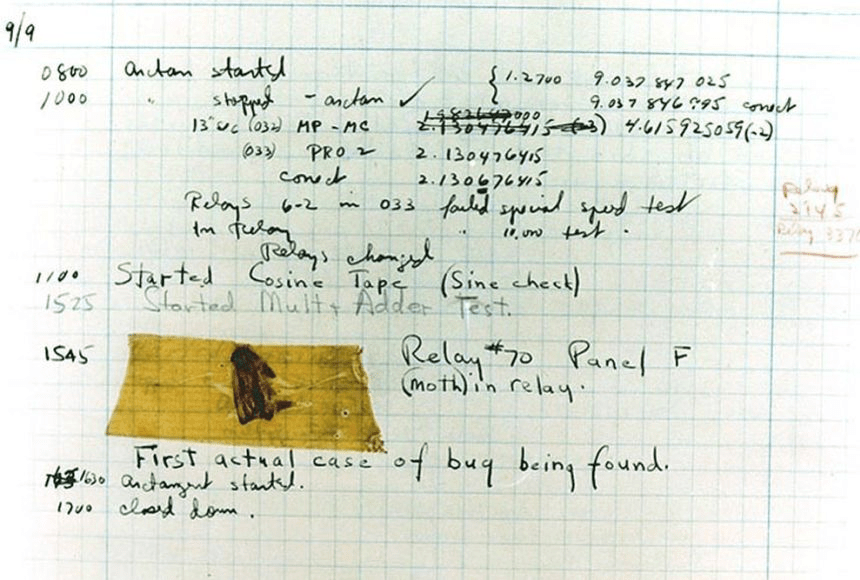
“On September 9, 1947, the team at Harvard University in Cambridge, Massachusetts, found that their computer, the Mark II, was delivering consistent errors. When they opened the computer’s hardware, they found … a moth.”
“This trick worked for a few years. But earlier this year, YouTube started making fake requests to see if the responses were changed. If the responses were changed, it meant the user was using an adblocker.”
According to their website, the reason is the administrative workload and the pressure, high expectations from the community to continue maintaining and developing the add-on, even if the dev is tired or burned out.
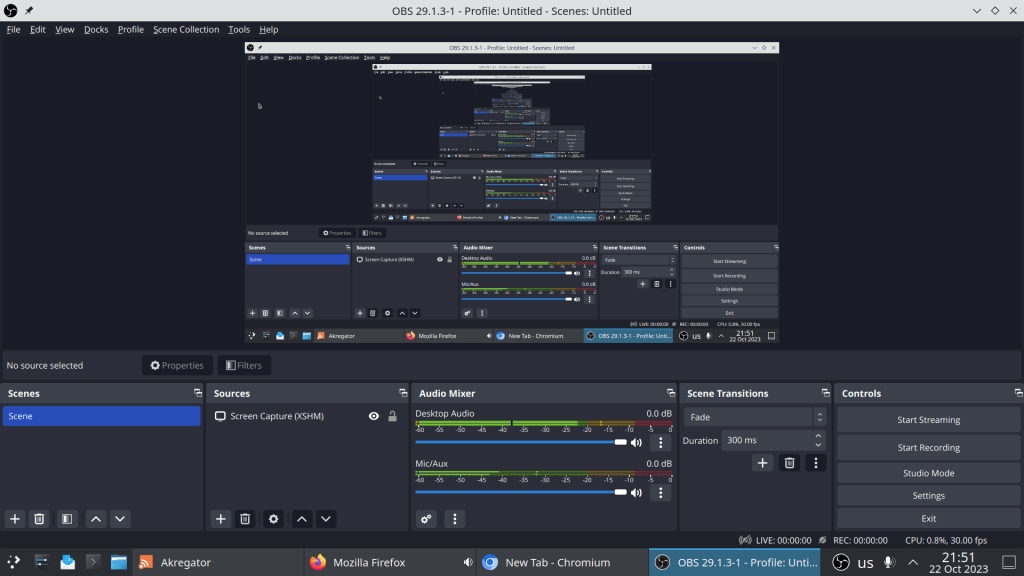
> obs debug: Found portal inhibitor debug: Attempted path: share/obs/obs-studio/locale/en-US.ini debug: Attempted path: /usr/share/obs/obs-studio/locale/en-US.ini debug: Attempted path: share/obs/obs-studio/locale.ini debug: Attempted path: /usr/share/obs/obs-studio/locale.ini debug: Attempted path: share/obs/obs-studio/themes/Yami.qss debug: Attempted path: /usr/share/obs/obs-studio/themes/Yami.qss info: Using EGL/X11 info: CPU Name: 11th Gen Intel(R) Core(TM) i7-11370H @ 3.30GHz info: CPU Speed: 1129.667MHz info: Physical Cores: 4, Logical Cores: 8 info: Physical Memory: 15740MB Total, 505MB Free info: Kernel Version: Linux 6.6.0-1-MANJARO info: Distribution: “Manjaro Linux” Unknown info: Desktop Environment: KDE (KDE) info: Session Type: x11 info: Window System: X11.0, Vendor: The X.Org Foundation, Version: 1.21.1 info: Qt Version: 6.6.0 (runtime), 6.5.1 (compiled) info: Portable mode: false info: OBS 29.1.3-1 (linux) info: ——————————— info: ——————————— info: audio settings reset: samples per sec: 48000 speakers: 2 max buffering: 960 milliseconds buffering type: dynamically increasing info: ——————————— info: Initializing OpenGL… info: Loading up OpenGL on adapter Intel Mesa Intel(R) Xe Graphics (TGL GT2 ) info: OpenGL loaded successfully, version 4.6 (Core Profile) Mesa 23.1.9-ma njaro1.1, shading language 4.60 info: ——————————— info: video settings reset: base resolution: 1920×1080 output resolution: 1280×720 downscale filter: Bicubic fps: 30/1 format: NV12 YUV mode: Rec. 709/Partial info: NV12 texture support not available info: P010 texture support not available info: Audio monitoring device: name: Default id: default info: ——————————— warning: Failed to load ‘en-US’ text for module: ‘decklink-captions.so’ warning: Failed to load ‘en-US’ text for module: ‘decklink-output-ui.so’ libDeckLinkAPI.so: cannot open shared object file: No such file or director y warning: A DeckLink iterator could not be created. The DeckLink drivers ma y not be installed warning: Failed to initialize module ‘decklink.so’ error: os_dlopen(/usr//lib/obs-plugins/frontend-tools.so->/usr//lib/obs-plu gins/frontend-tools.so): libluajit-5.1.so.2: cannot open shared object file : No such file or directory
error: os_dlopen(/usr//lib/obs-plugins/frontend-tools.so->/usr//lib/obs-plu gins/frontend-tools.so): libluajit-5.1.so.2: cannot open shared object file : No such file or directory
warning: Module ‘/usr//lib/obs-plugins/frontend-tools.so’ not loaded info: [pipewire] Available captures: info: [pipewire] – Desktop capture info: [pipewire] – Window capture warning: v4l2loopback not installed, virtual camera disabled error: VAAPI: Failed to initialize display in vaapi_device_h264_supported zsh: segmentation fault (core dumped) obs
The problem stems from incompatibility of obs with the current libva-vdpau-driver that provides hardware accelerated video decode/encode.
A solution is to delete the libva driver and install the nvidia-vaapi-driver instead.
FOSSCOMM (Free and Open Source Software Communities Meeting) is the annual nationwide meeting of Greek FOSS communities and this year takes place in Heraklion, Greece on Oct 21 – Oct 22.










 /root
/root 