




Category: Uncategorized
-
-
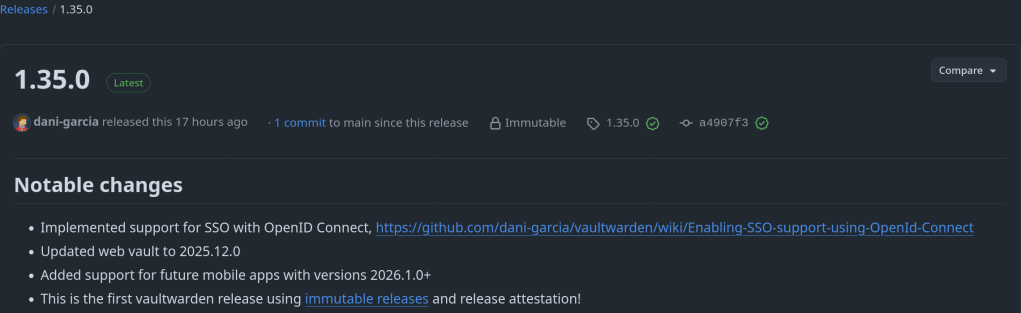
Implemented support for SSO with OpenID Connect: https://github.com/dani-garcia/vaultwarden/wiki/Enabling-SSO-support-using-OpenId-Connect
https://github.com/dani-garcia/vaultwarden/releases/tag/1.35.0
-
I use Watchtower to automatically update my Docker applications on TrueNAS SCALE. At the same time, I use Tailscale Serve as a reverse proxy to provide secure HTTPS access to my home lab services.
This setup works well most of the time — except during updates.
The problem
When Watchtower updates a container, it stops and recreates it.
If the container exposes ports such as 80 or 443, the restart can fail because Tailscale Serve is already bound to those ports.The result is:
- failed container restarts,
- services going offline,
- and manual intervention required.
The solution
The solution is to temporarily disable Tailscale Serve, run Watchtower once, and then restore Tailscale Serve afterward.
On TrueNAS SCALE, Tailscale runs inside its own Docker container (for example:
ix-tailscale-tailscale-1). This makes it possible to control Serve usingdocker exec.The script below does exactly that:
- Backs up the current Tailscale Serve configuration
- Stops all Tailscale Serve listeners (freeing ports)
- Runs Watchtower in
--run-oncemode - Restores Tailscale Serve safely
Public Script: Pause Tailscale Serve During Watchtower Updates
Save as
/mnt/zfs_tank/scripts/watchtower-with-tailscale-serve.sh
(Adjust the pool name if yours is not
zfs_tank.)#!/usr/bin/env bash set -euo pipefail # ------------------------------------------------------------------------------ # watchtower-with-tailscale-serve.sh # # Purpose: # Prevent port conflicts between Watchtower and Tailscale Serve by: # 1. Backing up the current Tailscale Serve configuration # 2. Temporarily disabling Tailscale Serve # 3. Running Watchtower once # 4. Restoring Tailscale Serve # # Designed for: # - TrueNAS SCALE # - Tailscale running in a Docker container (TrueNAS app) # ------------------------------------------------------------------------------ # ========================= # CONFIGURATION # ========================= # Name of the Tailscale container (TrueNAS default shown here) TS_CONTAINER_NAME="ix-tailscale-tailscale-1" # Persistent directory for backups (must survive reboots/updates) STATE_DIR="/mnt/zfs_tank/scripts/state" # Watchtower image WATCHTOWER_IMAGE="nickfedor/watchtower" # Watchtower environment variables WATCHTOWER_ENV=( "-e" "TZ=Europe/Berlin" "-e" "WATCHTOWER_CLEANUP=true" "-e" "WATCHTOWER_INCLUDE_STOPPED=true" ) mkdir -p "$STATE_DIR" SERVE_JSON="${STATE_DIR}/tailscale-serve.json" # ========================= # FUNCTIONS # ========================= ts() { docker exec "$TS_CONTAINER_NAME" tailscale "$@" } # ========================= # MAIN # ========================= echo "==> Using Tailscale container: $TS_CONTAINER_NAME" # Ensure Tailscale container exists docker inspect "$TS_CONTAINER_NAME" >/dev/null # 1) Backup current Serve configuration (CLI-managed Serve) echo "==> Backing up Tailscale Serve configuration" if ts serve status --json > "${SERVE_JSON}.tmp" 2>/dev/null; then mv "${SERVE_JSON}.tmp" "$SERVE_JSON" else rm -f "${SERVE_JSON}.tmp" || true echo "WARN: No Serve configuration exported (may be file-managed or empty)." fi # 2) Stop all Serve listeners echo "==> Stopping Tailscale Serve" ts serve reset || true # 3) Run Watchtower once echo "==> Running Watchtower" docker run --rm \ -v /var/run/docker.sock:/var/run/docker.sock \ "${WATCHTOWER_ENV[@]}" \ "$WATCHTOWER_IMAGE" --run-once # 4) Restore Serve configuration (if present and non-empty) echo "==> Restoring Tailscale Serve" if [[ -s "$SERVE_JSON" ]] && [[ "$(cat "$SERVE_JSON")" != "{}" ]]; then docker exec -i "$TS_CONTAINER_NAME" tailscale serve set-raw < "$SERVE_JSON" || true else echo "INFO: No Serve configuration to restore." fi echo "==> Done"
Make the script executable
chmod +x /mnt/zfs_tank/scripts/watchtower-with-tailscale-serve.sh
How to run it manually
sudo /mnt/zfs_tank/scripts/watchtower-with-tailscale-serve.sh
Scheduling (recommended)
In the TrueNAS UI:
- Go to System Settings → Advanced → Cron Jobs
- Command:
/mnt/zfs_tank/scripts/watchtower-with-tailscale-serve.sh
User:
rootSchedule: daily (for example, 03:00)
Disable Watchtower’s internal schedule (
WATCHTOWER_SCHEDULE) to avoid conflicts
The repository containing the code:
https://github.com/chrislongros/watchtower-with-tailscale-serve
-

After months and months of work that went to this version of FreeBSD, the time has now come! FreeBSD 15.0 is now globally available for the general public! This version of FreeBSD aims to be more welcoming to new users and to maintain the reproducible builds, alongside many improvements to come. The ISO images can […]
FreeBSD 15.0 goes official! -
It is quite annoying getting notifications for unencrypted http connections on my home servers. One solution for Synology is to set a scheduled task with the following command:
tailscale configure synology-cert
This command issues a Let’s Encrypt certificate with 90 day expiration that get’s automatically renewed depending on the task frequency.
For my TrueNAS I use tailscale serve to securely expose my services and apps (immich etc) through a HTTPS website in my tailnet. Enabling HTTPS via tailscale admin panel is required.
The next step it to execute: tailscale serve –https=port_number localhost:port_number
You can execute the command in the background with –bg or in foreground and interrupt it with Ctrl+C.




 /root
/root 