





A self-hosted online file converter that supports over a thousand different formats.
Without the privacy concerns of uploading a file to a third-party website.
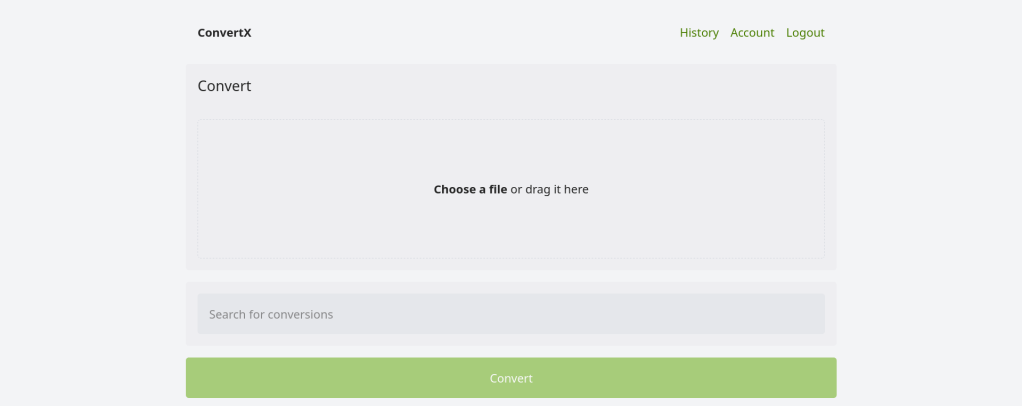
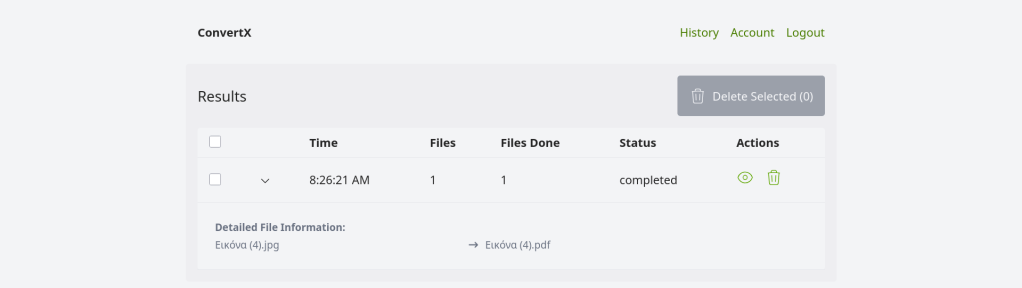
A self-hosted online file converter that supports over a thousand different formats.
Without the privacy concerns of uploading a file to a third-party website.
After years of using Anki for medical school, I finally got tired of relying on AnkiWeb for syncing. Privacy concerns, sync limits, and the occasional downtime pushed me to self-host. The problem? The official Anki project provides source code but no pre-built Docker image. Building from source every time there’s an update? No thanks.
So I built Anki Sync Server Enhanced — a production-ready Docker image with all the features self-hosters actually need.
I looked at existing solutions and found them lacking. Most require you to build from source or offer minimal features. Here’s what this image provides out of the box:
| Feature | Build from Source | This Image |
|---|---|---|
| Pre-built Docker image | No | Yes |
| Auto-updates | Manual | Daily builds via GitHub Actions |
| Multi-architecture | Manual setup | amd64 + arm64 |
| Automated backups | No | Yes, with retention policy |
| S3 backup upload | No | Yes (AWS, MinIO, Garage) |
| Prometheus metrics | No | Yes |
| Web dashboard | No | Yes |
| Notifications | No | Discord, Telegram, Slack, Email |
Getting started takes less than a minute:
docker run -d \ --name anki-sync \ -p 8080:8080 \ -e SYNC_USER1=myuser:mypassword \ -v anki_data:/data \ chrislongros/anki-sync-server-enhanced
That’s it. Your sync server is running.
For a more complete setup with backups and monitoring:
services: anki-sync-server: image: chrislongros/anki-sync-server-enhanced:latest container_name: anki-sync-server ports: - "8080:8080" # Sync server - "8081:8081" # Dashboard - "9090:9090" # Metrics environment: - SYNC_USER1=alice:password1 - SYNC_USER2=bob:password2 - TZ=Europe/Berlin - BACKUP_ENABLED=true - BACKUP_SCHEDULE=0 3 * * * - METRICS_ENABLED=true - DASHBOARD_ENABLED=true volumes: - anki_data:/data - anki_backups:/backups restart: unless-stoppedvolumes: anki_data: anki_backups:
One feature I’m particularly proud of is the built-in web dashboard. Enable it with DASHBOARD_ENABLED=true and access it on port 8081.
It shows:
No more SSH-ing into your server just to check if everything is running.
http://your-server:8080/http://your-server:8080/http://your-server:8080/msync/http://your-server:8080/If you want offsite backups, the image supports S3-compatible storage (AWS S3, MinIO, Garage, Backblaze B2):
environment: - BACKUP_ENABLED=true - S3_BACKUP_ENABLED=true - S3_ENDPOINT=https://s3.example.com - S3_BUCKET=anki-backups - S3_ACCESS_KEY=your-access-key - S3_SECRET_KEY=your-secret-key
Get notified when the server starts, stops, or completes a backup:
# Discord- NOTIFY_ENABLED=true- NOTIFY_TYPE=discord- NOTIFY_WEBHOOK_URL=https://discord.com/api/webhooks/...# Or Telegram, Slack, ntfy, generic webhook
The image works great on NAS systems:
The image comes with helpful management scripts:
# User managementdocker exec anki-sync user-manager.sh listdocker exec anki-sync user-manager.sh add johndocker exec anki-sync user-manager.sh reset john newpassword# Backup management docker exec anki-sync backup.shdocker exec anki-sync restore.sh --listdocker exec anki-sync restore.sh backup_file.tar.gz
If you’re using Anki seriously — for medical school, language learning, or any knowledge work — self-hosting your sync server gives you complete control over your data. This image makes it as simple as a single Docker command.
Questions or feature requests? Open an issue on GitHub or leave a comment below.
Happy studying!
sudo docker ps -a
Server:
Cannot connect to the Docker daemon at unix:///var/run/docker.sock. Is the docker daemon running?sudo systemctl start docker
Job for docker.service failed because the control process exited with error code.
See “systemctl status docker.service” and “journalctl -xeu docker.service” for details.
Solution:
sudo dockerd –debug
INFO[2025-08-23T11:34:12.941011318+02:00] Starting up
DEBU[2025-08-23T11:34:12.941240625+02:00] Listener created for HTTP on unix (/var/run/docker.sock)
INFO[2025-08-23T11:34:12.941306951+02:00] OTEL tracing is not configured, using no-op tracer provider
INFO[2025-08-23T11:34:12.941334654+02:00] CDI directory does not exist, skipping: failed to monitor for changes: no such file or directory dir=/var/run/cdi
INFO[2025-08-23T11:34:12.941339333+02:00] CDI directory does not exist, skipping: failed to monitor for changes: no such file or directory dir=/etc/cdi
DEBU[2025-08-23T11:34:12.945396004+02:00] Golang’s threads limit set to 223560
INFO[2025-08-23T11:34:12.945519629+02:00] Creating a containerd client address=/run/containerd/containerd.sock timeout=1m0s
DEBU[2025-08-23T11:34:12.945575486+02:00] metrics API listening on /var/run/docker/metrics.sock
DEBU[2025-08-23T11:34:12.946974992+02:00] Using default logging driver json-file
DEBU[2025-08-23T11:34:12.947048603+02:00] No quota support for local volumes in /var/lib/docker/volumes: Filesystem does not support, or has not enabled quotas
DEBU[2025-08-23T11:34:12.947161688+02:00] processing event stream module=libcontainerd namespace=plugins.moby
DEBU[2025-08-23T11:34:12.968009806+02:00] [graphdriver] priority list: [overlay2 fuse-overlayfs btrfs zfs vfs]
ERRO[2025-08-23T11:34:12.968820541+02:00] failed to mount overlay: no such device storage-driver=overlay2
ERRO[2025-08-23T11:34:12.968826462+02:00] [graphdriver] prior storage driver overlay2 failed: driver not supported
DEBU[2025-08-23T11:34:12.968830510+02:00] daemon configured with a 15 seconds minimum shutdown timeout
DEBU[2025-08-23T11:34:12.968834798+02:00] start clean shutdown of all containers with a 15 seconds timeout…
DEBU[2025-08-23T11:34:12.969052833+02:00] Cleaning up old mountid : start.
DEBU[2025-08-23T11:34:12.969121093+02:00] Cleaning up old mountid : done.
failed to start daemon: error initializing graphdriver: driver not supported
Reboot
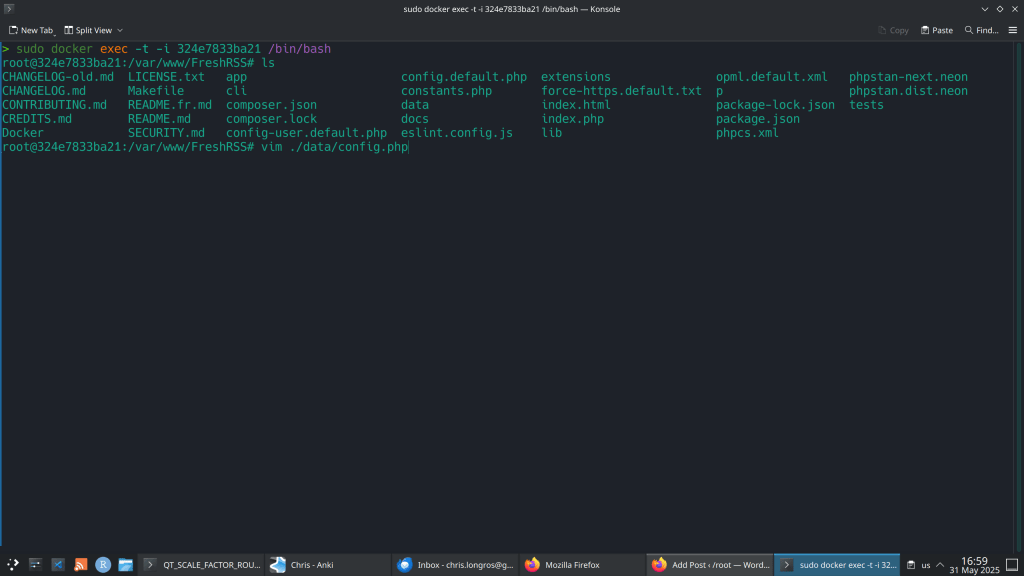
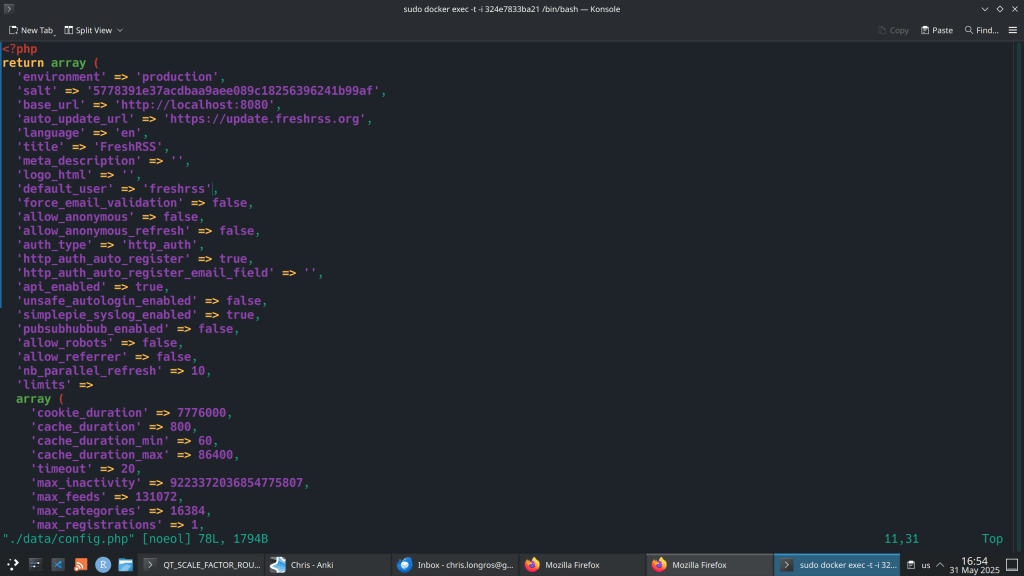
So I changed the authentication to http and I could not login using the Web Interface. I received the following error:
“Error 403 – Forbidden
You don’t have permission to access this page [HTTP Remote-User= ; Remote IP address=172.17.0.1]”
Solution:

This is a security-focussed release for FreshRSS 1.26.x, addressing several CVEs (thanks @Inverle) 🛡
A few highlights ✨:
Notes ℹ:
1.25.0 key changes:
Require PHP 8.1+ (and improved support of PHP 8.4+)Require PostgreSQL 10+ or MariaDB 10.0.5+ or MySQL 8+# Rebuild an image (see build section below) or get a new online version:
docker pull freshrss/freshrss
# And then
docker stop freshrss
docker rename freshrss freshrss_old
docker run -d --restart unless-stopped --log-opt max-size=10m \
-p 8080:80 \
-e TZ=Europe/Berlin \
-e 'CRON_MIN=1,31' \
-v freshrss_data:/var/www/FreshRSS/data \
-v freshrss_extensions:/var/www/FreshRSS/extensions \
--name freshrss \
freshrss/freshrss
# If everything is working, delete the old container
docker rm freshrss_old
https://github.com/FreshRSS/FreshRSS/blob/edge/Docker/README.md


