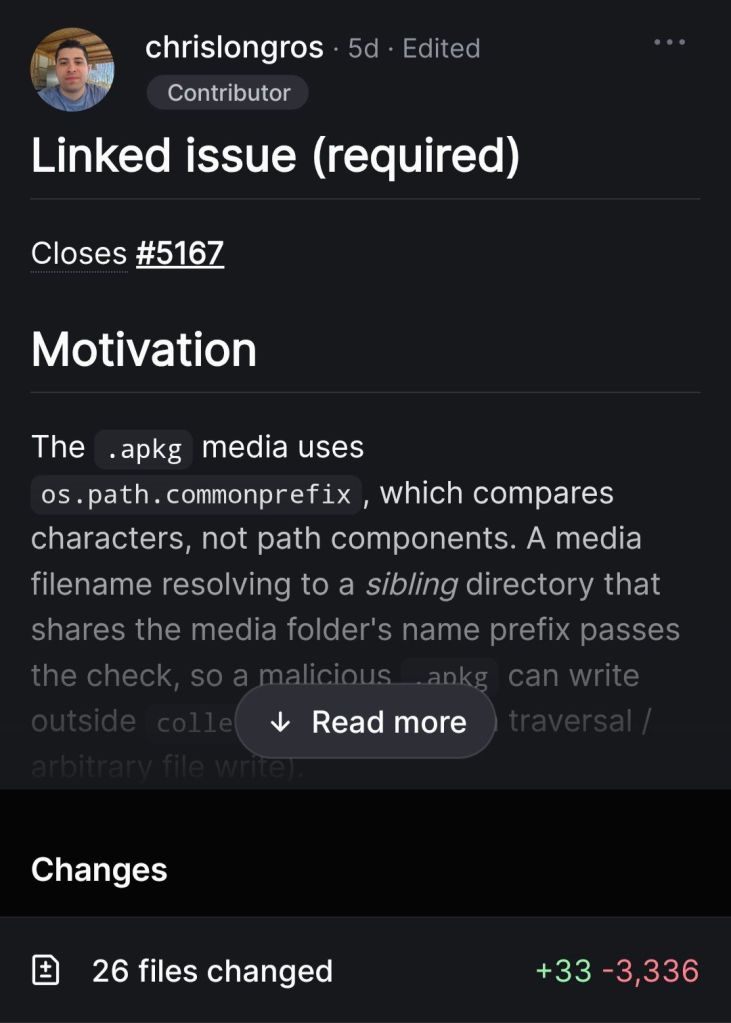
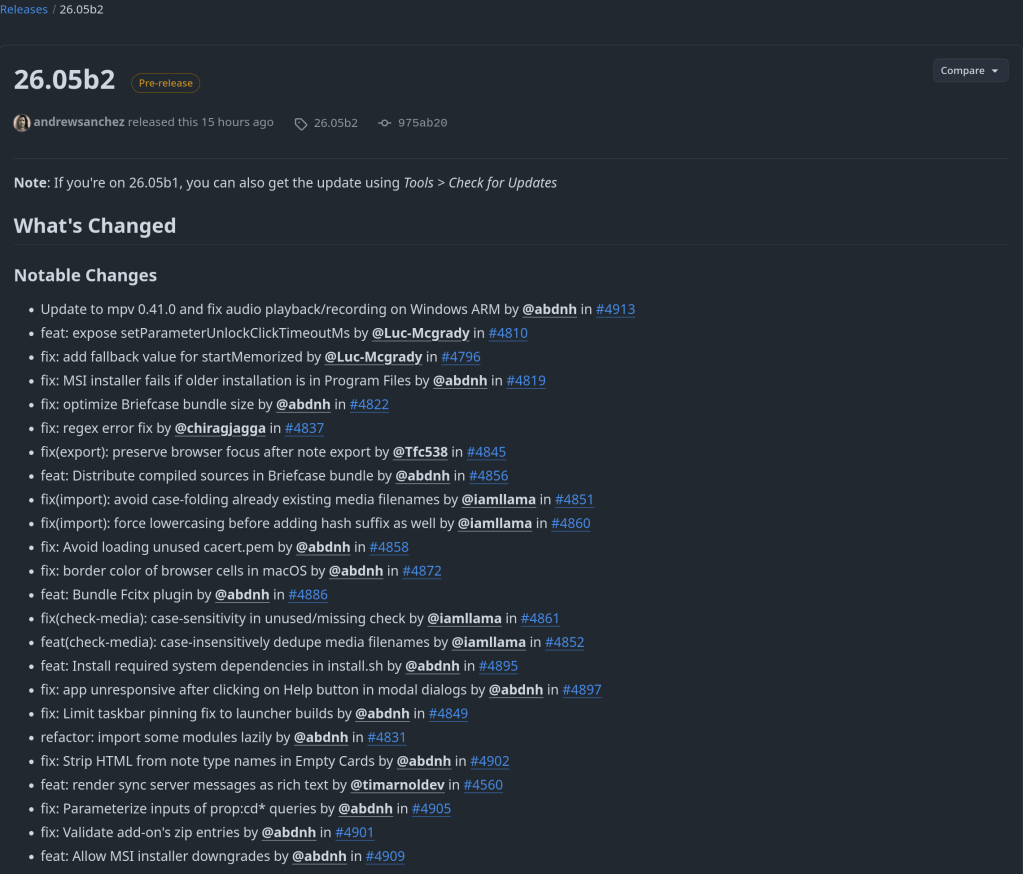
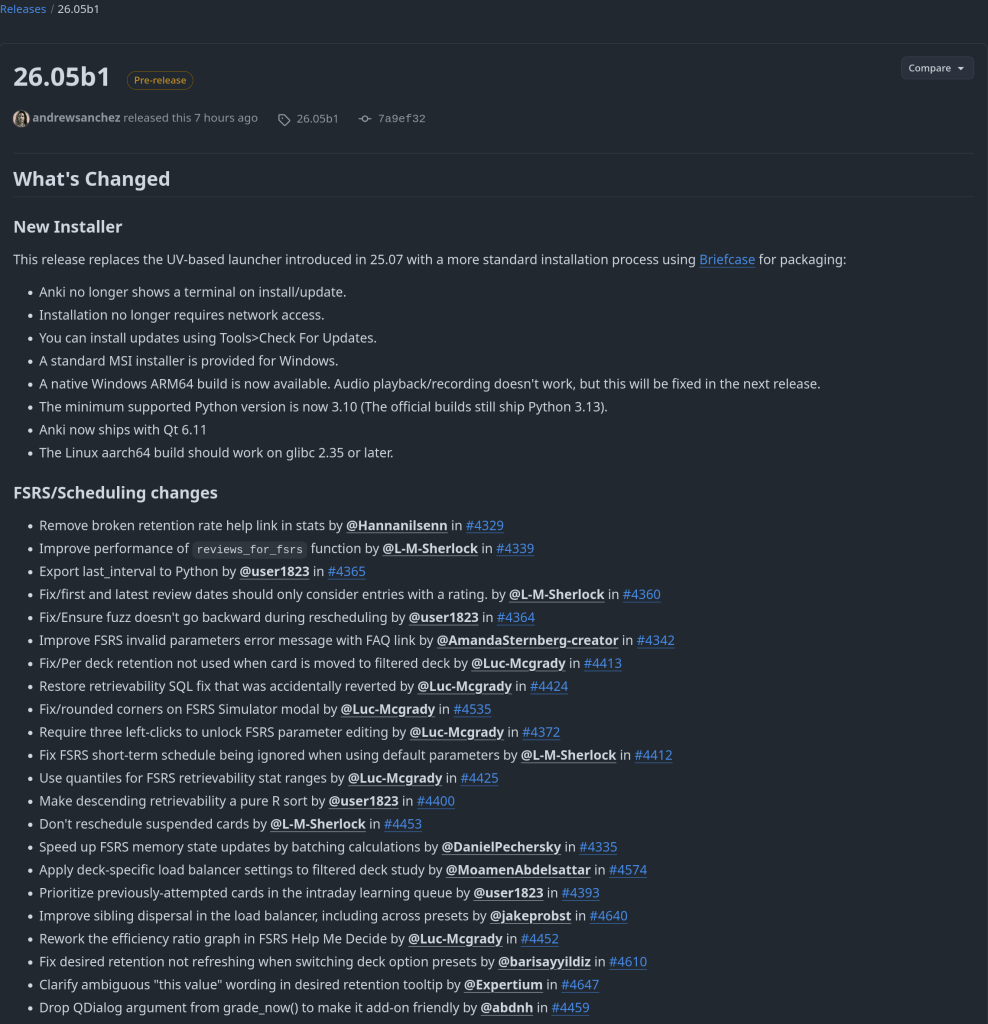
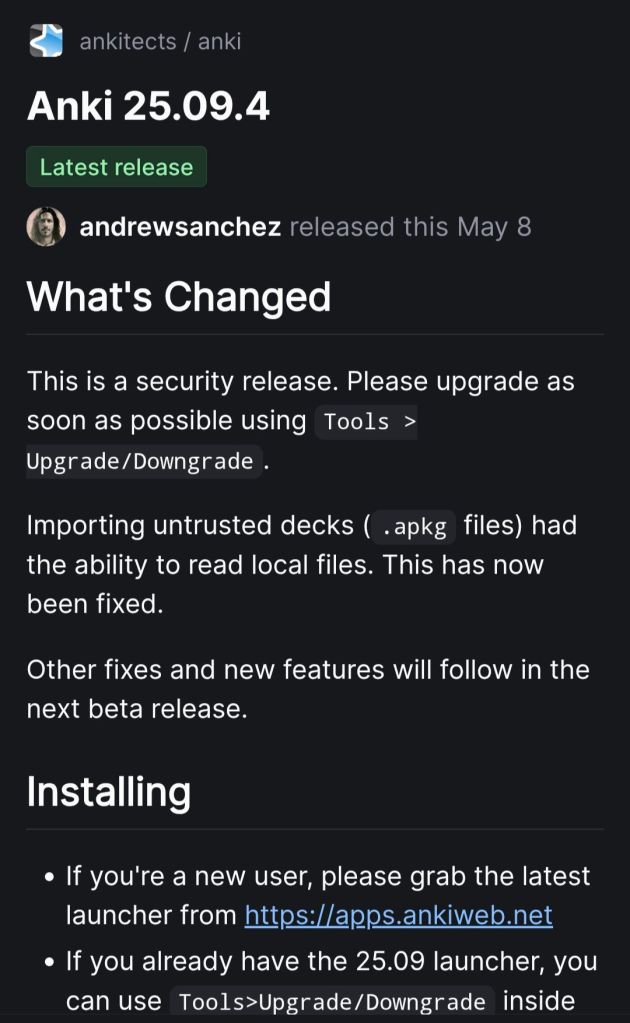
Security update.

Security update.

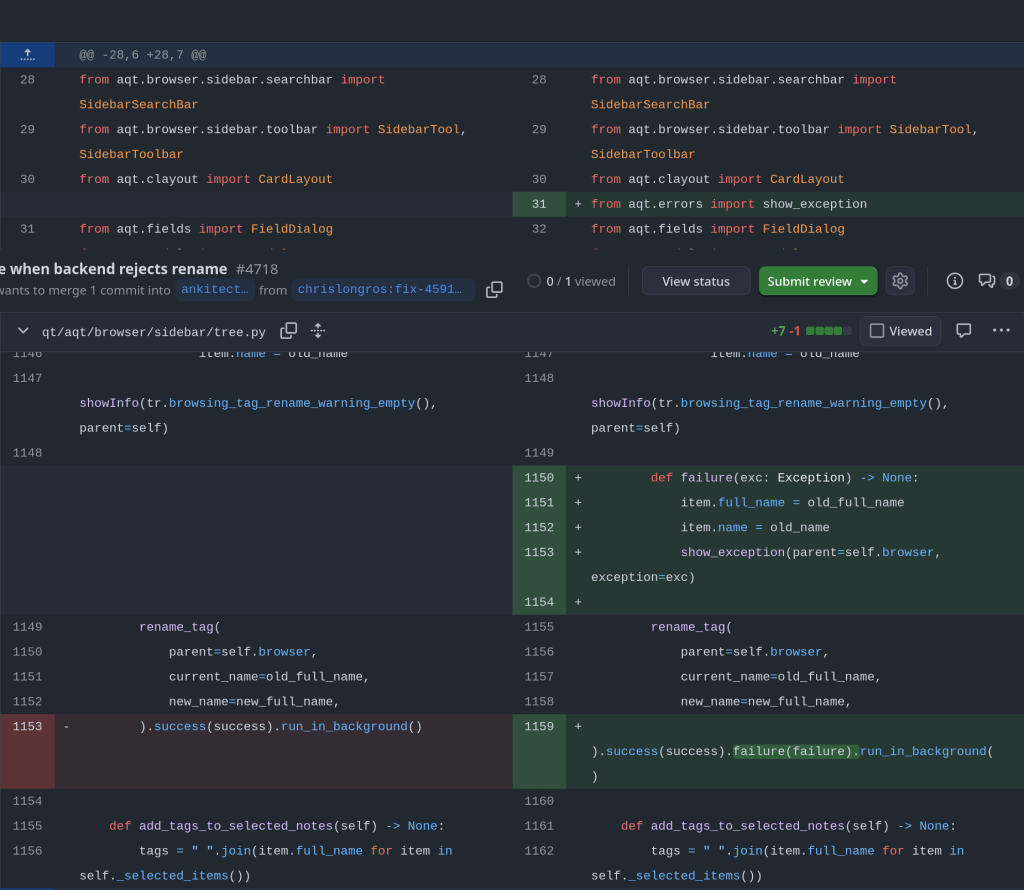
rename_tag in qt/aqt/browser/sidebar/tree.py optimistically updates item.name/item.full_name before the backend validates. When validation fails (e.g. a name with a space), CollectionOp‘s default path shows the error but doesn’t roll the UI back, so the sidebar keeps displaying the invalid name while the stored tag is untouched.

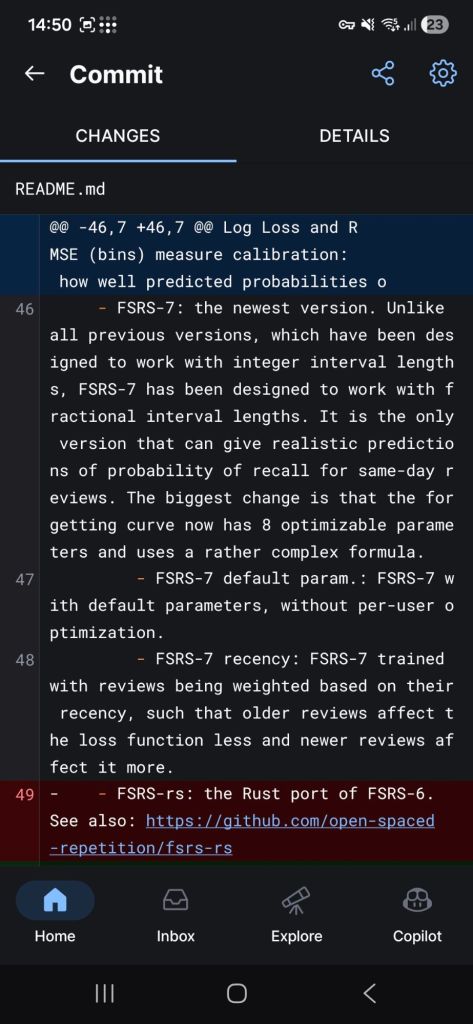
Supports fractional intervals lengths for same day review prediction of probability !!

Using AI to generate Anki flashcards has evolved rapidly over the past couple of years. Here’s a look at how it started and where we are in 2026.
The first to provide an Anki flashcard-generating ChatGPT prompt was Jarret Lee in this Anki forums post: Casting a Spell on ChatGPT: Let it Write Anki Cards for You. The idea was simple — give ChatGPT a structured prompt and it returns properly formatted flashcards you can import.
Shortly after, the AnkiBrain add-on was developed, integrating AI directly into Anki’s interface. This made it possible to generate cards without leaving the application.
The ecosystem has exploded. Here are the main tools available today:
I still prefer writing my own cards for deep learning, but AI-generated cards are great for:
The key is to always review AI-generated cards before adding them to your collection. Bad cards lead to bad learning.
There’s an Anki addon called anki-mcp-server that exposes your Anki collection over MCP (Model Context Protocol). If you haven’t come across MCP yet — it’s basically a standardized way for AI assistants to interact with external tools. Connect this addon and suddenly Claude (or whatever you’re using) can search your cards, create notes, browse your decks, etc.
Pretty cool, but there was a big gap: zero FSRS support. The assistant could see your cards but had no idea how they were being scheduled. It couldn’t read your FSRS parameters, couldn’t check a card’s memory state, couldn’t run the optimizer. For anyone who’s moved past SM-2 (which should be everyone at this point), that’s a significant blind spot.
So I wrote a PR that adds four tools and a resource to fill that gap.
get_fsrs_params reads the FSRS weights, desired retention, and max interval — either for all presets at once or filtered to a specific deck. get_card_memory_state pulls the per-card memory state (stability, difficulty, retrievability) for a given card ID. set_fsrs_params lets you update retention or weights on a preset. And optimize_fsrs_params runs Anki’s built-in optimizer — with a dry-run mode so you can preview the optimized weights before committing.
There’s also an anki://fsrs/config resource that gives a quick overview of your FSRS setup without needing a tool call.
The annoying part was version compatibility. FSRS has been through several iterations and Anki stores the parameters under different protobuf field names depending on which version you’re on. I ended up writing a fallback chain that tries fsrsParams6 first, then fsrsParams5, then fsrsParams4, and finally the old fsrsWeights field. The optimizer tool also needs to adjust its kwargs depending on the Anki point version (25.02 and 25.07 changed the interface). All of that version-detection logic lives in a shared _fsrs_helpers.py so the individual tools stay clean.
One gotcha that took me a bit to track down: per-deck desired retention overrides are stored as 0–100 on the deck config dictionary, but the preset stores them as 0–1. Easy to miss, and you’d get nonsensical results if you didn’t normalize between the two.
What I’m most excited about is what this enables in practice. You can now ask an AI assistant things like “run the optimizer on my medical deck in dry-run mode and tell me how the new weights compare” or “which of my presets has the lowest desired retention?” — and it can actually do it, pulling real data from your collection instead of just guessing. For someone who spends a lot of time tweaking FSRS settings across different decks, having that accessible through natural language is a nice quality-of-life improvement.
The PR was recently merged. I tested everything locally — built the .ankiaddon, installed it in Anki, ran through all the tools against a live collection. If you’re into the Anki + AI workflow, take a look and let me know what you think.
Anki is the gold standard for spaced repetition learning — used by medical students, language learners, and lifelong learners worldwide. By default, Anki syncs through AnkiWeb, Anki’s official cloud service. But there are good reasons to run your own sync server: full ownership of your data, no upload limits, the ability to share a server with a study group, and the peace of mind that comes with keeping everything on your own hardware.
Anki Sync Server Enhanced wraps the official Anki sync binary in a production-ready Docker image with features you’d expect from a proper self-hosted service — and it’s now submitted to the TrueNAS Community App Catalog for one-click deployment.
Create sync accounts via environment variables. No database setup required.
Built-in Caddy reverse proxy for automatic HTTPS with Let’s Encrypt or custom certs.
Scheduled backups with configurable retention and S3-compatible storage support.
Prometheus-compatible metrics endpoint and optional web dashboard for monitoring.
Lightweight Debian-based image. Runs as non-root. Healthcheck included.
Submitted to the Community App Catalog. Persistent storage, configurable ports, resource limits.
Your Anki clients sync directly to your TrueNAS server over your local network or via Tailscale/WireGuard.
The server runs the official anki-sync-server Rust binary — the same code that powers AnkiWeb — inside a hardened container. Point your Anki desktop or mobile app at your server’s URL, and syncing works exactly like it does with AnkiWeb, just on your own infrastructure.
Once the app is accepted into the Community train, installation is straightforward from the TrueNAS UI. In the meantime, you can deploy it as a Custom App using the Docker image directly.
To deploy as a Custom App right now, use these settings:
After the server is running, configure your Anki client to use it. In Anki Desktop, go to Tools → Preferences → Syncing and set the custom sync URL to your server address, for example http://your-truenas-ip:8080. On AnkiDroid, the setting is under Settings → Sync → Custom sync server. On AnkiMobile (iOS), look under Settings → Syncing → Custom Server.
Then simply sync as usual — your Anki client will talk to your self-hosted server instead of AnkiWeb.
Packaging a Docker image as a TrueNAS app turned out to involve a few surprises worth sharing for anyone considering contributing to the catalog.
TrueNAS apps use a Jinja2 templating system backed by a Python rendering library — not raw docker-compose files. Your template calls methods like Render(values), c1.add_port(), and c1.healthcheck.set_test() which generate a validated compose file at deploy time. This means you get built-in support for permissions init containers, resource limits, and security hardening for free.
One gotcha: TrueNAS runs containers as UID/GID 568 (the apps user), not root. If your entrypoint writes to files owned by a different user, it will fail silently or crash. We hit this with a start_time.txt write and had to make it non-fatal. Another: the Anki sync server returns a 404 on / (it has no landing page), so the default curl --fail healthcheck marks the container as unhealthy. Switching to a TCP healthcheck solved it cleanly.
The TrueNAS CI tooling is solid — a single ci.py script renders your template, validates the compose output, spins up containers, and checks health status. If the healthcheck fails, it dumps full container logs and inspect data, making debugging fast.
Deploy it on TrueNAS today or star the project on GitHub to follow development.

Two major releases of rfsrs are now available, bringing custom parameter support, SM-2 migration tools, and — the big one — parameter optimization. You can now train personalized FSRS parameters directly from your Anki review history using R.
Version 0.1.0 had a critical bug: custom parameters were silently ignored. The Scheduler stored your parameters but all Rust calls used the defaults. This is now fixed — your custom parameters actually work.
fsrs_repeat() returns all four rating outcomes (Again/Hard/Good/Easy) in a single call, matching the py-fsrs API:
# See all outcomes at onceoutcomes <- fsrs_repeat( stability = 10, difficulty = 5, elapsed_days = 5, desired_retention = 0.9)outcomes$good$stability # 15.2outcomes$good$interval # 12 daysoutcomes$again$stability # 3.1
Migrating from Anki’s default algorithm? fsrs_from_sm2() converts your existing ease factors and intervals to FSRS memory states:
# Convert SM-2 state to FSRSstate <- fsrs_from_sm2( ease_factor = 2.5, interval = 30, sm2_retention = 0.9)state$stability # ~30 daysstate$difficulty # ~5
fsrs_memory_state() replays a sequence of reviews to compute the current memory state:
# Replay review historystate <- fsrs_memory_state( ratings = c(3, 3, 4, 3), # Good, Good, Easy, Good delta_ts = c(0, 1, 3, 7) # Days since previous review)state$stabilitystate$difficulty
fsrs_retrievability_vec() efficiently calculates recall probability for large datasets:
# Calculate retrievability for 10,000 cardsretrievability <- fsrs_retrievability_vec( stability = cards$stability, elapsed_days = cards$days_since_review)
Scheduler$preview_card() — see all outcomes without modifying the cardCard$clone_card() — deep copy a card for simulationsfsrs_simulate() — convenience function for learning simulationsThe most requested feature: train your own FSRS parameters from your review history.
FSRS uses 21 parameters to predict when you’ll forget a card. The defaults work well for most people, but training custom parameters on your review history can improve scheduling accuracy by 10-30%.
fsrs_optimize() — Train custom parameters from your review historyfsrs_evaluate() — Measure how well parameters predict your memoryfsrs_anki_to_reviews() — Convert Anki’s revlog format for optimizationHere’s how to train parameters using your Anki collection:
library(rfsrs)library(ankiR)# Get your review historyrevlog <- anki_revlog()# Convert to FSRS formatreviews <- fsrs_anki_to_reviews(revlog, min_reviews = 3)# Train your parameters (~1 minute)result <- fsrs_optimize(reviews)# Your personalized 21 parametersprint(result$parameters)# Use them with the Schedulerscheduler <- Scheduler$new( parameters = result$parameters, desired_retention = 0.9)
The optimizer uses machine learning (via the burn framework in Rust) to find parameters that best predict your actual recall patterns. It analyzes your review history to learn:
I tested it on my own collection with ~116,000 reviews across 5,800 cards — optimization took about 60 seconds.
Evaluate how well different parameters predict your memory:
# Compare default vs optimizeddefault_metrics <- fsrs_evaluate(reviews, NULL)custom_metrics <- fsrs_evaluate(reviews, result$parameters)cat("Default RMSE:", default_metrics$rmse_bins, "\n")cat("Custom RMSE:", custom_metrics$rmse_bins, "\n")
Lower RMSE means better predictions.
Fixed an issue where cards with only same-day reviews (all delta_t = 0) could cause the optimizer to fail. These are now correctly filtered out.
# From r-universe (recommended)install.packages("rfsrs", repos = "https://chrislongros.r-universe.dev")# Or from GitHubremotes::install_github("open-spaced-repetition/r-fsrs")
Note: First build of v0.3.0 takes ~2 minutes due to compiling the ML framework. Subsequent builds are cached.
| Function | Description | Version |
|---|---|---|
fsrs_optimize() | Train custom parameters | 0.3.0 |
fsrs_evaluate() | Evaluate parameter accuracy | 0.3.0 |
fsrs_anki_to_reviews() | Convert Anki revlog | 0.3.0 |
fsrs_repeat() | All 4 rating outcomes at once | 0.2.0 |
fsrs_from_sm2() | Convert from SM-2/Anki default | 0.2.0 |
fsrs_memory_state() | Compute state from review history | 0.2.0 |
fsrs_retrievability_vec() | Vectorized retrievability | 0.2.0 |
Scheduler$preview_card() | Preview outcomes without modifying | 0.2.0 |
Card$clone_card() | Deep copy a card | 0.2.0 |
Feedback and contributions welcome!
Damien Elmes says he’s stepping back from being Anki’s bottleneck—without saying goodbye.
Anki’s creator, Damien Elmes (often known as “dae”), shared a major update about the future of Anki: after nearly two decades of largely solo stewardship, he intends to gradually transition business operations and open-source stewardship to the team behind AnkiHub.
The headline reassurance is clear: Anki is intended to remain open source, and the transition is framed as a way to make development more sustainable, reduce single-person risk, and accelerate improvements—especially long-requested quality-of-life and UI polish.
Damien described a familiar pattern for long-running open-source projects: as Anki grew in popularity, demands on his time increased dramatically. Over time, the work shifted away from “deep work” (solving interesting technical problems) toward reactive support, constant interruptions, and the stress of feeling responsible for millions of users.
According to the announcement, AnkiHub approached Damien about closer collaboration to improve Anki’s development pace. Through those conversations, Damien concluded that AnkiHub is better positioned to help Anki “take the next level,” in part because they’ve already built a team and operational capacity.
Crucially, Damien also emphasized that he has historically rejected buyout or investment offers due to fears of “enshittification” and misaligned incentives. This new transition is presented as different: it aims to preserve Anki’s values and open-source nature, while removing the single-person bottleneck.
“This is a step back for me rather than a goodbye — I will still be involved with the project, albeit at a more sustainable level.”
In their reply, AnkiHub emphasized that Anki is “bigger than any one person or organization” and belongs to the community. They echoed the principles associated with Anki’s development: respect for user agency, avoiding manipulative design patterns, and focusing on building genuinely useful tools rather than engagement traps.
If the transition works as intended, users may see benefits in areas that are hard to prioritize under constant time pressure:
AnkiHub also acknowledged that many details are still undecided and invited community input. Areas still being worked out include:
Yes. Both Damien and AnkiHub explicitly frame the transition around keeping Anki’s core open source and aligned with the principles the project has followed for years.
The announcement positions this as a stewardship transition, not a typical investor-led acquisition. AnkiHub states there are no outside investors involved.
AnkiHub says no pricing changes are planned and emphasizes affordability and accessibility.
They say mobile apps will remain supported. AnkiDroid is described as continuing as an independent, self-governed open-source project.
Damien isn’t leaving—he’s stepping back to a more sustainable role. The goal is to remove a long-standing bottleneck, reduce ecosystem risk, and speed up improvements without compromising what makes Anki special.
If you’ve wanted faster progress, better UI polish, and a more resilient future for Anki—this transition is designed to make that possible, while keeping the project open source and community-oriented.
Published: February 2, 2026 • Category: Announcements • Tags: Anki, Open Source, AnkiHub, Study Tools
I’m excited to announce the release of ankiR Stats, a new Anki addon that brings advanced statistical analysis to your flashcard reviews. If you’ve ever wondered about the patterns hidden in your study data, this addon is for you.
There are several statistics addons for Anki already – Review Heatmap, More Overview Stats, True Retention. They’re great for basic numbers. But none of them answer questions like:
ankiR Stats answers all of these using the same statistical techniques data scientists use.
Track your retention, reviews, and intervals over time with a 4-week moving average to smooth out the noise:

See your entire year of reviews at a glance:

This is the killer feature. The addon breaks down your daily reviews into three components:

The addon automatically finds unusual study days using z-score analysis. Days where you studied way more (or less) than normal are flagged with their statistical significance.
Unlike many addons that require you to install Python packages, ankiR Stats uses web-based charts (Chart.js). It works out of the box on Windows, Mac, and Linux.
419954163This addon is a Python port of key features from ankiR, an R package I developed for comprehensive Anki analytics. The R package has 91 functions including forecasting, autocorrelation analysis, and FSRS integration – if you want even deeper analysis, check it out.
The addon is open source and available on GitHub. Issues and contributions welcome!
Let me know what you think in the comments!
Unlock insights from your spaced repetition learning journey
If you’re serious about learning, chances are you’ve encountered Anki—the powerful, open-source flashcard application that uses spaced repetition to help you remember anything. Whether you’re studying medicine, languages, programming, or any other subject, Anki has likely become an indispensable part of your learning toolkit.
But have you ever wondered what stories your flashcard data could tell? How your review patterns have evolved over time? Which decks demand the most cognitive effort? That’s exactly why I created ankiR.
ankiR is an R package that lets you read, analyze, and visualize your Anki collection data directly in R. Under the hood, Anki stores all your notes, cards, review history, and settings in a SQLite database. ankiR provides a clean, user-friendly interface to access this treasure trove of learning data.
ankiR is available on CRAN and R-universe, making installation straightforward:
install.packages("ankiR")
# Enable the r-universe repositoryoptions(repos = c( chrislongros = "https://chrislongros.r-universe.dev", CRAN = "https://cloud.r-project.org"))# Install ankiRinstall.packages("ankiR")
Here’s how easy it is to start exploring your Anki data:
library(ankiR)# Connect to your Anki collection# (Find it at ~/.local/share/Anki2/User 1/collection.anki2 on Linux)conn <- read_anki("path/to/collection.anki2")# Get your review historyreviews <- get_revlog(conn)# Analyze review patternslibrary(ggplot2)ggplot(reviews, aes(x = as.Date(as.POSIXct(id/1000, origin = "1970-01-01")))) + geom_histogram(binwidth = 1) + labs(title = "Daily Review Activity", x = "Date", y = "Number of Reviews")# Don't forget to close the connectionclose_anki(conn)
Understanding your learning patterns can help you:
For those curious about what’s under the hood, Anki stores data in several tables:
ankiR abstracts away the complexity of parsing JSON-encoded columns and timestamp conversions, giving you clean data frames ready for analysis.
If you’re interested in spaced repetition and R, you might also want to check out:
Your Anki reviews represent countless hours of deliberate practice. With ankiR, you can finally extract meaningful insights from that data. Whether you’re a medical student tracking board exam prep, a language learner monitoring vocabulary acquisition, or a researcher studying memory, ankiR gives you the tools to understand your learning at a deeper level.
Give it a try, and let me know what insights you discover in your own data!
ankiR is open source and contributions are welcome. Happy learning!
As someone who uses Anki extensively for medical studies, I’ve always been fascinated by the algorithms that power spaced repetition. When the FSRS (Free Spaced Repetition Scheduler) algorithm emerged as a more accurate alternative to Anki’s traditional SM-2, I wanted to bring its power to the R ecosystem for research and analysis.
The result is rfsrs — R bindings for the fsrs-rs Rust library, now available on r-universe.
install.packages("rfsrs", repos = "https://chrislongros.r-universe.dev")
FSRS is a modern spaced repetition algorithm developed by Jarrett Ye that models memory more accurately than traditional algorithms. It’s based on the DSR (Difficulty, Stability, Retrievability) model of memory:
FSRS-6, the latest version, uses 21 optimizable parameters that can be trained on your personal review history to predict optimal review intervals with remarkable accuracy.
FSRS uses a simple 4-point rating scale after each review:
The reference implementation of FSRS is written in Rust (fsrs-rs), which provides excellent performance and memory safety. Rather than rewriting the algorithm in R, I used rextendr to create native R bindings to the Rust library.
This approach offers several advantages:
Here’s how rfsrs connects R to the Rust library:
library(rfsrs)
# Get the 21 default FSRS-6 parameters
params <- fsrs_default_parameters()
# Create initial memory state (rating: Good)
state <- fsrs_initial_state(rating = 3)
# $stability: 2.3065
# $difficulty: 2.118104
# How well will you remember?
for (days in c(1, 7, 30, 90)) {
r <- fsrs_retrievability(state$stability, days)
cat(sprintf("Day %2d: %.1f%%\n", days, r * 100))
}
# Day 1: 95.3%
# Day 7: 76.4%
# Day 30: 49.7%
# Day 90: 26.5%
The rextendr workflow:
usethis::create_package()rextendr::use_extendr()#[extendr] macrosrextendr::document()Future plans include parameter optimization (training on your review history), batch processing, and tighter ankiR integration.
If you’re interested in spaced repetition or memory research, give rfsrs a try. Feedback welcome!
I’ve released anki-snapshot, a tool that brings proper version control to your Anki flashcard collection. Every change to your notes is tracked in git, giving you full history, searchable diffs, and the ability to see exactly what changed and when.
Anki’s built-in backup system saves complete snapshots of your database, but it doesn’t tell you what changed. If you accidentally delete a note, modify a card incorrectly, or want to see how your deck evolved over time, you’re stuck comparing opaque database files.
anki-snapshot exports your Anki collection to human-readable text files and commits them to a git repository. This means you get:
The tool reads your Anki SQLite database and exports notes and cards to pipe-delimited text files. These files are tracked in git, so each time you run anki-snapshot, any changes are committed with a timestamp.
~/anki-snapshot/
├── .git/
├── notes.txt # All notes: id|model|fields...
├── cards.txt # All cards: id|note_id|deck|type|queue|due|ivl...
└── decks.txt # Deck information
| Command | Description |
|---|---|
anki-snapshot | Export current state and commit to git |
anki-diff | Show changes since last snapshot |
anki-log | Show commit history with stats |
anki-search "term" | Search current notes for a term |
anki-search "term" --history | Search through all git history |
anki-restore <commit> <note_id> | Restore a specific note from history |
After editing some cards in Anki, run the snapshot and see what changed:
$ anki-snapshot
[main a3f2b1c] Snapshot 2026-01-14 21:30:45
1 file changed, 3 insertions(+), 1 deletion(-)
$ anki-diff
━━━ Changes since last snapshot ━━━
Modified notes: 2
+ [1462223862805] Which antibodies are associated with Hashimoto...
− [1462223862805] Which antibodies are associated with Hashimoto...
New notes: 1
+ [1767170915030] Germline polymorphisms of the ATPase 6 gene...
Find when “mitochondria” was added or modified across your entire collection history:
$ anki-search "mitochondria" --history
commit e183cea7b3e36ad8b8faf7ca9d5eb8ca44d5bb5e
Date: Tue Jan 13 22:43:47 2026 +0100
+ [1469146863262] If a disease has a mitochondrial inheritance pattern...
+ [1469146878242] Mitochondrial diseases often demonstrate variable expression...
commit 41c25a53471fc72a520d2683bd3defd6c0d92a88
Date: Tue Jan 13 22:34:48 2026 +0100
− [1469146863262] If a disease has a mitochondrial inheritance pattern...
For seamless integration, you can hook the snapshot into your Anki workflow. I use a wrapper script that runs the snapshot automatically when closing Anki:
$ anki-wrapper # Opens Anki, snapshots on close
Or add it to your shell aliases to run before building/syncing your deck.
The tool is available on the AUR for Arch Linux users:
yay -S anki-snapshot
Or install manually:
git clone https://github.com/chrislongros/anki-snapshot-tool
cd anki-snapshot-tool
./install.sh
Requires: bash, git, sqlite3
Anki’s backups are great for disaster recovery, but they’re binary blobs. You can’t:
With git-based snapshots, your entire editing history becomes searchable, diffable, and recoverable.
Screenshot: